Verdict
Head-to-head · Best Ergonomic Laptop Stands

BESIGN LS03 Aluminum Laptop Stand vs Twelve South Curve for MacBooks and Laptops

Which is the better buy? Side-by-side on rating, price, strengths, and watch-outs — with the published ratings we averaged to get there.

Verdict is reader-supported. As an Amazon Associate we earn from qualifying purchases. Some links on this page are affiliate links — if you click through and buy, we may earn a small commission at no extra cost to you. Our ratings are sourced from independent publications, not sponsors.
The short answer

BESIGN LS03 Aluminum Laptop Stand comes out ahead by a clear margin (4.5 vs 4.0). The gap is mostly about remote workers needing flexible use — read the strengths below before deciding.

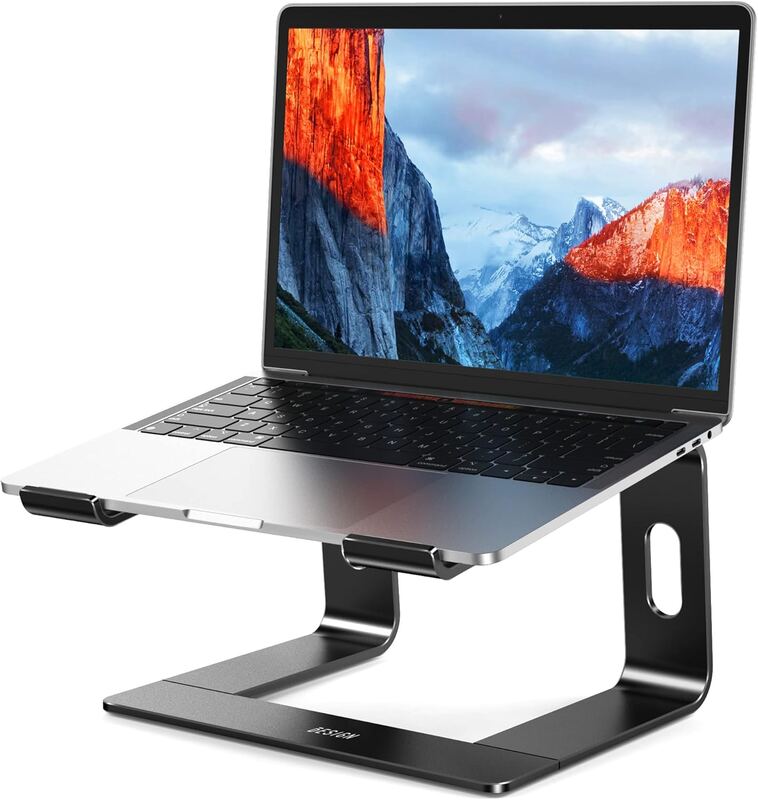
BESIGN LS03 Aluminum Laptop Stand
Higher ratedRanked #2 in Best Ergonomic Laptop Stands
BESIGN LS03 Aluminum Laptop Stand
1 sourceall derived$15.29as of Oct 2

The BESIGN LS03 Aluminum Laptop Stand balances ergonomics and portability with an aluminum build and a detachable design that raises a laptop about 6 inches. Dan Reviews Stuff says it keeps laptop fans in open air and has lasted the couple of years he has owned it. BESIGN rates it for 10- to 15.6-inch laptops and up to 8.8 lb. Frequent travelers and remote workers who want a reliable, lightweight solution will get the most from it; owners of laptops larger than 15.6 inches should consider alternatives.

Strengths
  • — Aluminum construction provides durability and lightweight portability
  • — Ergonomic design improves typing comfort and reduces strain
  • — Detachable feature allows for flexible use in various settings
Watch-outs
  • — Limited color options (only black)
  • — Fixed height with no adjustment, and rated only for 10- to 15.6-inch laptops
Twelve South Curve for MacBooks and Laptops
Ranked #3 in Best Ergonomic Laptop Stands
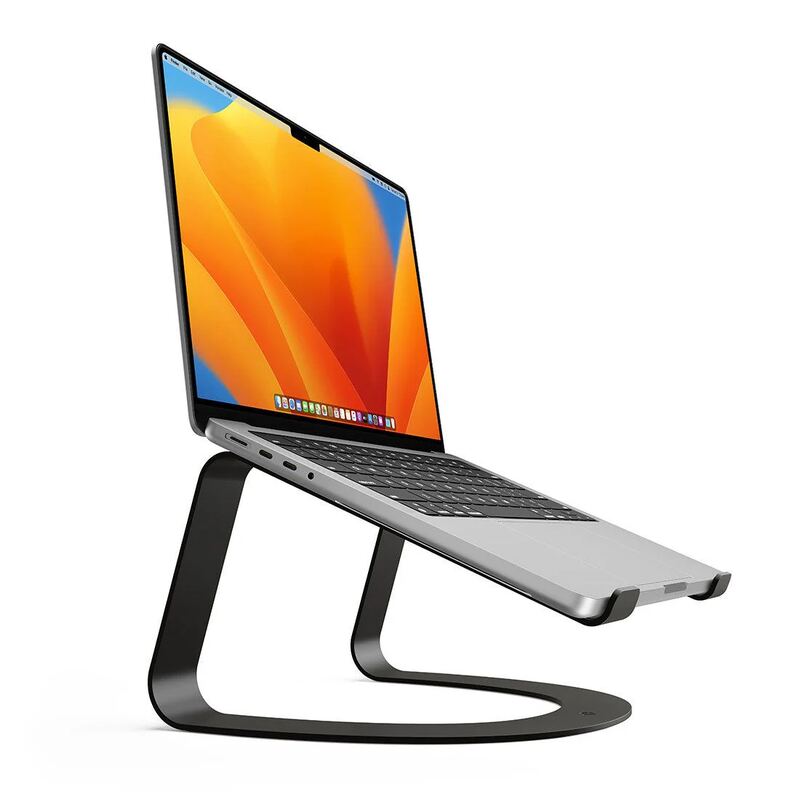
Twelve South Curve for MacBooks and Laptops
1 sourceall derived$59.95as of Oct 2

The Twelve South Curve is an aluminium arc that lifts a MacBook to a higher viewing angle, which is the whole point of it: the screen comes up toward eye level and the neck stops bending down to meet it. Podfeet rated it well, giving it an A+ for ergonomics. The constraint is fit — it is built for 10- to 16-inch laptops, and it is a stand rather than a docking solution. Desk-bound Mac users building an ergonomic setup are the buyers.

Strengths
  • — Elevates MacBook to optimal viewing angle for reduced neck strain; Podfeet found it put the screen exactly at eye level
  • — Sturdy aluminum construction with premium feel, and Podfeet found it not very bouncy
  • — Compatible with 10- to 16-inch laptops, including MacBooks
Watch-outs
  • — Limited to 10- to 16-inch laptops
  • — May not fit all laptop cases or accessories

Derived means the reviewer published no score, so one was inferred from their written verdict. Everything else is a number the publisher printed. How we rank.

How they stack up

BESIGN LS03 Aluminum Laptop Stand

The BESIGN LS03 offers a detachable feature that the Roost Laptop Stand V2 lacks, making it more versatile for different usage scenarios. While the Rain Design mStand provides better stability, the BESIGN stand's lightweight aluminum construction and detachable design make it ideal for frequent travelers.

Twelve South Curve for MacBooks and Laptops

While the Rain Design mStand offers a wider base, the Curve's compatibility with specific MacBook sizes makes it ideal for Apple users. Unlike the JOYEKY stand, it doesn't have a rotating base but provides better support for MacBook models and is more stable during use.

Specs side-by-side

SpecBESIGN LS03 Aluminum Laptop StandTwelve South Curve for MacBooks and Laptops
MaterialAluminumAluminum
ColorBlackSilver
Weight1.1 lb1.2 lb
Laptop Compatibility10" - 15.6" Laptops10-16 inch laptops
Adjustment TypeNone (fixed height, detachable)None (fixed one-piece stand)
ElevationAbout 6 in (14.5 cm)—
Max Load8.8 lb—
← See the full ranking of best ergonomic laptop stands