The BOOX Go 10.3 Gen II offers a compelling alternative to Amazon's Kindle Scribe with its sharp 10.3-inch monochrome E-Ink display and Android flexibility. Android Authority praised its paper-like reading experience and lightweight design, while YouTube reviewer noted the device's comfort and clean aesthetic. However, the stylus requires charging and the software can feel dense. The tablet is ideal for users wanting more from an e-ink device without sacrificing focus or comfort, though those needing front light may prefer the Lumi variant.
Full review
Display quality and reading experience
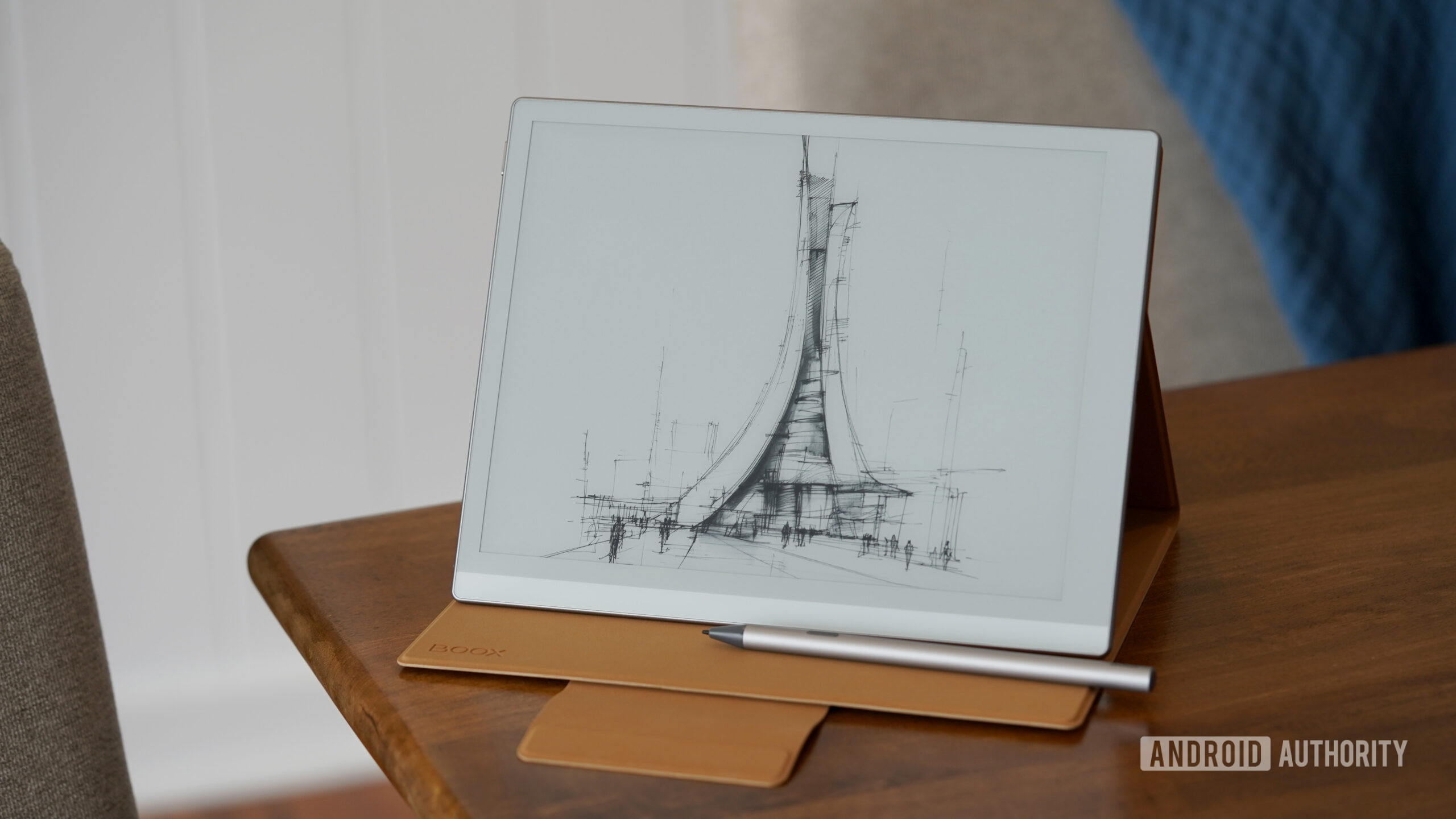
The Boox Go 10.3 Gen 2 features a 10.3-inch 300ppi monochrome E-Ink Carta 1200 display that delivers a paper-like reading experience. Android Authority noted that the screen offers 'a noticeably cleaner, more paper-like appearance' without the front light layer that some competitors include. The display's sharpness allows for crisp text rendering and maintains clarity even with small handwriting, as confirmed by the same reviewer who found that 'handwritten notes stay sharp even with smaller chicken scratch.' The lack of a front light layer on the standard model contributes to this clean appearance, though it means users must rely on ambient lighting for reading in darker environments.
The tablet's HD Carta 1200 screen performs consistently across different applications, though reviewers noted that ghosting is a common issue with e-paper panels, which is normal for this technology. The Android 15 interface allows users to adjust refresh modes and color options through swipe gestures from the right edge of the screen, providing flexibility in how content is displayed depending on the application being used.
Writing and annotation capabilities
While the new InkSense Active Pen is described as 'very good (and perfectly usable),' the transition from EMR to active pen is seen as a step backward in terms of writing experience quality. The active pen requires charging, unlike the previous EMR stylus, which was a significant improvement over traditional pen systems. Despite this, the writing feel is still considered good, with reviewers noting that 'handwriting still feels responsive enough that notes rarely lag behind the pen tip.'
The stylus storage issue remains problematic across both versions of the device, with eWritable.net highlighting that 'the stylus magnetically attaches to the right edge of the tablet' and that 'the thinness and curvature of the edge means that the stylus can rolls back and forth rather than staying in one place.' The folio case lacks proper stylus containment, with reviewers describing it as 'terrible' and 'a bit of a disappointment' in terms of both materials and functionality. Apple Insider noted that the folio's magnetic attachment is 'notably weaker' and that the 'bit that keeps it closed is detachable' which creates usability issues.
Hardware and performance specifications
The Boox Go 10.3 Gen 2 is powered by a 2.4GHz octa-core processor with 4GB of RAM and 64GB of internal storage. This configuration, according to Android Authority, 'ends up feeling more than responsive enough for typical E-Ink workloads like reading, annotating PDFs, web articles, and juggling note apps.' The device includes OTG support for external storage, though the lack of expandable storage is seen as a limitation for power users. The 3,700mAh battery provides a full week of typical usage, with Android Authority reporting that 'I was able to test the device throughout a weekend trip without worrying about bringing a charger.'
Apple Insider noted that while the tablet's hardware specs are 'not exactly new,' they are 'two years newer' than previous generations, particularly with the upgrade to Android 15. The device's thin profile of 4.6mm and lightweight design of approximately 360g make it comfortable for extended writing sessions, as noted by Android Authority. The tablet's physical design includes a dedicated thumb-rest area, which Apple Insider appreciated as a feature that 'gives you a good place to grip' unlike standard tablets.
Software ecosystem and user interface
The Go 10.3 Gen 2 runs on Android 15, which provides access to the Google Play Store and enables users to install third-party applications, a feature that sets it apart from more restrictive platforms like Kindle. Android Authority emphasized that 'the flexibility of Android-based software experience' makes this tablet 'an especially compelling option for users who want more from an e-ink device without giving up focus or comfort.' Users can access cloud storage services, browse the web, and switch between multiple note-taking workflows without being confined to a single ecosystem.
However, the software experience is not without its drawbacks. Apple Insider noted that 'the homescreen is laid out so that elements of the tablet are split into several sections' and that 'the library and notes tabs are where the two superpowers of the device lie, with a big asterisk.' The interface can be dense, and some apps require refresh adjustments and optimization tweaks to work well on E-Ink displays. eWritable.net also pointed out that 'the software still occasionally feels like Android adapted for E-Ink rather than software fully designed around it' and that 'the writing experience of the InkSense Active Pen is very good (and perfectly usable) and Boox have made a lot of improvements to it.'
Battery life and power management
Battery performance on the Boox Go 10.3 Gen 2 is robust, with Android Authority reporting that 'the 3,700mAh battery is large enough that I was able to test the device throughout a weekend trip without worrying about bringing a charger.' The device's battery life varies significantly based on usage patterns, with passive reading lasting longer than active writing or app usage. Apple Insider noted that 'the 3700 mAh battery is decent, especially if you aren't using (or don't have access to) a front light.' The battery's longevity is sufficient for most users, though heavy users of the front light or multiple apps may need to recharge more frequently.
The tablet's power management is designed to accommodate its dual-purpose nature as both a reading device and a note-taking tool. eWritable.net highlighted that 'the writing experience of the InkSense Active Pen is very good (and perfectly usable)' and that 'Boox have made a lot of improvements to it,' suggesting that the power consumption for writing tasks has been optimized. However, the active pen's requirement for charging introduces an additional consideration for users who rely heavily on handwriting.
Design and physical build quality
The Boox Go 10.3 Gen 2 features a thin profile measuring 4.6mm and weighing approximately 360g, making it comfortable for extended use. Apple Insider praised the design as 'thin, but doesn't feel fragile,' and noted that 'the tablet itself, you also receive a folio-style case' that 'is somewhat of a disappointment' in terms of materials and functionality. The folio case, while included with the purchase, is described as having 'a faux suede material, which historically I haven't loved for devices that get handled a lot.'
The tablet's build quality is consistent with Boox's previous models, with a metallic trim running around the outer edge and rounded corners that provide comfort in hand. Apple Insider noted that 'the rear panel is made of faux leather' which 'is so soft, and it goes a long way in making the tablet easy to hold for longer periods.' The design also includes a dedicated thumb-rest area, which Apple Insider appreciated as 'a good place to grip' unlike standard tablets. However, the stylus attachment mechanism, while convenient in theory, is problematic in practice due to the thinness and curvature of the edge, as noted by multiple reviewers.
Front light availability and usage
The Boox Go 10.3 Gen 2 is available in two variants: standard and Lumi. The Lumi version includes a front light, which is an optional feature that adds $50 to the price. Android Authority noted that 'the standard model I tested skips that layer, which, as I mentioned, helps give the display a slightly cleaner and more paper-like appearance.' The front light is beneficial for reading in low-light conditions, though it comes at the cost of increased power consumption. Apple Insider reported that 'even with using the front light for nightly reading, I still made it days before needing to recharge it.'
eWritable.net's review of the Lumi variant emphasized that 'the frontlight + good tactile writing experience + Audio (Speakers & Mic)' makes it a compelling option for users who need these features. The front light allows for comfortable reading in various lighting conditions, but reviewers noted that the standard model's lack of front light is a trade-off for a cleaner, more paper-like display appearance. The decision to include or exclude the front light depends on the user's reading habits and environmental needs.
Storage and expandability limitations
The Boox Go 10.3 Gen 2 comes with 64GB of internal storage, which is a significant limitation for users who plan to store large libraries or use productivity apps. Apple Insider noted that 'I don't love that the Go only has 64GB of memory with no microSD slot,' and that 'if you're used to Apple's folio cases, this actually is a bit of a disappointment.' The lack of expandable storage is particularly problematic for users who want to store audiobooks or use multiple productivity applications. While OTG support is available, it does not fully compensate for the limited internal storage capacity.
eWritable.net's review highlighted that 'the tablet features a black-and-white only display' and that 'the jump to Android 15 over the previous Android 13 is appreciated,' but the storage limitations remain a significant drawback. The 64GB of storage is sufficient for basic reading and note-taking tasks, but users who want to store extensive collections or use resource-intensive applications will find the lack of expandability restrictive. The device's reliance on cloud services and external storage solutions becomes necessary for power users.
User experience and overall value proposition
The Boox Go 10.3 Gen 2 is positioned as a versatile Android-based E-Ink tablet that offers both reading and writing capabilities. Android Authority described it as 'an especially compelling option for users who want more from an e-ink device without giving up focus or comfort.' The device's ability to run Android applications while maintaining the benefits of E-Ink technology makes it appealing to users who want flexibility without sacrificing reading comfort. The tablet's value is enhanced by its broad file format support and the ability to handle various document types without conversion tools.
However, the device's drawbacks include the stylus storage issues, the less-than-ideal folio case, and the requirement for the active pen to be charged. eWritable.net concluded that 'despite its shortcomings, the Boox Go 10.3 (all three iterations) are still, in my opinion, some of the best all-round monochrome e-ink tablets on the market, and offer fantastic value for money.' The tablet's overall value proposition is strong for users who prioritize reading and writing capabilities over other features, but those seeking a more streamlined experience may find it lacking in some areas.
Strengths
- +Lightweight design at 360g with 4.6mm thickness for comfortable long writing sessions
- +Flexible Android-based software experience with full Play Store access and multi-note-taking workflows
- +Excellent file format support including EPUBs, PDFs, Word docs, and archive files without conversion tools
Watch-outs
- −BOOX software can feel overly dense with some apps needing optimization tweaks for E-Ink
- −The stylus requires charging
How it compares
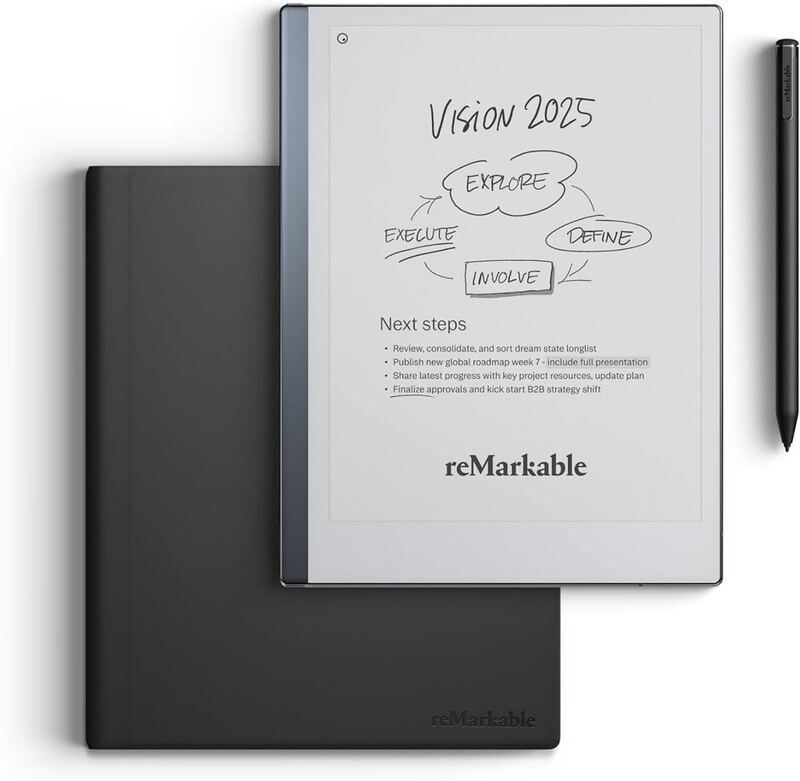
The BOOX Go 10.3 Gen 2 offers Android flexibility and full Play Store access that the Kindle Scribe doesn't provide, but it lacks a front light unlike the Kindle Scribe Colorsoft and requires a charging stylus unlike the Supernote Manta. Compared to the reMarkable Paper Pro, it provides more app support but lacks the color display and subscription features.
Rating sources
“Boox has refreshed another model in its lineup, the Boox Go 10.3, adding one new optional feature while, somewhat disappointingly, removing something users really liked.”
“it is not offering anything meaningfully or significantly newer. In fact, I would say that the transitioning from an EMR stylus to an Active Pen actually makes it worse than its predecessor in terms of writing experience.”
“The Boox Go 10.3 Gen II does nothing but expand on the bar Boox has set for minimal Android e-readers, setting the bar for note-taking and reading on the go.”
Our 3.9 score is the average of the 4 scored reviews above; 4 more reviewed it without printing a score and are not in the average. Ratings marked * were derived from the reviewer’s written analysis or video transcript — the publisher didn’t print an explicit numeric score, so we inferred one from their own words. Click through to verify. More about methodology.