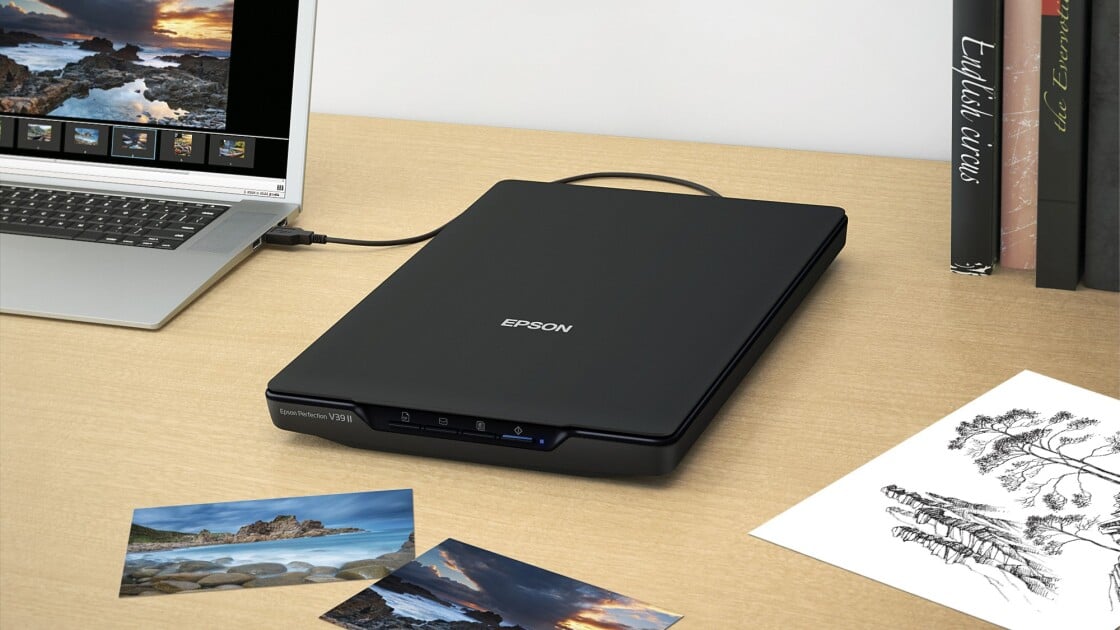
The Epson Perfection V39 II offers excellent photo scanning quality at a budget-friendly price point of $120. PCMag and TechGearLab reviewers praised its ability to produce vibrant, accurate scans of photos and text, with a maximum resolution of 4800 dpi. The scanner features automatic multiple photo recognition and is easy to set up, making it ideal for digitizing family photos and documents. However, reviewers noted that the software is clunky and the flatbed design makes it slow for long text documents, limiting its usefulness for heavy text scanning tasks. This scanner is best suited for casual users who need reliable photo digitization rather than high-volume document scanning.

Full review
Scanning Performance Overview
The Epson Perfection V39 II delivers solid scanning performance across both photo and document types, with PCMag's David English noting that it produced 'high-quality scans of every document, receipt, and photo we tested.' The scanner achieves a maximum resolution of 4800 dpi, which TechGearLab confirmed is 'functionally more than enough resolution to make scanned photos look great without a hint of graininess.' The V39 II's ability to scan photos with vibrant, accurate colors was particularly praised by Andersonology's reviewer, who noted that 'scanned colors tended to pop with the same vibrant colors as the originals.' However, the scanner's speed limitations make it less suitable for large document scanning, with TechRadar's reviewer observing that 'it's difficult to pin down the exact speed of a bed scanner because several variables change with each use.' The scanner's performance is consistent across different media types, though the software's interface has been criticized for being clunky and outdated, particularly for users accustomed to modern photo editing workflows.
Photo Quality and Color Accuracy
Photo quality from the Epson Perfection V39 II is consistently strong, with reviewers across multiple publications noting its ability to capture vibrant colors accurately. Andersonology's reviewer, who emphasized archival preservation standards, stated that 'scanned colors tended to pop with the same vibrant colors as the originals,' and that the scanner 'produced very accurate scans of photos in our testing.' The scanner's ability to handle high-resolution scans was confirmed by both PCMag and TechGearLab, with the latter noting that 'the V39 has a maximum resolution of 4800 dots per inch dpi' and that 'that is functionally more than enough resolution to make scanned photos look great without a hint of graininess.' The scanner's RGB LED technology and 3-color scanning capabilities were praised for their ability to reproduce accurate color profiles, though Apple Tech Talk's review noted that the software's color enhancement features require manual adjustment and lack real-time feedback, which can be time-consuming for professional users.
Document Scanning Capabilities
While the Epson Perfection V39 II excels in photo scanning, its document scanning performance is notably slower and less efficient compared to dedicated document scanners. TechGearLab's review highlighted that 'its speed limitation makes it a poor choice for scanning long text documents,' and that 'in general, bed scanners speed and seem especially slow compared to options with a document feeder.' The scanner's performance was further evaluated by Apple Tech Talk, who noted that 'the scanner requires much more human labor than document scanners' and that 'loading pages into the bed is a slow process.' However, the scanner does handle text scanning with good clarity, with PCMag's David English stating that 'every text document we scanned on the V39 resulted in PDFs that looked nearly identical to the originals with bright white backgrounds and bold, defined text.' The scanner's ability to produce clean text scans makes it suitable for occasional document digitization, but it's not recommended for high-volume scanning tasks.
Build Quality and Portability
The Epson Perfection V39 II's build quality and portability were consistently praised across reviews. Andersonology's reviewer noted that the scanner is 'almost as small as a laptop' and 'very portable,' weighing 'slightly more than 3 pounds' with dimensions of '9.9" x 14.4" x 1.5".' The scanner's USB-powered design was particularly appreciated by Apple Tech Talk, who noted that 'it's entirely USB powered' and that 'when I travel I don't have to take another power cord with me and find two wall plugs.' The scanner's compact size and lightweight design make it ideal for travel, as Andersonology's reviewer mentioned that 'I put mine in an old Pyrex dish carrier for car travel' and that 'it wouldnt be ideal for air travel, but it would be possible, if necessary.' The removable lid feature, which allows for scanning of thicker books, was also noted as a significant advantage by Parka Blogs' reviewer, who stated that 'One notable feature that Canon does not have is on the Epson, you can remove the lid.' The scanner's kickstand design was also appreciated for its space-saving benefits, with Apple Tech Talk noting that 'the scanner has a built-in kickstand that allows the scanner to sit upright on your desktop, which is a nice space-saving feature.'
Software and User Experience
The Epson ScanSmart software that accompanies the V39 II has received mixed reviews, with several reviewers criticizing its outdated interface and lack of user-friendly features. Apple Tech Talk's review noted that 'the software is familiar to anyone who has used an Epson scanner' but also highlighted that 'we did find one issue that we can't explain' related to the print function when using the document scan button. The software's interface was described as 'tedious' by Parka Blogs' reviewer, who noted that 'there's no way to have instant feedback to your colour adjustments' and that 'after every adjustment, you have to scan and check the result.' TechGearLab's reviewer also criticized the software's user-friendliness, stating that 'Epson's software does offer some options for digital enhancement of the scanned files, and we were able to get some decent results using them. However, the software itself isn't particularly user-friendly.' The software's ability to automatically recognize multiple photos and save them as separate files was praised by TechGearLab, but the overall interface was seen as a significant drawback for users seeking modern scanning workflows.
Where It Falls Short
Despite its strengths, the Epson Perfection V39 II has several notable shortcomings that limit its appeal for certain users. The most significant issue is its slow scanning speed, particularly for documents, which makes it unsuitable for high-volume scanning tasks. TechGearLab's reviewer explicitly stated that 'its speed limitation makes it a poor choice for scanning long text documents,' while Apple Tech Talk noted that 'the scanner requires much more human labor than document scanners.' The scanner's software interface was widely criticized as outdated and clunky, with Parka Blogs' reviewer describing it as 'a really old software' and 'tedious' for color adjustments. Additionally, the scanner's scanning surface area has limitations, as Andersonology's reviewer noted that 'the scannable area does not go all the way to the edge of the glass' and that 'it takes a little bit of time to become familiar with the slight border around the scanning surface that will be cut off.' The scanner's Contact Image Sensor (CIS) technology also presents challenges with certain paper types, as Parka Blogs' reviewer warned that 'the scanner might have problem with scanning watercolour paper, spiral sketchbooks, or a sketchbook that cannot open flat.' These limitations make the V39 II less ideal for professional or heavy-duty scanning applications.
Who It's Best For
The Epson Perfection V39 II is best suited for casual users who need to digitize photos and occasional documents without requiring high-volume scanning capabilities. It's ideal for home office users, genealogists, and hobbyists who value portability and affordability over speed and advanced features. Andersonology's reviewer, who emphasized archival preservation standards, found the scanner suitable for 'creating the highest possible quality digital images that will have the best chance of long-term digital preservation.' The scanner's USB-powered design and compact size make it particularly appealing for travelers or users with limited desk space. Apple Tech Talk's review noted that 'the scanner is very portable' and 'it's entirely USB powered,' which makes it convenient for users who need to scan on the go. However, the scanner is not recommended for professional users or those requiring frequent document scanning, as its speed limitations and outdated software interface would significantly hinder productivity. TechGearLab's reviewer concluded that 'it is one of the smaller models of the scanners we tested and it packs away easily when not in use,' making it a good choice for users who prioritize storage convenience over scanning performance.
Value and Price Considerations
The Epson Perfection V39 II offers good value for its price point, with most reviewers noting its budget-friendly nature and solid performance. TechGearLab's review gave it a 'budget-friendly price' and called it 'an excellent addition to anyone's home office,' while Andersonology's reviewer emphasized that 'I wanted something flat-bed style, as opposed to a wand or feeder scanner, because this is the least damaging to fragile photos' and that 'I have been very happy with my choice!' The scanner's ability to produce high-quality scans at a reasonable cost makes it attractive to casual users and those with limited budgets. However, the software's limitations and slow scanning speed may not justify the purchase for users requiring more advanced features or higher throughput. Apple Tech Talk's review noted that 'the bottom line is that neither the Perfection V39 II Scanner, nor the Epson ScanSmart application had any major issue,' suggesting that while the scanner functions well, its value proposition is primarily based on its price and basic functionality rather than premium features. The scanner's price point of around $120, as noted by PCMag and TechGearLab, positions it as a solid entry-level option for photo digitization needs.
Strengths
- +Excellent photo scan quality with vibrant colors that match originals
- +Easy setup and user-friendly operation with automatic multiple photo recognition
- +Relatively inexpensive at $120 MSRP
- +High resolution of 4800 dpi sufficient for detailed photo digitization
- +Good black and white text scanning with defined edges and contrast
Watch-outs
- −Software can be clunky and not user-friendly for editing
- −Very slow for long text document scanning due to flatbed design
How it compares
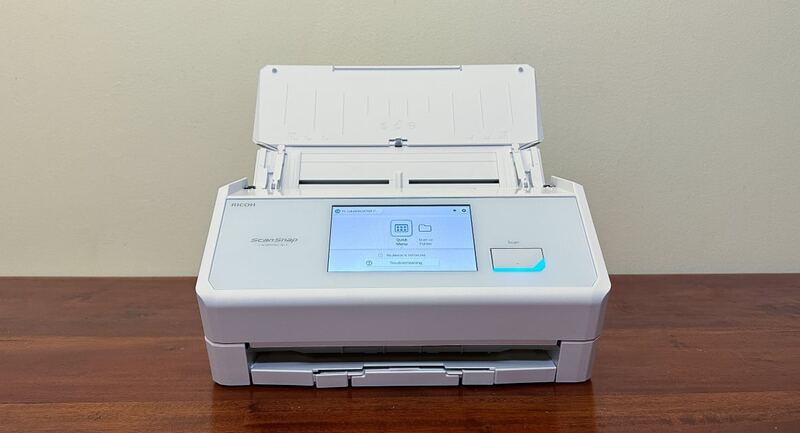
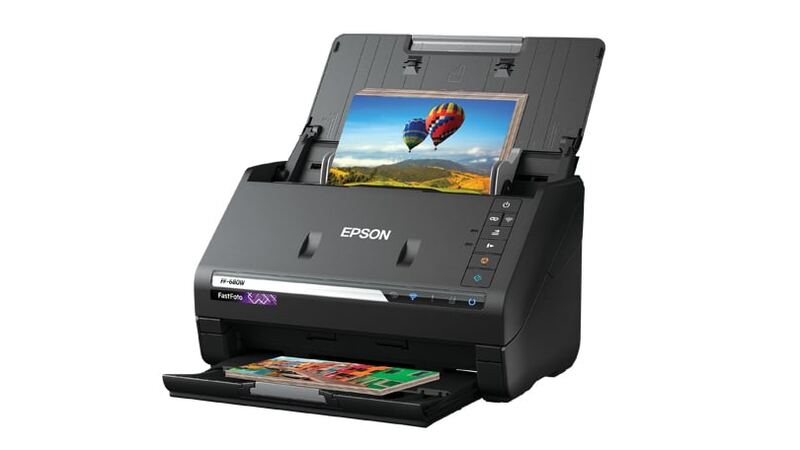
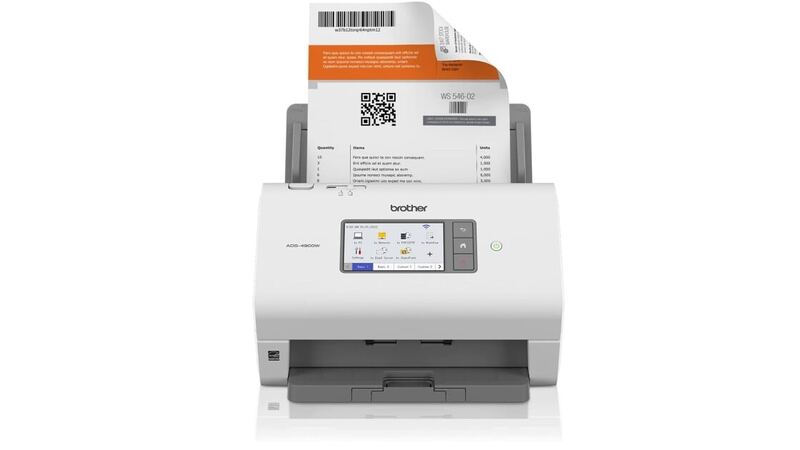
The Epson Perfection V39 II offers the best photo scanning quality among the group, rivaling the Epson FastFoto FF-680W but at a much lower price point. While it's slower than the Ricoh iX2500 for documents and lacks flatbed scanning like the Brother DS-940DW, it provides excellent value for casual users who prioritize accurate color reproduction over speed. Unlike the Brother ADS-4900W, it doesn't support wireless networking, but it's more budget-friendly and easier to set up.
Who this is for
At a glance: budget-conscious photo digitizers.
Why you’d buy the Epson Perfection V39 II
- Excellent photo scan quality with vibrant colors that match originals.
- Easy setup and user-friendly operation with automatic multiple photo recognition.
- Relatively inexpensive at $120 MSRP.
Why you’d skip it
- Software can be clunky and not user-friendly for editing.
- Very slow for long text document scanning due to flatbed design.
Rating sources
“I think its important to note that I have taken courses on archival preservation while pursuing my library science degree, so my perspective differs somewhat from a typical consumer.”
“The bottom line is that neither the Perfection V39 II Scanner, nor the Epson ScanSmart application had any major issue.”
Our 4.2 score is the average of these published ratings. Ratings marked * were derived from the reviewer’s written analysis or video transcript — the publisher didn’t print an explicit numeric score, so we inferred one from their own words. Click through to verify. More about methodology.