The Fujifilm Instax Mini LiPlay is a hybrid of instant film and digital: it saves shots to internal memory or a microSD card so you choose which to print, and it doubles as a printer for photos sent from a smartphone. Reviewers liked its compact body and its many filters and frames, and it can record sound and print it as a QR code on the photo, though Tom's Guide found that feature a hassle and low-light performance subpar. Ease of use is the priority, with creative photo modes and audio built around it.
Full review
Hybrid Design and Functionality
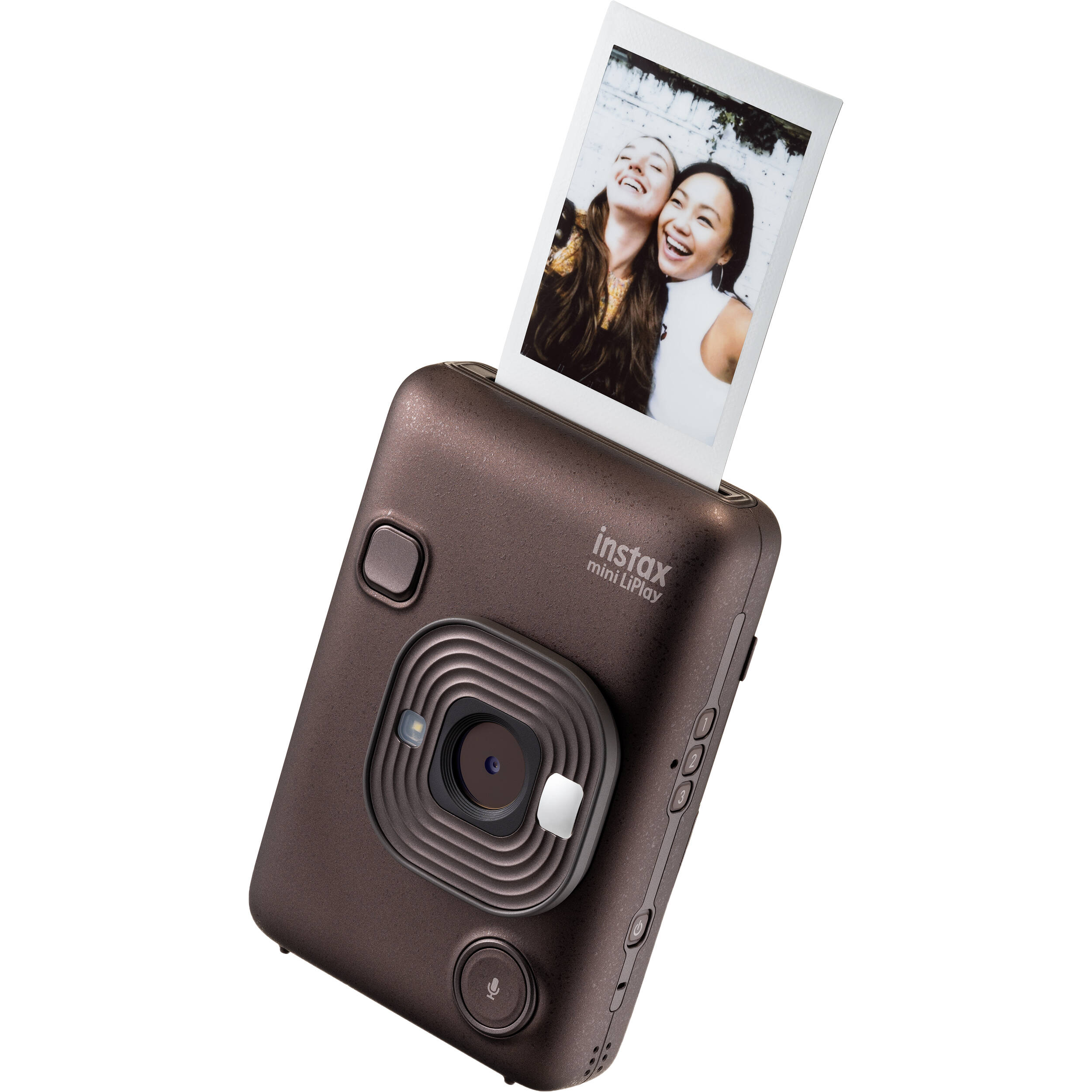
The Fujifilm Instax Mini LiPlay combines digital capture with traditional film printing in a compact form factor. It uses a single 28mm-equivalent lens with an f/2 aperture and saves images to internal memory or a microSD card, so you choose which shots to print on Instax Mini film rather than printing every frame. A selfie mirror on the front helps frame self-portraits. The integration of digital capabilities with analog printing creates a hybrid experience that appeals to both casual users and photography enthusiasts seeking nostalgic charm.
Fujifilm lists the LiPlay at 82.5 x 122.9 x 36.7mm and approximately 255g, and Tom's Guide found it comfortable to hold with one hand. Internal memory holds approximately 45 images, and a microSD card adds approximately 850 images per GB. The original colors charge over micro USB, while the newer Matcha Green, Deep Bronze and Misty White versions use USB-C.
Camera Performance and Image Quality
The Instax Mini LiPlay employs a 1/5-inch CMOS sensor capable of capturing images at 2560x1920 pixels (4.9 megapixels), which delivers acceptable quality for its intended use case. While not matching smartphone camera performance, the camera's image quality is sufficient for small-format instant prints and provides a nostalgic charm that many users find appealing. The 28mm-equivalent f/2 lens performs best in well-lit conditions. Exposure control is automatic, with program AE and exposure compensation ranging from -2 EV to +2 EV, allowing users to adjust brightness levels when needed. However, the camera's basic digital image quality means that users seeking professional results may find limitations in sharpness and dynamic range.
In practical testing, Tom's Guide found its low-light performance subpar. TechGearLab counted ten in-camera filters and 30 frames, though Tom's Guide notes that filters cannot be added after shooting. Despite these constraints, the device's ability to produce consistent prints on Instax Mini film remains its primary strength, particularly for casual photography and social sharing.
Buttons, menus and the app
The LiPlay pairs a 2.7-inch LCD with buttons on the back for playback, print, back, MENU/OK and navigation. On the left side, three shortcut buttons quickly add frames to prints, alongside the power button. Tom's Guide said it took a while to get to grips with the controls, often missing the shutter button at first, but got used to them after a few hours of use.
The LiPlay can print images sent from a smartphone, and it can record sound that is printed as a QR code on the image so the clip plays back when scanned. The companion app also offers remote shooting and frame selection. The lack of manual controls for exposure settings and focus points limits creative flexibility for advanced users, though the automatic system generally performs adequately for casual use.
Print Quality and Film Performance
The Instax Mini LiPlay delivers consistent print quality on Instax Mini film, and TechGearLab praised its consistently high-quality film prints. The 62 x 46mm (2.44 x 1.81 inch) image area offers a good balance between detail and portability. Fujifilm rates print output at approximately 12 seconds, and up to 50 images in the print history can be reprinted.
The camera's sound feature records audio when shooting or playing back an image and prints it as a QR code, though Tom's Guide found printing photos with audio a hassle. The battery is rated for approximately 100 prints per full charge, and the internal memory stores approximately 45 images, with microSD card expansion providing additional storage capacity for digital files.
Where it falls short
The LiPlay has a few notable shortcomings. PCMag points out that there is no in-camera editing, and Tom's Guide notes that filters can't be added after shooting and that low-light performance is subpar. The lack of manual controls for exposure and focus points also restricts creative flexibility for advanced users.
Tom's Guide also found the sound-printing feature a hassle to use. The battery is rated for approximately 100 prints per charge, which may not meet expectations for heavy users. These drawbacks, while not deal-breaking, may deter users seeking more advanced functionality.
Who it suits
The Fujifilm Instax Mini LiPlay is ideally suited for users seeking a fun, nostalgic photography experience that combines digital convenience with analog charm. It appeals particularly to casual photographers who enjoy social sharing and creative storytelling through frames, filters and sound. Because shots are saved digitally first, only the keepers need to be printed, and its compact size makes it easy to carry.
However, the LiPlay may not be the best choice for professional photographers or users seeking advanced manual controls. Those requiring high-resolution images or extensive creative flexibility will find the camera's limitations restrictive, and the lack of manual exposure controls makes it less suitable for serious photography enthusiasts who demand precision and control.
How it compares
In comparison to other hybrid instant cameras, the Fujifilm Instax Mini LiPlay faces competition from models like the Instax Mini Evo. The LiPlay emphasizes social sharing and multimedia features through its sound recording and smartphone printing.
When compared to smartphone-based instant camera solutions, the LiPlay offers a more tactile and dedicated experience, with the added benefit of physical prints that can be shared and preserved. However, it lacks the convenience and immediate sharing capabilities of smartphone apps, which can be a disadvantage for users who prioritize digital workflow. The camera's limited manual controls and basic sensor performance place it below more advanced digital cameras in terms of technical specifications, though it excels in providing a nostalgic and user-friendly photography experience. Features such as sound recording set it apart from simpler instant cameras, though they may not justify the higher price for users who do not value the hybrid functionality.
Battery life and value
The LiPlay's value rests on its sound recording, smartphone printing and digital storage, which let users print only the shots they want. These features may not appeal to all users, and those who simply want instant prints may prefer a simpler instant camera.
The camera's ability to produce instant prints and store digital files makes it a versatile choice for users who value both physical and digital photography. The approximately 100-print battery life and microSD card compatibility offer extended usability. For those who appreciate the nostalgia of instant photography combined with modern digital convenience, the LiPlay offers good value, though budget-conscious users may find more affordable alternatives that provide similar core functionality.
Strengths
- +Selfie mirror on the front for framing self-portraits
- +Records sound and prints it as a QR code that plays back from the photo
- +Supports printing images from smartphone via Bluetooth and QR code audio clips
- +Hybrid functionality allows digital capture and instant printing in one device
Watch-outs
- −Filters can't be added after shooting
- −Subpar low-light performance
How it compares
Compared to the Mini 12, it offers more digital connectivity and smartphone app integration, though it's more complex and less straightforward. Unlike the SQ1, it's more feature-rich and offers hybrid functionality, but it's more expensive and less user-friendly.
Rating sources
Our 4.1 score is the average of these published ratings. More about methodology.