The Gigabyte M32U offers a 31.5-inch 4K IPS display with 144Hz refresh rate and HDMI 2.1 VRR support, making it suitable for both productivity and gaming. RTINGS.com noted its 'minimalist design' that doesn't look like a typical gaming monitor, while PC Monitors.info highlighted its 'shockingly accurate colors' and 'great selection of ports.' The monitor's 10-bit color depth with FRC dithering and 1ms response time are also noted as strengths. However, the stand design is described as bulky with a hollow base, and the bottom bezel is relatively large.
Full review
31.5-inch 4K IPS with 144Hz
The Gigabyte M32U delivers a 31.5-inch 4K UHD IPS panel with a native resolution of 3840 x 2160 pixels, providing a pixel density of 140 PPI. This screen size and resolution combination offers excellent clarity and desktop real estate, particularly suitable for 4K gaming and productivity work. The panel is manufactured by Innolux and uses an AAS (Azimuthal Anchoring Switch) IPS-type LCD technology. According to pcmonitors.info, the monitor supports a 144Hz refresh rate with VRR (Variable Refresh Rate) through HDMI 2.1, making it compatible with PS5 and Xbox Series X for 4K @120Hz gaming. The panel's response time is rated at 1ms MPRT, though actual performance varies with overdrive settings as detailed in techspot reviews. The screen's matte anti-glare finish helps reduce reflections but introduces slight graininess typical of LCD panels.
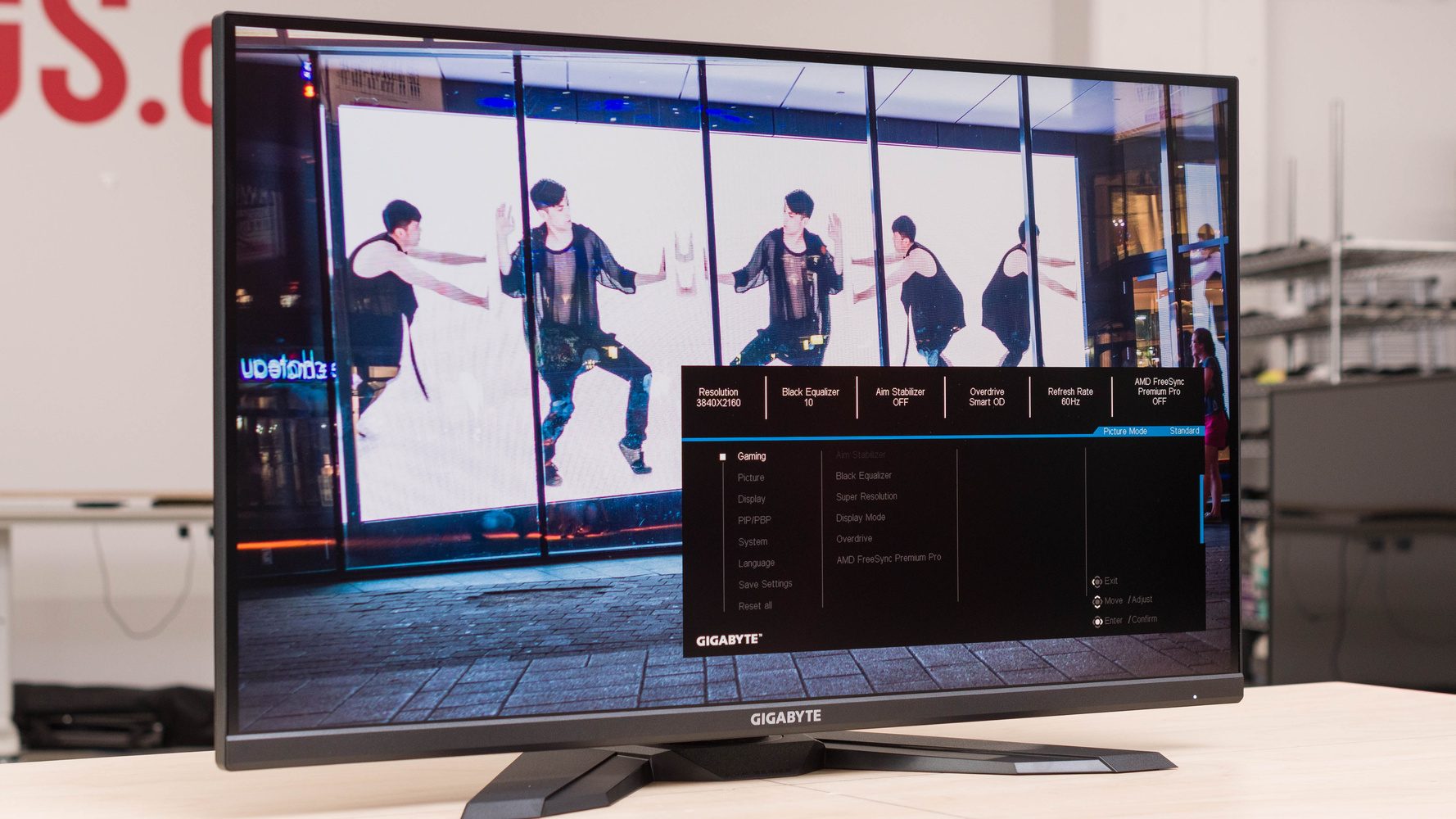
The monitor's design features a predominantly matte black plastic construction with glossy black elements on the stand base and front column. The stand offers tilt adjustment of 5° forward and 20° backward, swivel of 30° left and right, and height adjustment of 130mm. The bezels are slim on the top and sides (~8.0mm) but have a thicker bottom bezel (~20mm) with a central grey brand logo. The screen coating is a standard matte LCD finish, which reduces mirror reflections but introduces slight graininess. Techspot notes that the monitor's design is a refresh of its predecessor, maintaining the same Gigabyte M-series aesthetic with a simple black plastic construction and wide, flat V-shaped stand. The monitor's weight is 10.35kg, and it includes a 100 x 100mm VESA mount for alternative mounting options. The stand base is hollowed-out plastic with a metal backplate, which adds weight but does not feel premium compared to higher-end models.
Color accuracy and brightness
In terms of color reproduction, the Gigabyte M32U provides a wide color gamut covering 90% of DCI-P3, which is equivalent to around 125% sRGB. DisplayNinja notes that this results in more saturated and rich colors, though it can cause slight over-saturation when viewing sRGB content. For users seeking accurate sRGB output, the monitor includes an sRGB emulation mode with adjustable brightness that clamps the gamut down to ~100% sRGB. According to techspot, the monitor's brightness peaks at 350-nits for SDR and 400-nits for HDR content. The contrast ratio is 1000:1, which is standard for IPS monitors. However, the HDR performance is subpar as the monitor lacks a full-array local dimming solution, resulting in only 16 zones of local dimming that provide barely an improvement. RTINGS found that while the monitor supports HDR, the viewing experience is poor without edge-lit local dimming, making it unsuitable for HDR content consumption.
The monitor's color accuracy is considered excellent for its price range, with techpowerup praising it as a successful product that offers great image quality, excellent gaming performance, and a number of useful extra features. DisplayNinja highlights that the image remains perfect regardless of viewing angle, with wide 178° viewing angles and accurate color output. The panel provides standard benefits of IPS technology, including wide viewing angles and accurate color output. However, the HDR experience is limited by the lack of full-array local dimming, which is necessary for improving contrast ratio performance. The monitor's brightness is sufficient under normal lighting conditions, but the HDR viewing experience is subpar compared to premium HDR displays.
Response time and motion handling
Gigabyte offers five different overdrive settings for response time performance, with the M32U starting at native panel performance with overdrive disabled. The Balance mode is where the M32U starts to perform at a reasonable standard, offering a 4.8ms response time average with reasonable overshoot results and cumulative deviation around 400. The Speed mode has noticeable overshoot artifacts and is pushed too far, making it unsuitable for most users. The Smart OD mode at 160Hz uses a similar overdrive configuration to Balance, making it a good choice. Techspot also notes that the Smart OD setting is properly optimized for variable overdrive, with different overdrive modes at different refresh rates: Balance-level overdrive at 144Hz and above, Picture Quality overdrive at mid-refresh rates, and overdrive turned off completely at 60Hz.
Despite these improvements, the response time performance is still not aggressive enough for competitive gaming, according to techspot. The monitor's motion handling is adequate for general gaming but lacks the ultra-low input lag needed for competitive FPS games. RTINGS found that the Gigabyte M32U has outstanding low input lag, resulting in a very responsive gaming experience, and it also has an incredible response time, so there's very little blur behind fast-moving objects. However, the monitor does not officially support NVIDIA's G-SYNC, though it works with G-SYNC Compatible. Some users have reported flickering issues with DRR, especially on the PS5, though the reviewer did not experience these problems during testing. The monitor includes an aim stabilizer feature with black frame insertion to help eliminate motion blur in FPS games, though this feature is optional and not necessary for most users.
Connectivity and ports
The Gigabyte M32U features a comprehensive set of ports including two HDMI 2.1 (48 Gbps) ports, one DisplayPort 1.4 with DSC, and a USB-C port supporting DP-Alt mode. The USB-C port can function as an upstream port, enabling KVM switch functionality. However, USB-C power delivery is limited to 18W, which is insufficient for charging most laptops. The monitor also includes a three-port USB 3.2 hub, which is a useful addition for connecting peripherals. The ports face downwards, which makes cable management somewhat difficult, and the reviewer noted that cables tend to hang down, ruining the floating effect of a monitor arm setup.
The OSD (On Screen Display) is controlled by a joystick at the rear, towards the right side as viewed from the front. There's also a dedicated KVM button and a small circular power LED located towards the bottom right, facing forwards. The monitor's software includes Gigabyte's standard interface and integrates with Gigabyte's software for system stats. The monitor also includes gaming features such as crosshairs, a refresh rate counter, shadow boosting, sniper mode, and a dashboard that integrates with Gigabyte's software for system stats. The on-screen display is controlled by a directional toggle on the rear, and the interface is standard for Gigabyte monitors, with no unique differentiating factors compared to other models in the line.
Value proposition and market positioning
The Gigabyte M32U is positioned as a reasonably priced 4K gaming monitor with a 144Hz refresh rate. Techpowerup notes that it's one of only a few reasonably priced 4K gaming monitors currently on the market and that no important corners have been cut to achieve the sub-$1000 price. DisplayNinja praises it as the best value 32″ 4K 144Hz gaming monitor available thanks to its fast IPS panel with wide color gamut and plethora of features, including FreeSync and MBR up to 144Hz, an ergonomic stand and rich connectivity options. However,
The monitor's value proposition is strong for users who need a large 4K screen with high refresh rates for both gaming and productivity work. RTINGS found that the Gigabyte M32U is an excellent gaming monitor, especially for Xbox Series S|X or Sony PS5 gamers, with outstanding low input lag and incredible response time. However, some reviewers noted that the HDR performance is poor and the design lacks pivot functionality, which may be a drawback for some users. Despite these limitations, the monitor's combination of screen size, 4K resolution, and 144Hz refresh rate makes it a compelling option for those who prioritize these features over HDR or premium design elements. The monitor's price point makes it accessible to a broad audience, particularly those who want a versatile 32-inch 4K display without breaking the bank.
Strengths
- +Supports HDMI 2.1 VRR for PS5 and Xbox Series X gaming
- +10-bit color depth with FRC dithering
- +Minimalist design that blends well in office environments
Watch-outs
- −Bulkier stand design with hollow plastic base
- −Bottom bezel is relatively large at ~20mm
How it compares
The Gigabyte M32U offers a minimalist design and 144Hz refresh rate with HDMI 2.1 VRR support.
Rating sources
Our 4.1 score is the average of the 3 scored reviews above; 2 more reviewed it without printing a score and are not in the average. More about methodology.