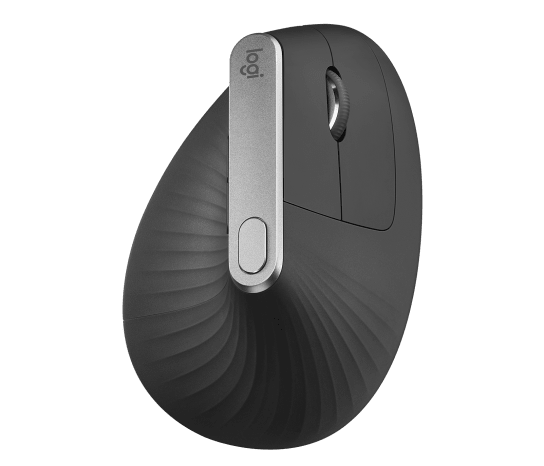
The Logitech MX Vertical is the premium benchmark for vertical ergonomic mice, using a 57-degree handshake angle to hold the wrist in a neutral position. Reviewers praise its sculpted, high-end build and ergonomic comfort for medium-to-large hands. Its clicks are louder and it is bigger than the Lift, but it remains the gold-standard vertical mouse for serious desk work.
Full review
57-degree angle cut CGMagazine's wrist ache
The Logitech MX Vertical earns its standing through ergonomics that reviewers consistently find effective. TechRadar called the 57-degree handshake angle legitimately brilliant for forcing the forearm into a neutral position, and CGMagazine, scoring it 8 out of 10, reported that after a long day on the computer their wrist ached a little less than normal. The sculpted shape supports the hand in a relaxed grip rather than the flat, pronated position a traditional mouse demands.
Tom's Guide called it a top productivity mouse choice when ergonomic design and customizable features are priorities. The mouse tracks accurately with a sensor up to 4000 DPI, and the six programmable buttons plus a dedicated DPI-shift button give power users flexibility.
Rubber coating can turn tacky over years
The MX Vertical feels like the premium product in its category. The body is sculpted with a textured rubber coating for grip, topped by a metal scroll wheel that reviewers single out as a high-end touch. It charges over USB-C and lasts around four months per charge, and it pairs over both Bluetooth and Logitech's Logi Bolt receiver, allowing it to flow between multiple computers.
The design is tuned for larger hands, which is both a strength and a constraint. CNN Underscored and others note the MX Vertical works well for larger hands despite its age, while smaller-handed users may find it too big and the thumb buttons a reach. The rubber coating, praised when new, has been reported by some long-term users to grow tacky over time, a known caveat with this finish.
Best fit is medium to large hands only
Comfort is the MX Vertical's core selling point. The 57-degree angle is steeper than many rivals, putting the wrist closer to a true handshake position, and reviewers with medium-to-large hands report meaningful reductions in wrist fatigue over long sessions. The palm rests naturally against the broad surface, and the thumb sits in a defined groove.
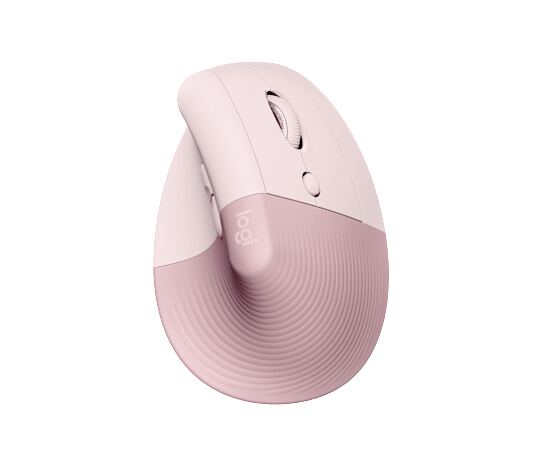
Fit is hand-size-dependent, however. The MX Vertical is a large mouse, and users with small hands often find the Logitech Lift a better match. Reviewers also note the transition period: a vertical mouse feels unfamiliar at first, and the MX Vertical's size amplifies that adjustment before the ergonomic payoff sets in.
125Hz polling can feel choppy on high-refresh screens
The MX Vertical has a few well-documented weaknesses. Its clicks are notably louder than the Logitech Lift's, making it less suited to shared offices or calls. The default 125Hz polling rate can feel choppy on modern high-refresh displays, a quirk reviewers flag for anyone sensitive to cursor smoothness. And Logitech's Options+ software, while powerful, is heavy and can feel bloated.
Size is the other limitation: it is simply too big for small hands, and the thumb buttons can be a stretch. The rubber coating's tendency to get sticky after a couple of years is a durability footnote. None of these are dealbreakers for its target user, but they are real trade-offs.
Louder clicks and bigger body than the Lift
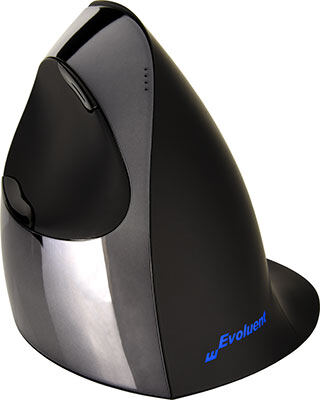
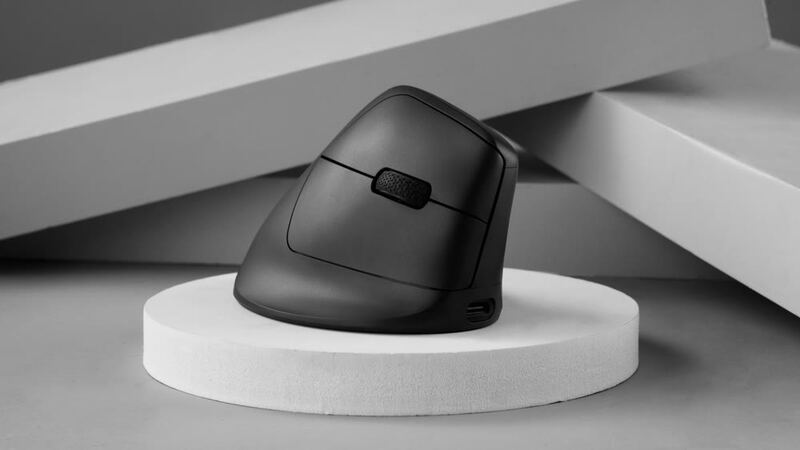
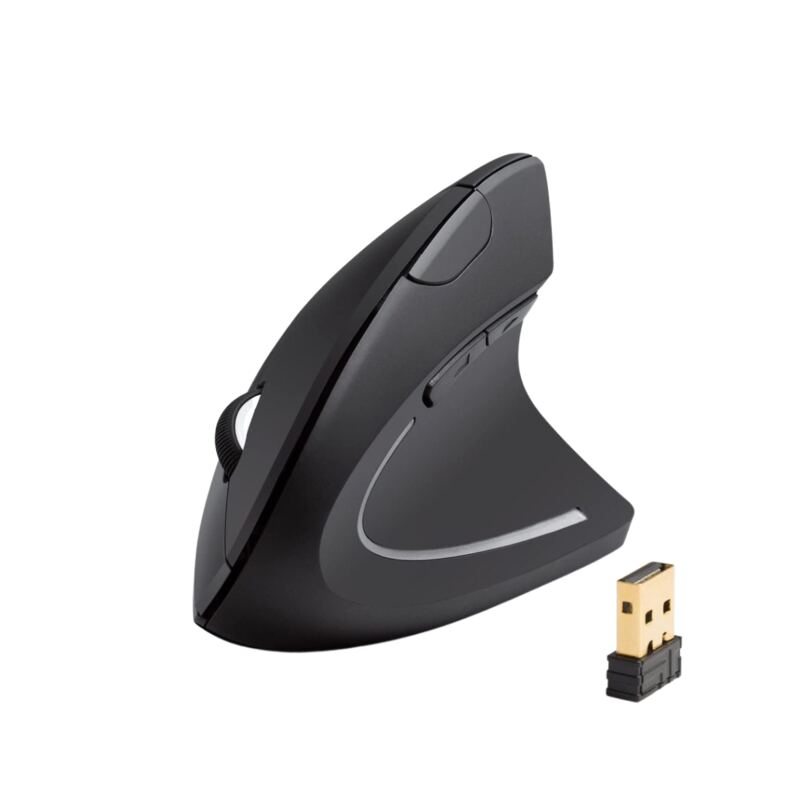
Against the Logitech Lift, the MX Vertical is bigger, louder and more premium, making it the choice for larger hands while the Lift suits smaller ones. Against the Evoluent VerticalMouse C, the MX Vertical is cheaper and feels more modern, though the Evoluent's steeper, fully vertical design appeals to RSI sufferers. The Keychron M5 adds a gaming-grade sensor and 8K polling the MX Vertical lacks, and the Anker vertical mouse is a fraction of the price for budget buyers.
The MX Vertical's advantage is balance: premium build, effective ergonomics, multi-device support and broad software. It is the safe default for a professional who wants the best-rounded vertical mouse and has the hand size to suit it.
100 dollars undercuts the Evoluent's premium price
At around $100, the MX Vertical sits in the upper-mid tier. It is more expensive than the Logitech Lift and far pricier than the Anker, but it undercuts the Evoluent VerticalMouse C while offering a more premium build and multi-device connectivity. Reviewers consider it strong value for a flagship ergonomic mouse.
The value proposition is clearest for the professional who will use it all day, every day, where the comfort and build justify the price. Casual users or those with small hands may find better value in the Lift or Anker. But as a long-term investment in wrist comfort for the right hand size, the MX Vertical earns its premium.
Switches between multiple computers via Logi Bolt
The MX Vertical is for professionals with medium-to-large hands who want the most refined vertical mouse for all-day desk work, value a premium build and metal scroll wheel, and need to move between multiple computers. If wrist comfort over long sessions is the goal and your hand fits, it is the benchmark.
It is the wrong pick for small hands (choose the Logitech Lift), for quiet shared spaces (the Lift's clicks are softer), for gaming (the Keychron M5), or for tight budgets (the Anker). But for its core audience, the MX Vertical remains the vertical mouse to beat.
Strengths
- +57-degree handshake angle forces a neutral forearm position that reduces wrist strain
- +Premium sculpted build with a metal scroll wheel feels high-end
- +Rechargeable via USB-C with around 4 months of battery per charge
- +Works across Bluetooth and the included Logi Bolt receiver for multi-device use
- +Best vertical fit for medium-to-large hands
Watch-outs
- −Too large for small hands; reaching the thumb buttons can be a stretch
- −Loud clicks compared to the quieter Logitech Lift
- −Default 125Hz polling rate feels choppy on high-refresh screens
- −Logi Options+ software is heavy and can feel bloated
How it compares
The MX Vertical is larger and louder than the Logitech Lift, making it the better fit for big hands, and it feels more premium and is cheaper than the Evoluent VerticalMouse C, though it lacks the Keychron M5's gaming sensor and costs far more than the budget Anker vertical mouse.
Rating sources
“After a long day on the computer, I did notice that my wrist ached a little less than normal.”
“A top productivity mouse choice if both ergonomic design and customizable features are a priority for you.”
Our 3.8 score is the average of these published ratings. More about methodology.