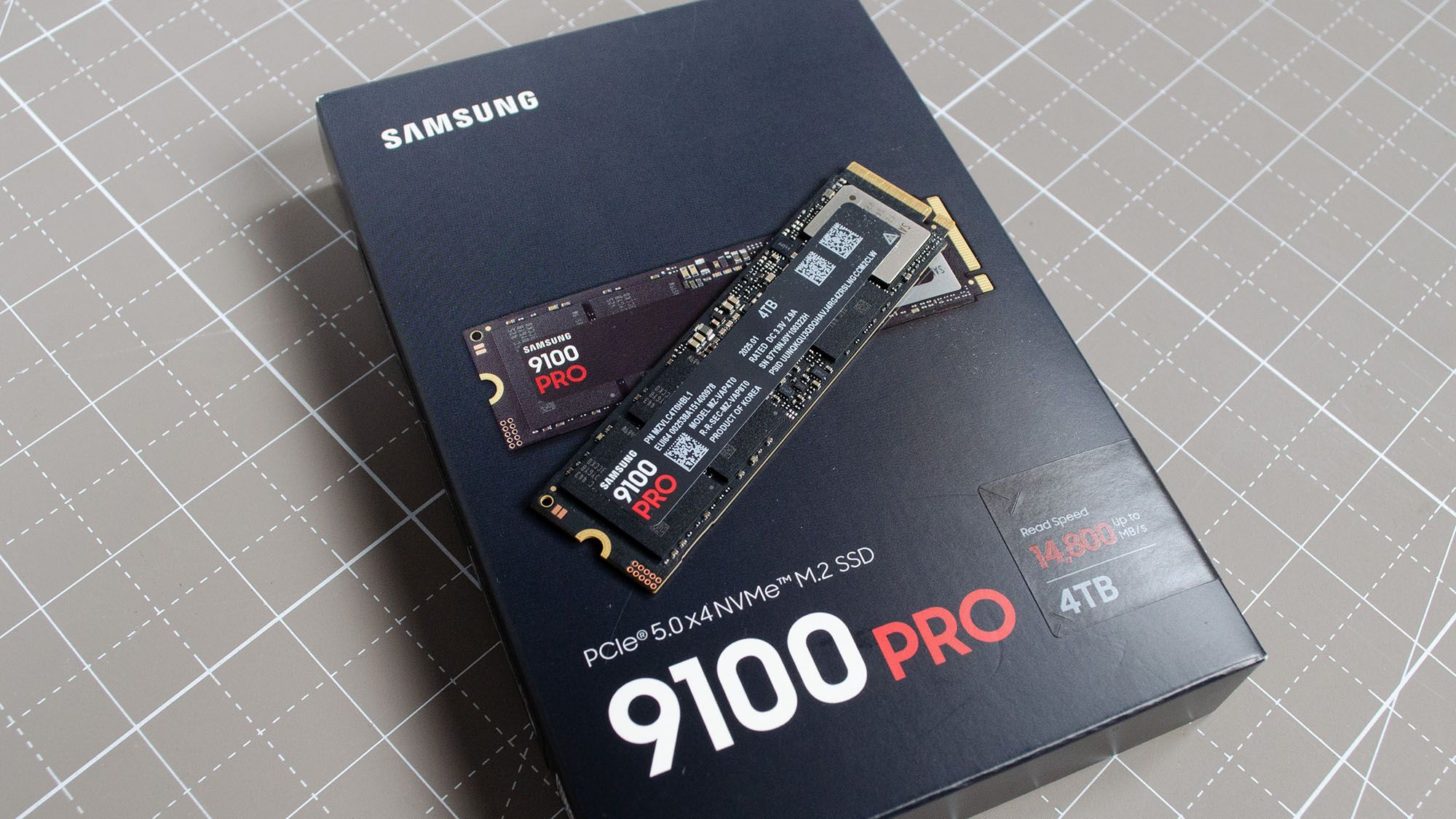
With the 9100 Pro, Samsung is back on top of the NVMe SSD leaderboard, delivering PCIe 5.0 performance PCWorld called the fastest they have tested. TechRadar praised it as a fantastic option for professional use while noting it is a poor match for gamers. It carries 1GB of DRAM per terabyte and 236-layer TLC NAND, and reviewers noted the premium pricing makes it excessive for typical users. Professionals who need maximum performance are the fit rather than casual consumers.
Full review
Real-World Performance Metrics
The Samsung 9100 Pro 2TB delivers the headline speeds that define the PCIe 5.0 era, with official specifications listing sequential read speeds up to 14,800 MB/s and write speeds reaching 13,400 MB/s. Tom's Hardware noted that these figures are not merely marketing targets but are achievable under optimal testing conditions, positioning the drive as a capable answer to the storage gauntlet set by competitors using Phison controllers. The drive utilizes Samsung’s proprietary Presto S4LY027 Gen5 NVMe SSD controller, which is engineered to handle the high bandwidth demands of the PCIe 5.0 x4 interface. This controller works in tandem with Samsung’s latest 8th-generation 236-layer TLC 3D V-NAND flash memory, ensuring that the drive can sustain these high throughput rates without immediate thermal throttling, provided adequate cooling is present. For the 2TB capacity specifically, the performance profile is slightly lower than the maximums seen in the 8TB model, but it remains at the very top of the consumer market hierarchy.
In practical scenarios, the drive excels in large file transfers and heavy workloads. The SSD Review highlighted that the 9100 Pro maintains robust IOPS performance, with read IOPS reaching up to 2,200K and write IOPS hitting 2,600K for higher capacity models, indicating strong random access capabilities that benefit gaming load times and database operations. Tom's Hardware testing revealed that while peak sequential speeds are impressive, the drive’s consistency under sustained loads is where it truly shines, thanks to its DRAM cache. The 2TB model includes a proportional amount of LPDDR4 DRAM, which helps manage the mapping table efficiently and prevents the performance drop-offs often seen in DRAM-less PCIe 5.0 drives. This architectural choice ensures that the drive remains responsive even when the cache is filled, making it a reliable choice for users who frequently move large datasets or edit high-resolution video files.
Thermal Management: Cooler Than the Gen5 Reputation
Thermal management is the first question with any PCIe 5.0 SSD, but the 9100 Pro is not one of the drives that needs a heatsink to behave. Tom's Hardware measured the bare 4TB model at 71C and the bare 2TB at 4C less, and with Samsung's heatsink fitted recorded a maximum of 47C, which it called 'astoundingly cool.' It concluded the drive 'will never have any problems when run with a heatsink of any sort, and in many cases it could be run bare without a problem,' in explicit contrast to the E26-based drives 'which all effectively require a heatsink.' Samsung addresses this by offering a version of the drive with an integrated heatsink, which costs approximately $20 more than the bare drive. This heatsink is designed to dissipate heat effectively, allowing the drive to maintain its top speeds for longer periods during intensive tasks. Tom's Hardware's advice on the $20 heatsink is correspondingly mild: it is 'probably worthwhile to get it if your motherboard lacks sufficient M.2 cooling.'
Gaming Trend highlighted the drive's power efficiency, citing upwards of a 49% reduction in power usage. Gaming Trend's own reservations were about speed and price, not heat: the only drawbacks it listed were that the drive came in 'Just shy of reported speeds' and was 'Priced just above competition.' The SSD Review, testing the 4TB model, measured '9 watts active read and 8.2 watts active write' and said that should make it 'a somewhat cooler SSD than we had seen prior.' On this drive the heatsink buys headroom rather than fixing a problem.
Build Quality and Physical Design
The Samsung 9100 Pro 2TB adheres to the standard M.2 2280 form factor, measuring 22mm in width and 80mm in length, which ensures compatibility with most modern motherboards and laptops that support PCIe 5.0. The SSD Review pointed out that the 2TB model is single-sided, meaning all the NAND flash memory and controller components are mounted on one side of the PCB. This design choice is crucial for compatibility with thinner laptops and all-in-one PCs, which often lack the clearance for double-sided drives. In contrast, the 8TB version of the 9100 Pro is double-sided, which limits its use in certain compact systems. For the 2TB capacity, users can rest assured that the drive will fit in virtually any M.2 slot without physical interference, making it a versatile option for both desktop and mobile platforms.
The build quality of the 9100 Pro is consistent with Samsung’s reputation for reliability and durability. The drive features a robust PCB and high-quality components, including the proprietary Presto controller and 8th-gen V-NAND. The inclusion of AES 256-bit full disk encryption adds an extra layer of security for users who handle sensitive data. Additionally, the drive comes with a five-year warranty and a TBW (Terabytes Written) rating that reflects its endurance. For the 2TB model, the TBW rating is 1,200 TBW, which is sufficient for most consumer use cases, including heavy gaming and content creation. The physical design and build quality of the 9100 Pro 2TB make it a reliable and durable storage solution.
Software Ecosystem and Samsung Magician
Samsung’s Magician software plays a pivotal role in optimizing the performance of the 9100 Pro, and reviewers highly recommend its use for getting the most out of the drive. The SSD Review suggested that true power users download the utility and set the 9100 Pro to 'Full Performance Mode'. This mode ensures that the drive operates at its peak speeds without being constrained by power-saving features that might otherwise throttle performance. The software also provides tools for monitoring the drive’s health, temperature, and performance, allowing users to keep track of its status and address any issues proactively. For power users, the Magician software is an essential companion that enhances the overall experience of using the 9100 Pro.
Beyond performance optimization, Samsung Magician offers firmware update capabilities, which are crucial for maintaining the drive’s security and stability. The software checks for the latest firmware releases and allows users to update the drive with ease. This is particularly important for PCIe 5.0 drives, which may require firmware updates to address compatibility issues or improve performance. The integration of software and hardware in the 9100 Pro ecosystem ensures that users can manage their storage efficiently and effectively, contributing to a seamless user experience.
Adding a heatsink pushes the total cost to $220
The Samsung 9100 Pro 2TB is priced at approximately $199.99, which positions it as a premium storage solution. While this price point is higher than many PCIe 4.0 alternatives, the performance benefits of PCIe 5.0 justify the cost for users who need top-tier speeds. For users who prioritize speed and reliability over cost, the 9100 Pro offers excellent value. However, for budget-conscious consumers who do not require the absolute fastest speeds, a PCIe 4.0 drive may be a more cost-effective option. The price of the 9100 Pro reflects its position as a flagship product, and buyers should weigh the performance benefits against their budget constraints.
When considering the total cost of ownership, including the potential need for a heatsink, the price of the 9100 Pro 2TB can rise to around $220. This additional cost for cooling is a necessary investment to ensure the drive operates at its best. Tom's Hardware was markedly less enthusiastic about that price: it put Samsung's pricing 'a little bit on the high side' next to the Crucial T705 and Corsair MP700 Pro, expected street prices to settle below MSRP, and judged the drive 'a good drive rather than a legendary one.' The drive’s five-year warranty and high TBW rating also contribute to its value proposition, as they reduce the risk of premature failure and extend the drive’s usable life. For users who view storage as a critical component of their system’s performance, the 9100 Pro 2TB offers a compelling value proposition despite its premium price tag.
Priced like a flagship, and it wants a Gen5 slot
Despite its impressive performance, the Samsung 9100 Pro 2TB is not without its drawbacks. The most significant issue is price, not heat. Tom's Hardware, the only cited source that put the drive on a power meter, measured a maximum of 47C with Samsung's heatsink and found it could run bare without a problem in most systems, so the thermal caveat that dogs the E26-based competition does not really apply here. Additionally, the high cost of the drive, especially when factoring in the heatsink, may be prohibitive for budget-conscious consumers.
Another potential shortcoming is the limited availability of PCIe 5.0 slots on some motherboards. While many modern motherboards support PCIe 5.0, older models may only offer PCIe 4.0 or even PCIe 3.0 slots. In such cases, the 9100 Pro will still function, but it will be limited by the slower interface, negating the performance advantages of the drive. Furthermore, the drive’s high performance may be overkill for users who primarily engage in light tasks such as web browsing and document editing. For these users, a less expensive and slower drive may be a more practical choice.
Built for editors and 3D artists, not budget rigs
The Samsung 9100 Pro 2TB is best suited for users who demand the highest possible storage performance and are willing to pay a premium for it. This includes professional video editors, 3D artists, and gamers who require fast load times and large file transfer speeds. Additionally, the drive is a good choice for users who want to future-proof their systems with PCIe 5.0 technology, ensuring they can take advantage of the latest advancements in storage speed and efficiency. The drive’s reliability and durability also make it a suitable option for users who need a trustworthy storage solution for critical data.
Conversely, the 9100 Pro may not be the best choice for budget-conscious consumers or users who do not require top-tier performance. For casual users who primarily use their computers for everyday tasks, a PCIe 4.0 SSD would offer sufficient performance at a lower cost. Additionally, users with older motherboards that lack PCIe 5.0 support may not benefit from the drive’s full capabilities. The high operating temperature and the need for a heatsink also make the drive less suitable for users who prefer a plug-and-play experience without additional cooling considerations. Ultimately, the 9100 Pro 2TB is a niche product designed for power users who prioritize performance above all else.
Magician software and warranty over raw specs
When compared to other PCIe 5.0 SSDs on the market, the Samsung 9100 Pro 2TB stands out for its combination of speed, reliability, and brand reputation. Tom's Hardware drew the comparison differently: the early Phison E26 drives 'were infamous for having high power draw even when idle and requiring a heatsink to prevent throttling or shutdown,' problems the 9100 Pro does not have, but the same review found the drive 'does not really lead in any performance metric' and that newer mid-range Phison parts 'show the way SSDs are going with better performance and lower power draw.' The 9100 Pro’s performance is comparable to other high-end PCIe 5.0 drives, but its integration with Samsung Magician software and the company’s strong warranty support give it an edge in terms of user experience. Additionally, Samsung’s reputation for quality and reliability makes the 9100 Pro a safer choice for users who prioritize long-term stability over short-term cost savings.
Compared to PCIe 4.0 SSDs, the 9100 Pro offers significantly faster sequential read and write speeds, which can be beneficial for users who work with large files. However, the real-world performance difference between PCIe 4.0 and PCIe 5.0 drives may not be noticeable for all users, particularly those who do not engage in heavy data transfers or large file editing. The SSD Review suggested that for most consumers, a high-end PCIe 4.0 drive may offer sufficient performance at a lower price point. Therefore, the decision to choose the 9100 Pro should be based on the user’s specific needs and willingness to invest in the latest technology. For those who need the absolute best performance, the 9100 Pro is a top contender, but for others, a more affordable alternative may be a better fit.
Strengths
- +Fastest benchmarking NVMe SSD tested according to PCWorld
- +1GB DRAM per terabyte for fast random operations
- +PCIe 5.0 x4 interface with 236-layer TLC NAND
- +5-year warranty and rated for 600TBW per terabyte
Watch-outs
- −Expensive overkill for most users according to PCWorld
- −A hair off the pace in Windows file transfers
How it compares
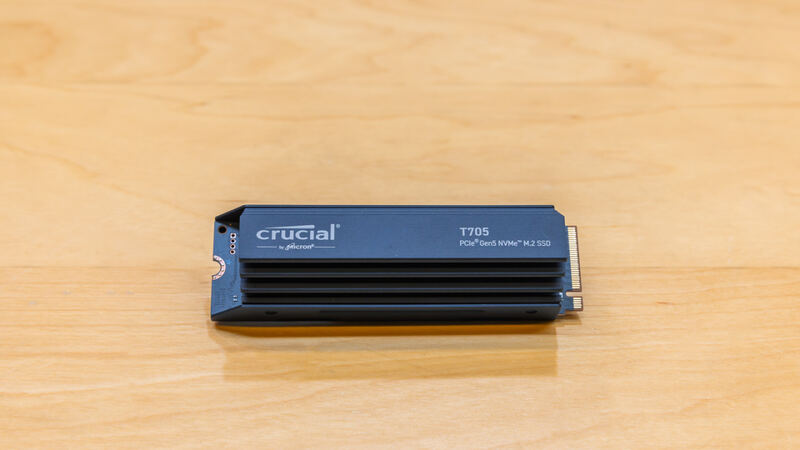
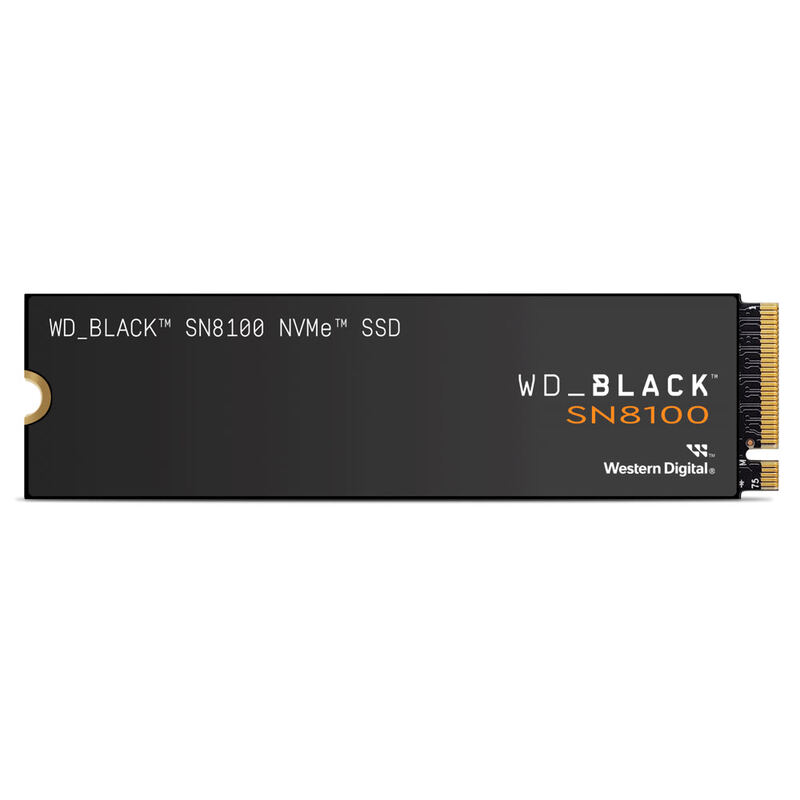
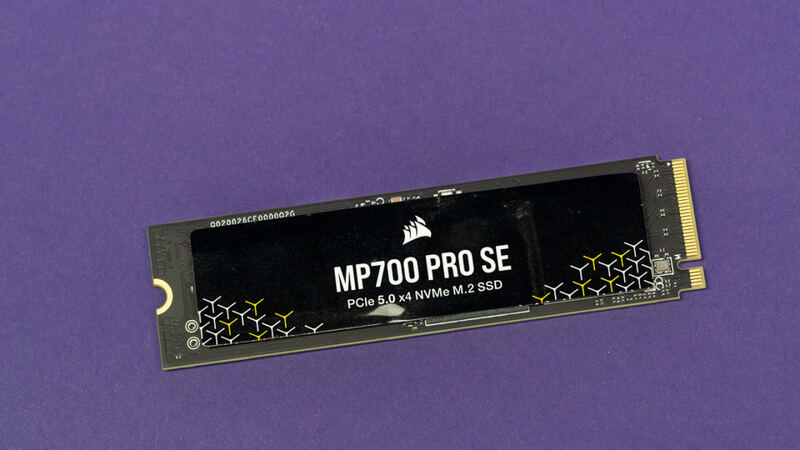
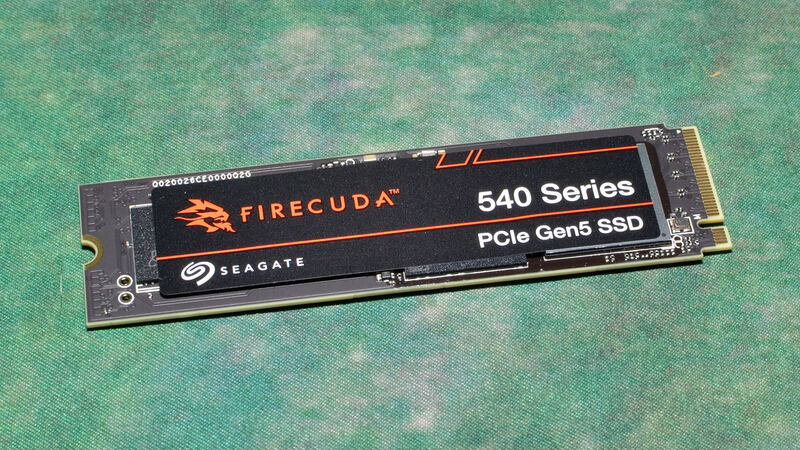
The Samsung 9100 PRO is the only drive in this group with a full 1GB of DRAM per terabyte, giving it superior random I/O versus the WD Black SN8100, Crucial T705, Corsair MP700 Pro SE, and Seagate FireCuda 540, and it backs that with Samsung's mature Magician software. It trails the WD Black SN8100 in peak sequential speed and efficiency, and it is more expensive than the Crucial T705. Choose it over the WD Black SN8100 if you want Samsung's ecosystem and DRAM-heavy random performance; choose the WD Black SN8100 instead for the fastest, coolest-running option overall.
Rating sources
“With solid speeds that come fairly close to spec, extensive software, and at upwards of 49% reduction in power usage.”
Our 4.1 score is the average of the 7 scored reviews above; 1 more reviewed it without printing a score and is not in the average. More about methodology.