Verdict
Head-to-head · Best Laser Engravers

Glowforge Pro vs Ortur Laser Master 3

Which is the better buy? Side-by-side on rating, price, strengths, and watch-outs — with the published ratings we averaged to get there.

Verdict is reader-supported. As an Amazon Associate we earn from qualifying purchases. Some links on this page are affiliate links — if you click through and buy, we may earn a small commission at no extra cost to you. Our ratings are sourced from independent publications, not sponsors.
The short answer

Glowforge Pro comes out ahead by a clear margin (4.0 vs 3.5). The gap is mostly about beginners who need ease of use — read the strengths below before deciding.

Glowforge Pro
Higher ratedRanked #4 in Best Laser Engravers
Glowforge Pro
4 sources2 derived$7,999as of Aug 1

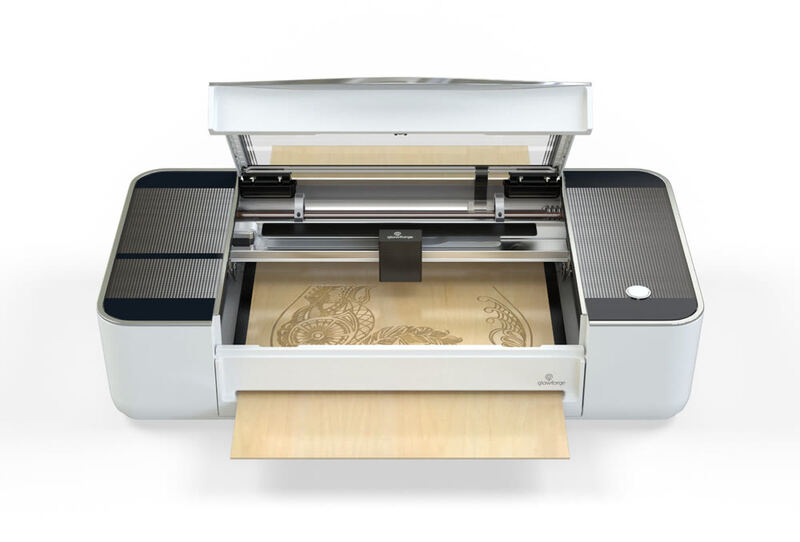
Make: Magazine and Maker Hacks both rate the Glowforge Pro as easy to live with, crediting the easy setup and automatic material detection. Its reliance on cloud connectivity is the recurring complaint, since users hit limitations during internet outages. The built-in camera for placing designs visually draws the most praise, though adding text or simple shapes requires a monthly subscription. The optional air filtration system improves air quality but adds significant cost. Beginners and hobbyists who want an easy machine will be happy; anyone who needs offline functionality should consider alternatives.

Strengths
  • User-friendly setup with clear step-by-step instructions
  • Intuitive web-based software with cloud connectivity
  • Automatic material detection using QR code stickers
Watch-outs
  • Requires constant internet connectivity for operation
  • Expensive optional air filtration system ($1,295)
  • No local backup or offline operation capability
Ortur Laser Master 3
Ranked #7 in Best Laser Engravers
Ortur Laser Master 3
3 sources2 derived$388.06as of Jul 31

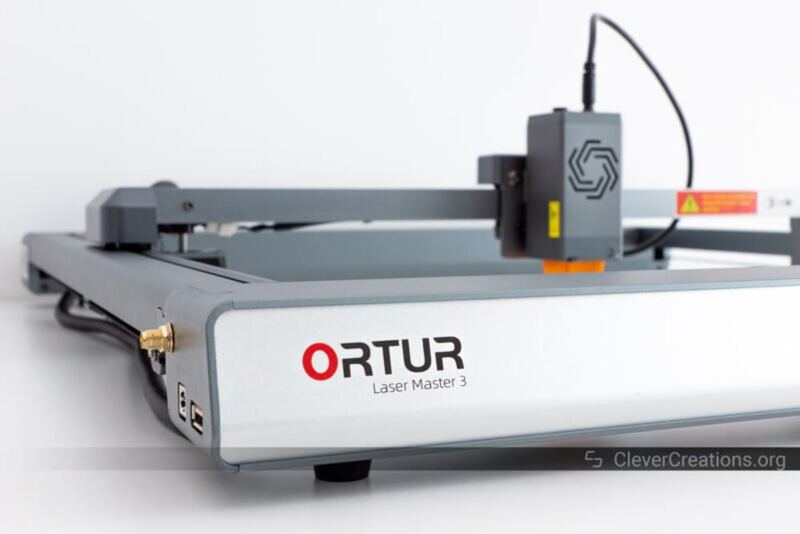
The Ortur Laser Master 3 uses a modern open-frame layout with integrated electronics and a 15.74" x 15.74" work area. Reviewers got good engraving and cutting results on wood, glass, aluminum, ceramic, and acrylic. Quality control is the problem. One reviewer received a damaged frame assembly that had been returned and re-shipped, hit a defective frame component and a troublesome WiFi setup, and flagged security concerns around unsecured FTP and TELNET servers. Buy it only if you're prepared to troubleshoot and tolerate build quality issues.

Strengths
  • Open-frame design with integrated electronics for futuristic appearance
  • Capable of engraving and cutting on multiple materials including wood, glass, aluminum, ceramic, and acrylic
  • Work area of 15.74" x 15.74" (400 x 400 mm) suitable for medium-sized projects
Watch-outs
  • Received defective frame component with cross-threaded set screw requiring manual repair
  • WiFi connection issues reported with unstable initial setup and unsecured FTP/TELNET servers
  • Included frame assembly showed signs of damage and returned part reuse

Derived means the reviewer published no score, so one was inferred from their written verdict. Everything else is a number the publisher printed. How we rank.

How they stack up

Glowforge Pro

The Glowforge Pro's reliance on cloud connectivity sets it apart from the xTool D1 Pro and P2, which operate independently. While it offers automatic material detection and a user-friendly interface, it lacks offline functionality and requires constant internet access, unlike the more self-contained Ortur Laser Master 3 or Atomstack P50 Pro.

Ortur Laser Master 3

The Ortur Laser Master 3's open-frame design and integrated electronics distinguish it from the xTool D1 Pro's enclosed build, but it suffers from quality control issues and WiFi instability that the xTool P2 avoids. It also lacks the automated features and AI batch engraving capabilities of the xTool P2, though it offers a more affordable entry point.

Specs side-by-side

SpecGlowforge ProOrtur Laser Master 3
Laser Power45W20W
Laser TypeCO2 laser cutterdiode laser
Work Area20” x infinity15.74" x 15.74" (400 x 400 mm)
SoftwareWeb-based cloud clientOrtur's self-developed App, Lightburn, LaserGRBL
Machine Size38" x 20.75" x 8.25"23.1" x 25.9" x 5.9" (588 x 660 x 150 mm)
Max Speed10,600 nmUp to 12,000 mm/min
Weight48 lb14.3 lb
Dimensions38" x 20.75" x 8.25"
Materiallaser-compatible materialstainless steel
← See the full ranking of best laser engravers