A 75% layout in a CNC aluminum case, the Keychron Q1 pairs gasket mounting with QMK/VIA support, and the typing experience is what keeps enthusiasts buying it. Build quality and customization are the strong suits. Weight and price are the arguments against, and the stabilizers may need work out of the box.
Full review
An Enthusiast Board Out of the Box
The Keychron Q1 earns its reputation by delivering a genuine enthusiast typing experience without requiring a build. The Verge summed it up plainly, calling it 'an enthusiast-quality keyboard right out of the box' whose solid construction and easy customization make it simple to recommend. Where the GMMK Pro hands you a kit, the Q1 can arrive fully assembled with switches and keycaps installed, ready to type. PCMag's praise for the later Q1 HE variant, that it shows 'what fine-tuning an already excellent design can achieve,' reflects how strong the base Q1 platform is to begin with. It is the board most people point newcomers toward when they ask where the custom-keyboard rabbit hole starts.
1.7 kilograms of CNC-milled aluminum
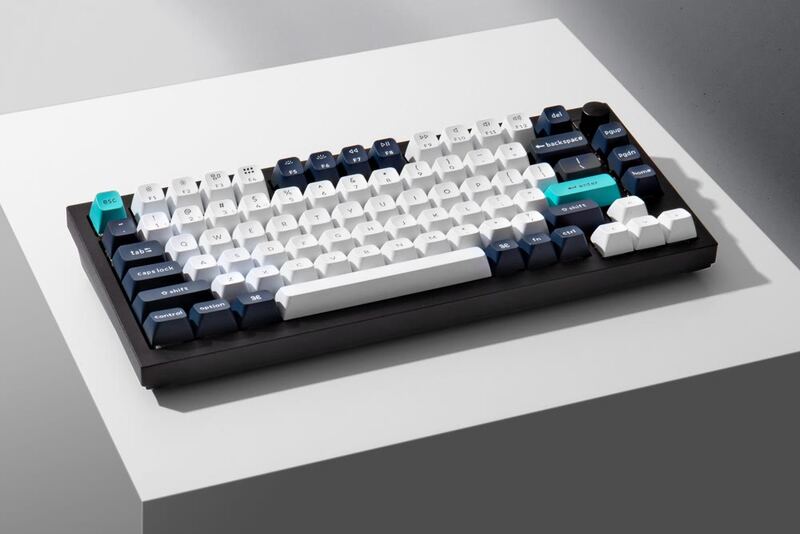
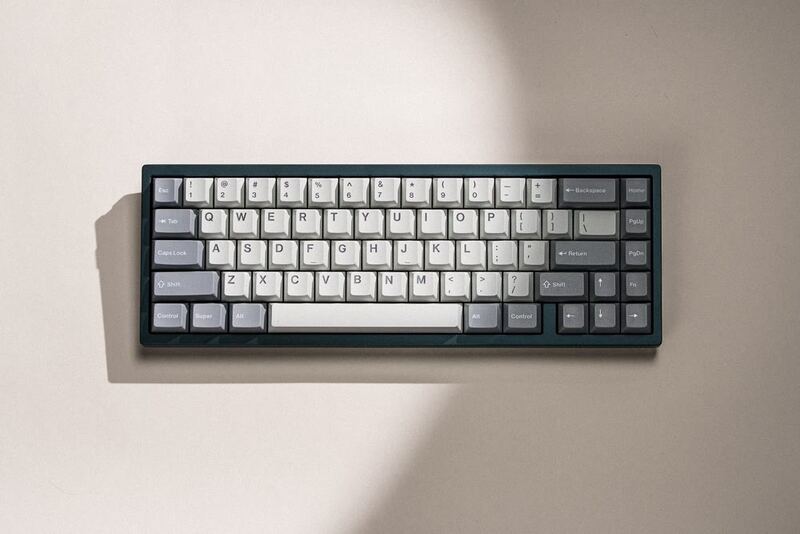
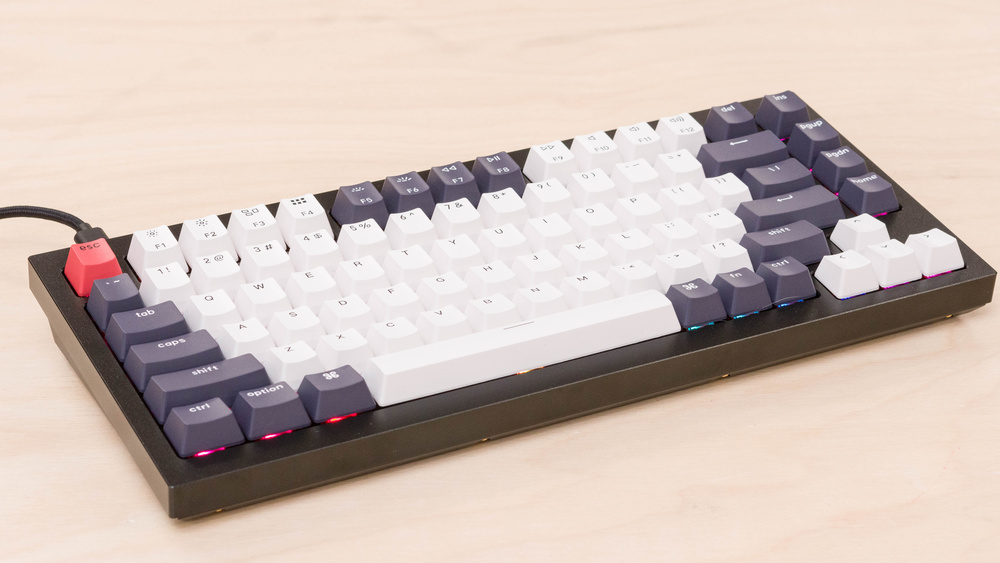
The Q1's CNC-milled aluminum case is dense and immaculately finished, and at roughly 1.7 kg it stays put under aggressive typing. Keychron uses a double-gasket design here, sandwiching the plate assembly in silicone on both sides, which dampens sound and gives keystrokes a soft, cushioned landing. South-facing RGB LEDs keep the board compatible with thick Cherry-profile keycaps, and a knob version adds a programmable rotary encoder. The 75% layout preserves the function row and arrows in a footprint that frees up desk space, a balance reviewers repeatedly highlight as the sweet spot between full-size and compact.
Typing Feel and Customization
The hot-swappable PCB accepts most common 5-pin mechanical switches, and the board runs open-source QMK firmware with VIA support, so remapping keys and recording macros happens in the browser with no proprietary software. Out of the box the assembled version sounds notably better than a stock GMMK Pro because Keychron pre-installs screw-in stabilizers and internal foam, reducing the rattle and ping that plague cheaper boards. Enthusiasts can still tear it down to lube switches and swap keycaps, but unlike a barebones kit, that work is optional rather than mandatory to reach a satisfying baseline.
Wired only, so roaming means the Q3 Max
The standard Q1's headline limitation is connectivity: it is wired only, so anyone who wants to roam between a laptop and a desktop should step up to the wireless Q3 Max. The aluminum slab is heavy and bulky, ruling it out as a travel keyboard, and it costs considerably more than a plastic mechanical board with similar switches. Stabilizers, while better than the GMMK Pro's, may still benefit from a tune for picky ears, and the barebones edition reintroduces the buy-your-own-switches cost that the assembled version avoids.
Cheaper than sourcing the same parts yourself
The Q1 sits at the price where 'premium mechanical keyboard' starts to mean something, and reviewers consistently judge it good value within that bracket. You are paying for a CNC aluminum case, a double-gasket mount, screw-in stabilizers, and full QMK/VIA programmability, components that, bought separately for a custom build, would cost more than the assembled board. The Verge's verdict that a solid build and easy customization 'make the Q1 easy to recommend' captures why it became the category's default suggestion. It is not cheap next to a plastic mechanical board, but it undercuts the cost of sourcing a comparable custom yourself, and unlike the GMMK Pro you are not buying switches and keycaps on top. For most buyers entering the hobby, it represents the best balance of finished quality and upgrade headroom at this price.
A refined stock feel right out of the box
The Q1 is the default recommendation for a buyer who wants a premium, all-metal 75% keyboard that types beautifully the moment it's unboxed, with the option, but not the obligation, to mod it later. It suits desk-bound users who don't need wireless and value a quieter, more refined stock sound than the GMMK Pro provides. Shoppers who need Bluetooth and 2.4 GHz wireless should choose the Keychron Q3 Max; competitive FPS players who want adjustable actuation should look at the Wooting 60HE+; and anyone prioritizing portability over heft is better off with the NuPhy Air75 V2.
Strengths
- +Premium aluminum CNC-milled case with excellent build quality
- +Hot-swappable PCB compatible with most mechanical switches, per The Verge
- +Gasket-mounted design for soft, satisfying typing feel, as The Verge describes
- +QMK/VIA support for deep customization, according to The Verge
- +75% layout with arrow keys and function row in compact form
- +Double-gasket design for enhanced sound dampening
- +South-facing RGB LEDs for better keycap compatibility
- +Rotary encoder knob option for media control
Watch-outs
- −Heavy and bulky - not ideal for portable use
- −Expensive compared to plastic alternatives
- −Barebones version requires own switches/keycaps
- −Stabilizers may need lubing out of the box
- −Limited wireless options on standard Q1
How it compares
The Keychron Q1 covers the same wired 75% aluminum gasket-mount territory as the Glorious GMMK Pro but can be bought fully assembled, making it the easier first board. It trades the wireless connectivity of its sibling the Keychron Q3 Max for a lower price, lacks the analog Hall-effect rapid-trigger switches of the Wooting 60HE+, and is dramatically heavier and bulkier than the travel-friendly NuPhy Air75 V2.
Rating sources
“An Iteration Done Right The Keychron Q1 HE is a refreshing example of what fine-tuning an already excellent design can achieve.”
“Easily the best metal keyboard money can buy right now, the Q1 HE offers a heap of gaming features thanks to its excellent Hall Effect switches.”
“Follow Follow See All Reviews The Keychron Q1 is an enthusiast-quality keyboard right out of the box A solid build and easy customization make the Q1 easy to recommend If you buy something from a Verge link, Vox Media may earn a commission.”
Our 4.3 score is the average of these published ratings. More about methodology.