Verdict
The Best 10Aggregated review·46 sources·updated August 3, 2026·checked July 25, 2026

Best Docking Stations

Top 10 docking stations ranked by aggregate score from 46 published reviews.

This guide aggregates 46 published reviews across 10 products; the thinnest-sourced pick rests on 1. How we rank.

Verdict is reader-supported. As an Amazon Associate we earn from qualifying purchases. Some links on this page are affiliate links — if you click through and buy, we may earn a small commission at no extra cost to you. Our ratings are sourced from independent publications, not sponsors.
Quick answer

CalDigit TS4 Thunderbolt 4 is our top pick for docking stations — an averaged 4.5/5 across 8 published reviews at about $379.99. Runner-up: Anker 563 10-in-1 Docking Station (~$130).

At a glance10 products
8 sources
$379.99Best for: professionals needing extensive connectivity
$379.99 · Check Price on Amazon
4 sources1 derived
$130Best for: multitasking enthusiasts needing reliable connectivity
$130 · Check Price on Amazon
4 sourcesall derived
$231.99Best for: Dell laptop users seeking enhanced productivity
$231.99 · Check Price on Amazon
3 sources1 derived
$100Best for: Windows/ChromeOS users needing triple displays
$100 · Check Price on Amazon
9 sources
$16.99Best for: budget-conscious users needing triple displays
$16.99 · Check Price on Amazon
3 sources2 derived
$48.16Best for: MacBook Air/Pro users needing multiple connections
$48.16 · Check Price on Amazon
8 sources
$240Best for: users prioritizing build quality over cost-efficiency
$240 · Buy at us.ugreen.com
3 sources
$349.99Best for: MacBook users wanting a compact dock with display expansion, Ethernet, and built-in storage
$349.99 · Check Price on Amazon
1 source
$49.95Best for: portable professionals seeking reliable expansion
$49.95 · Check Price on Amazon
3 sources
$145Best for: office users needing broad laptop compatibility
$145 · Check Price on Amazon

Derived means the reviewer published no score, so one was inferred from their written verdict. Everything else is a number the publisher printed. How we rank.

The full ranking

How we rank →
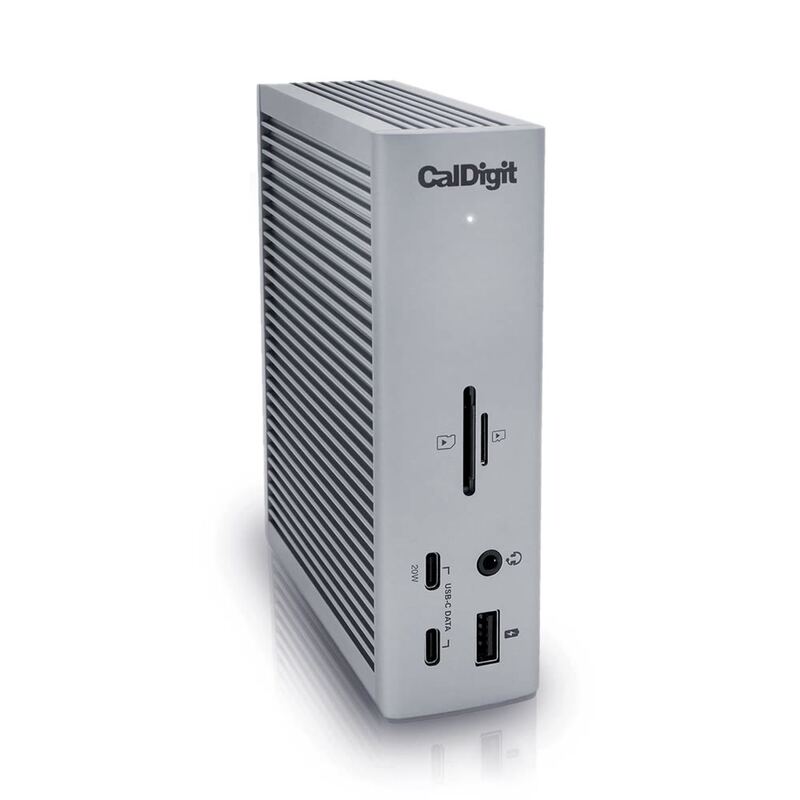
CalDigit TS4 Thunderbolt 4
#1 · Top Score
★ Premium Pick
Best for: professionals needing extensive connectivity
CalDigit TS4 Thunderbolt 4
8 sources$379.99as of Aug 1
Why it's ranked here

TechRadar's Collin Probst gave the CalDigit TS4 Thunderbolt Dock a full 5-star review and called it the gold standard for Thunderbolt docks. It carries 18 ports, four of them Thunderbolt 4 connections, delivers 98W of power, and the build quality feels durable enough to trust on a busy desk. The Verge's Dan Seifert called it 'nearly perfect' with the most well-equipped configuration available, though he flagged the $380 price tag as a significant drawback. Both reviewers agree on the superior port selection and performance, and both note the bulk. Power users and professionals who need maximum connectivity are the audience, not casual users or anyone shopping on portability or affordability.

Strengths
  • Incredible 98W power delivery supporting fast charging for laptops and peripherals
  • Fantastic port options with 18 total ports including 3x 10Gb/s USB-C, 5x 10Gb/s USB-A, and dual 6K displays support
Watch-outs
  • Costs noticeably more than most Thunderbolt 4 docks, and the two-year warranty is shorter than some rivals offer
  • No HDMI output, so an HDMI display needs an adapter or a DisplayPort connection
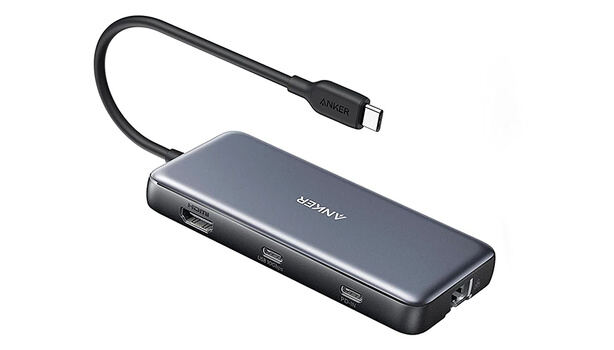
Anker 563 10-in-1 Docking Station
#2
Best for: multitasking enthusiasts needing reliable connectivity
Anker 563 10-in-1 Docking Station
4 sources1 derived$130as of Aug 1
Why it's ranked here

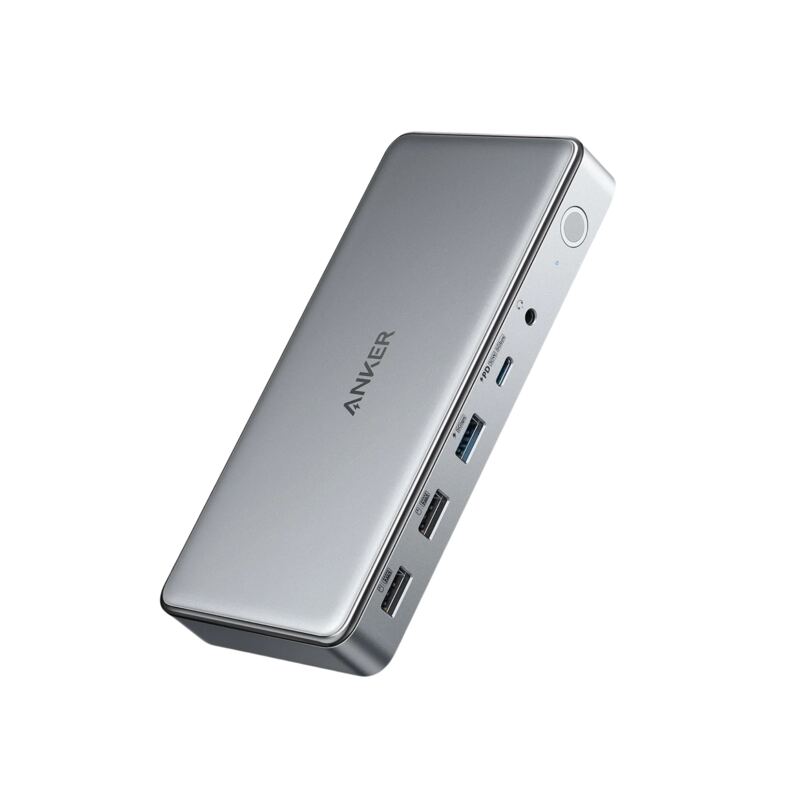
Anker's 563 USB-C Docking Station (10-in-1) draws praise for looks and capability alike, with triple display support, 100W charging, and a spread of ports covering dual HDMI, DisplayPort, USB-A, and Ethernet. MacSources rated it 95% for its performance and called it excellent for work and gaming. Reviewers noted the missing sleep mode and a port count below some competitors, plus a large power brick and unremarkable packaging. Multitaskers and professionals who need reliable connectivity will be happy; anyone chasing maximum portability or advanced features will not.

Strengths
  • Sleek and compact design that fits well in office or home workspaces
  • Triple display support with dual HDMI and DisplayPort for multitasking
Watch-outs
  • No sleep mode; continuously supplies power to all devices
  • Limited port selection compared to competitors in the same price range
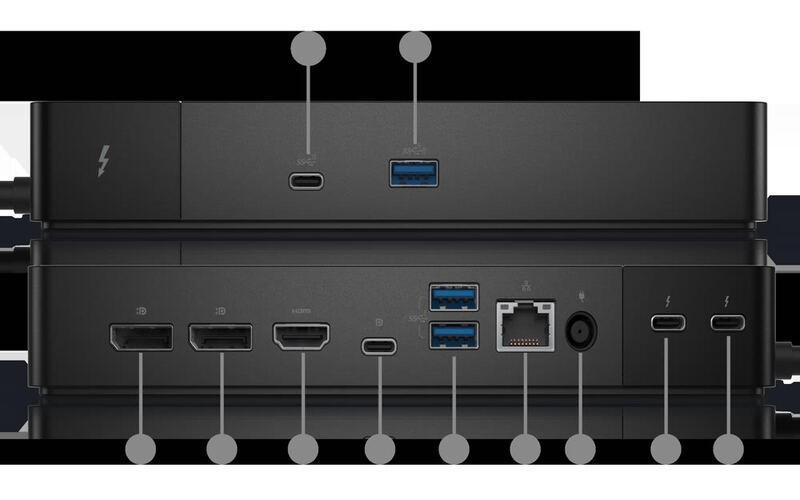
Dell WD25TB4 Thunderbolt Dock
#3
Best for: Dell laptop users seeking enhanced productivity
Dell WD25TB4 Thunderbolt Dock
4 sourcesall derived$231.99as of Aug 3
Why it's ranked here

Dell laptop owners are the whole audience for the WD25TB4 Thunderbolt Dock, which supports dual 4K displays, fast USB-C charging, and a modular upgrade system. Laptop Mag, reviewing the previous-generation WD22TB4, praised that dock's 'unrivaled power delivery' and 'excellent performance,' and Mini PC Reviewer highlighted its 'sturdy design' and 'seamless integration.' Compatibility is restricted to Dell devices, and reviewers noted limited USB-A ports plus occasional coil whine. Professionals who want more connectivity out of a Dell machine will benefit; anyone on another brand or needing lots of legacy ports should look elsewhere.

Strengths
  • Supports dual 4K displays at 60Hz for enhanced multitasking and productivity
  • Fast USB-C charging with SuperBoost technology reduces downtime
Watch-outs
  • Full 130W charging and Dell-specific features need a Dell laptop; other Thunderbolt 4 hosts are capped at 96W
  • Only two USB-A ports available, which may be insufficient for some users
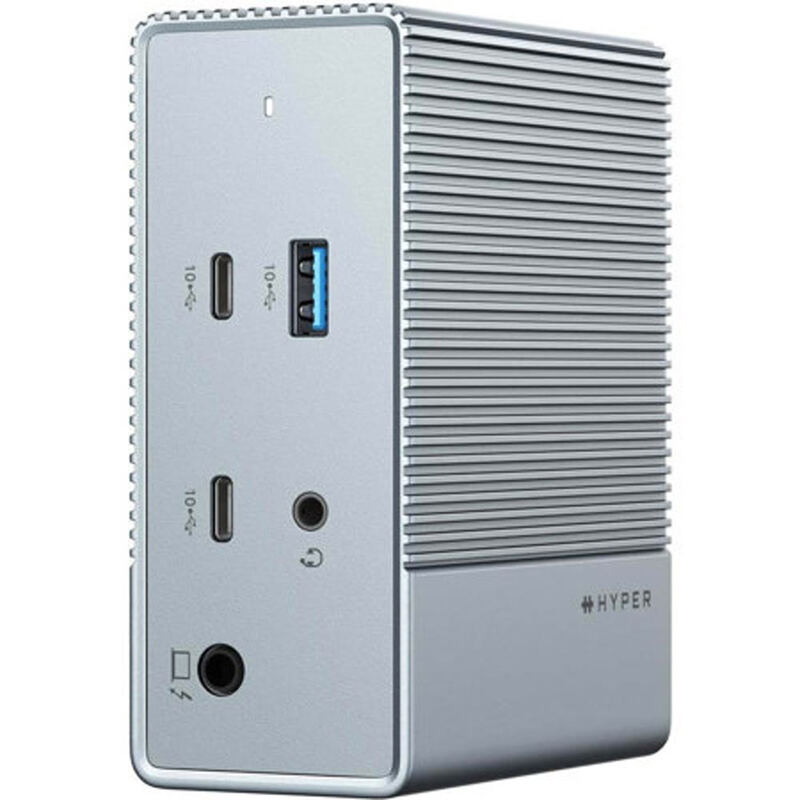
HyperDrive 12 USB-C Dock
#4
Best for: Windows/ChromeOS users needing triple displays
HyperDrive 12 USB-C Dock
3 sources1 derived$100as of Jun 7
Why it's ranked here

Twelve ports for the money is the HyperDrive 12-Port USB-C Dock's argument, dual HDMI 2.0 and DisplayPort 1.4 outputs included, plus 10Gbps USB ports and 100W power delivery passthrough. It runs driver-free and supports triple displays on Windows and ChromeOS. Reviewers also noted there is no power adapter in the box and macOS display support is limited. Its 10Gbps host connection creates bandwidth bottlenecks when several displays run at once, so this suits Windows and ChromeOS users more than Mac users who want three screens.

Strengths
  • Supports triple extended display on Windows and ChromeOS via MST without requiring drivers
  • 10Gbps USB-C and USB-A ports enable fast external drive transfers
Watch-outs
  • Power adapter not included, required separately for PD charging
  • Triple display not supported on macOS due to lack of MST support
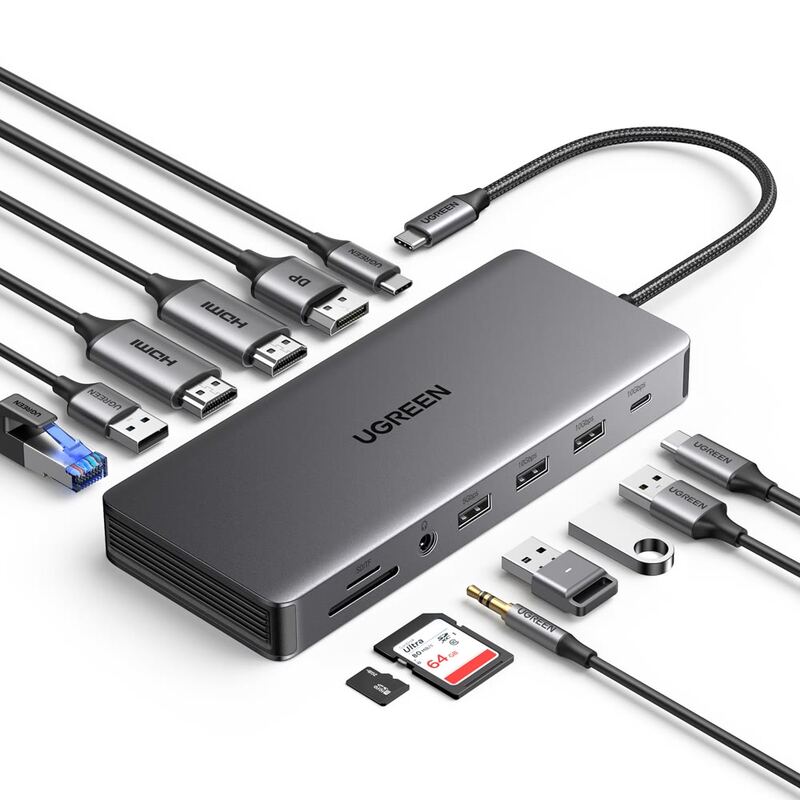
UGREEN Revodok Pro USB-C Dock
#5
Best for: budget-conscious users needing triple displays
UGREEN Revodok Pro USB-C Dock
9 sources$16.99as of Aug 1
Why it's ranked here

Triple-display support is the UGREEN Revodok Pro 13-in-1's headline: 4K at 60Hz on two ports and 8K at 30Hz on a third, at a price well under premium Thunderbolt docks. PCWorld's Mark Hachman praised its 'excellent performance' and 'great value for the money,' while XDA's Brady Snyder called it a 'good mix of price and performance.' Reviewers flagged the short built-in cable and the requirement for a separate power supply. It works best with modern laptops and Apple Silicon Macs, and compatibility with older Intel Core systems is uncertain. Power users running multiple displays are the fit, with those requirements attached.

Strengths
  • Excellent triple-display support with 4K at 60Hz on two ports and 8K at 30Hz on one port
  • Great value for money compared to premium Thunderbolt docks
Watch-outs
  • Built-in USB-C cable is short and requires separate power supply
  • Not fully compatible with older 11th-gen Intel Core laptops
Anker 555 8-in-1 USB-C Hub
#6
Best for: MacBook Air/Pro users needing multiple connections
Anker 555 8-in-1 USB-C Hub
3 sources2 derived$48.16as of Aug 1
Why it's ranked here

Creatives who need several connections at once are the target for the Anker 555 USB-C Hub. Fstoppers praised the 4K 60Hz HDMI output and PC Tech Bits found the data transfer speeds reliable. It handles pass-through charging up to 85 watts and includes Ethernet, USB-A, USB-C, and card readers. PC Tech Bits cautioned that it needs a quality charger to avoid performance issues, and Reddit users reported occasional compatibility quirks. MacBook Air and Pro owners get the most out of it; Linux users and people with older devices may not.

Strengths
  • Compact and lightweight design at 4.5 ounces with small footprint
  • 4K HDMI output at 60 Hz supporting high-definition displays
Watch-outs
  • No rubber feet provided, causing potential sliding on surfaces
  • Requires separate USB-C cable and power adapter for full functionality
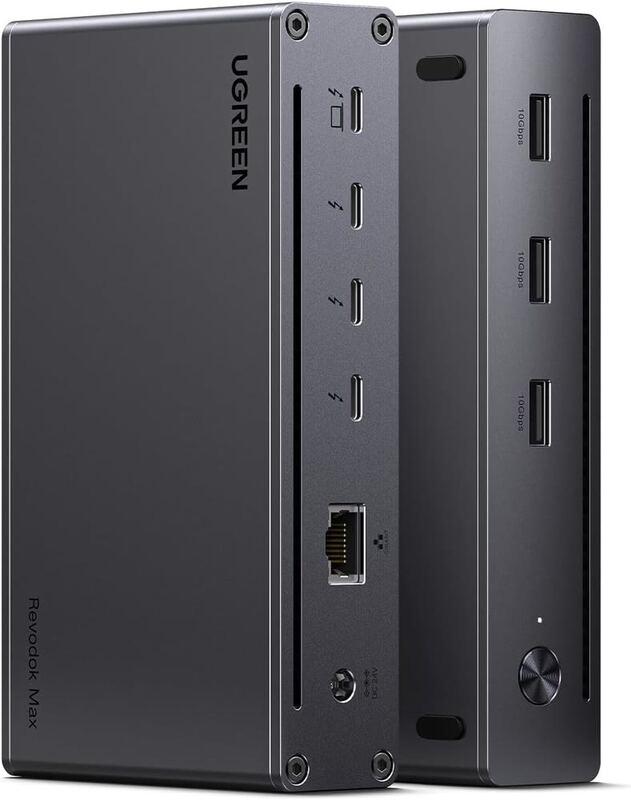
UGREEN Revodok Max
#7
Best for: users prioritizing build quality over cost-efficiency
UGREEN Revodok Max
8 sources$240as of Aug 1
Why it's ranked here

PCWorld's Mark Hachman found the UGREEN Revodok Max 213 a strong Thunderbolt 4 dock, with premium build quality and a diverse port selection. Tom's Guide disagreed on value, calling it 'overpriced' and suggesting similar functionality is available elsewhere. Reviewers praised the sturdiness and 40Gbps throughput while noting underperformance in benchmarks and questioning what $299.99 buys. It fits buyers who rank build quality and port variety above cost-efficiency.

Strengths
  • Solidly built metal monolith with aggressive port combination
  • Provides 40Gbps Thunderbolt 4 performance
Watch-outs
  • Overpriced at $299.99 MSRP
  • Performance was below expectations in certain tests
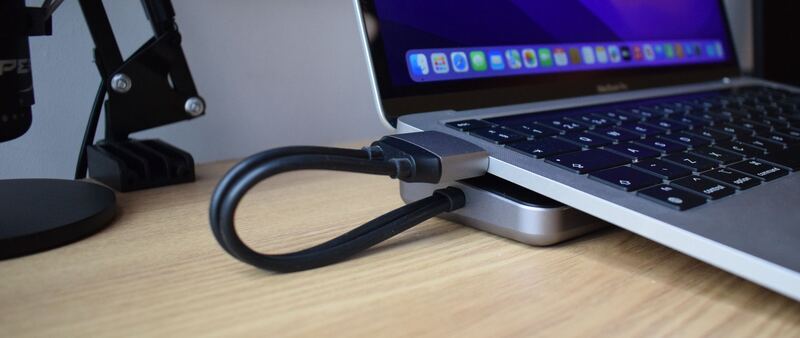
Satechi Dual Dock Stand
#8
Best for: MacBook users wanting a compact dock with display expansion, Ethernet, and built-in storage
Satechi Dual Dock Stand
3 sources$349.99as of Aug 1
Why it's ranked here

The Satechi Dual Dock Stand is a zero-footprint docking station that raises your laptop into a comfortable typing angle while adding nine expansion ports and an integrated NVMe SSD enclosure. Macworld gave it 4/5, praising the build quality and unique storage feature; How-To Geek rated it 8/10 for its clean aluminum design matching Apple products. At $169.99 direct from Satechi (historically as low as ~$125 on sale), it's ideal for MacBook users who want dual external displays, Ethernet, and extra storage in one compact unit.

Strengths
  • Nine total ports including dual HDMI 2.1, DisplayPort 1.4, and Gigabit Ethernet for a complete workstation setup
  • Integrated NVMe/SATA SSD enclosure on the underside — expands laptop storage without adding another drive
Watch-outs
  • No SD card reader or built-in device charging on the data ports
  • M1/M2 MacBooks limited to single external display in extended mode (hardware limitation)
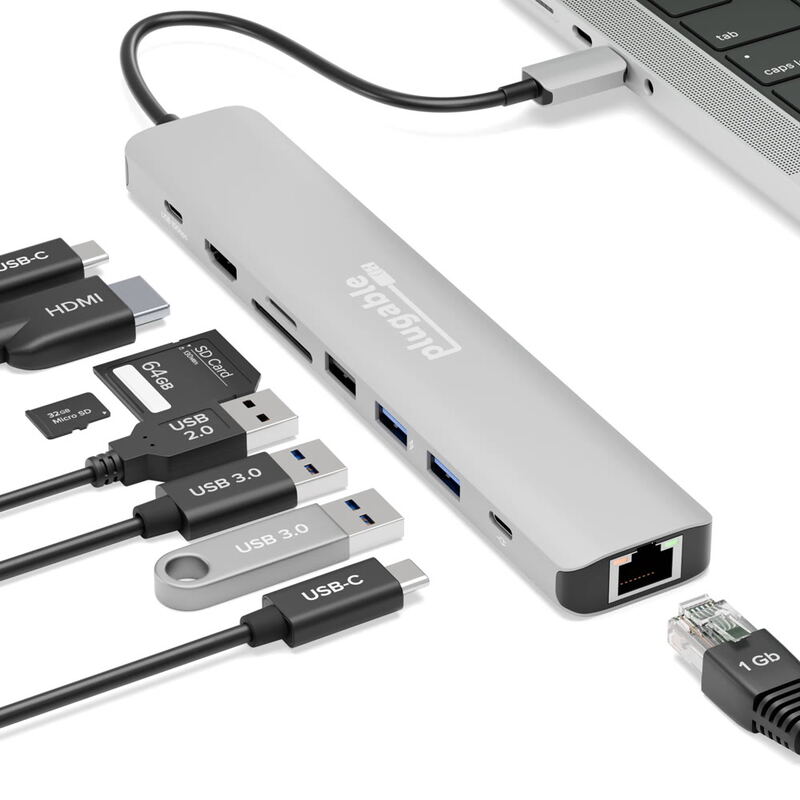
Plugable USBC-9IN1E
#9
Best for: portable professionals seeking reliable expansion
Plugable USBC-9IN1E
1 source$49.95as of Aug 1
Why it's ranked here

The Plugable USBC-9IN1E is a compact nine-port hub that works the moment it is plugged in - no drivers, no vendor software, no configuration. How-To Geek scored it 8 out of 10 after running flash drives, an SD card and an audio interface off it at once without the hub losing track of any of them. It drives one 4K display at 60Hz over HDMI, passes power through to the laptop, and warms up noticeably when everything is in use. Portable workers who need one screen and a lot of ports are the fit; anyone running two monitors is not.

Strengths
  • Plug-and-play - devices appear the moment it is connected, with no drivers or vendor software
  • Single HDMI output drives a 4K display at 60Hz with HDR
Watch-outs
  • Built-in USB-C cable is rather short
  • Only one video output (HDMI) limits multi-monitor setups
Dell D6000 Universal Dock
#10
Best for: office users needing broad laptop compatibility
Dell D6000 Universal Dock
3 sources$145as of Aug 1
Why it's ranked here

USB Type-A and USB-C connections both work with the Dell D6000 Universal Dock, which is what makes it useful in mixed-device environments. Per docking-stations.info, it supports triple 4K displays over USB-C, a rare feature at this price point. The drawbacks are real: the cable is non-removable and can't be replaced, DisplayLink drivers are required on every OS, and software-based video compression limits its usefulness for gaming or creative work. As a budget multi-monitor option for an office it holds up, though reliability concerns and performance limits keep it in general productivity territory rather than power-user work.

Strengths
  • Supports both USB 3.0 and USB Type-C for universal compatibility with older and newer laptops
  • Outputs to up to three 4K monitors via USB-C (two at 4K@60Hz + third at 4K@30Hz)
Watch-outs
  • Non-removable USB-C cable means if it fails, the entire dock becomes unusable
  • Requires DisplayLink driver installation on all operating systems, not plug-and-play
Reviews aggregated from
MinipcreviewerTech AdvisorMacworldXdadevelopersPCWorldTechRadarDigital Camera World

Spec comparison

10 products
vs
SpecCalDigit TS4 Thunderbolt 4Anker 563 10-in-1 Docking Station
Power Delivery98W100W PD IN
Ports182× USB-A 3.1 Gen 1, 2× USB-A 2.0, 1× USB-C 3.1 Gen 1
Display Support2x 6K @ 60Hz2K HDMI, 2K DisplayPort
Ethernet2.5Gb1× 1Gbps RJ45
USB Speed3x 10Gb/sUSB 3.2 Gen 2
ThunderboltThunderbolt 4No
Weight2.43 lb0.99 lb
Audio3.5mm Headphone Jack1× 3.5mm Combo Jack
Wattage230
Host Connection
USB-A Ports
USB-C Ports
Display Outputs
Build Material

Frequently asked questions

Which docking station should I buy?
CalDigit TS4 Thunderbolt 4 holds the top score for docking stations — 4.5/5 averaged from 8 published reviews. TechRadar's Collin Probst gave the CalDigit TS4 Thunderbolt Dock a full 5-star review and called it the gold standard for Thunderbolt docks. It carries 18 ports, four of them Thunderbolt 4 connections, delivers 98W of power, and the build quality feels durable enough to trust on a busy desk. The Verge's Dan Seifert called it 'nearly perfect' with the most well-equipped configuration available, though he flagged the $380 price tag as a significant drawback. Both reviewers agree on the superior port selection and performance, and both note the bulk. Power users and professionals who need maximum connectivity are the audience, not casual users or anyone shopping on portability or affordability.
When was this guide last updated?
This guide was last re-checked in August 2026. Prices, links, and source ratings are re-verified on a rolling basis, and the ranking updates when the underlying scores change.

Related guides

Browse all →