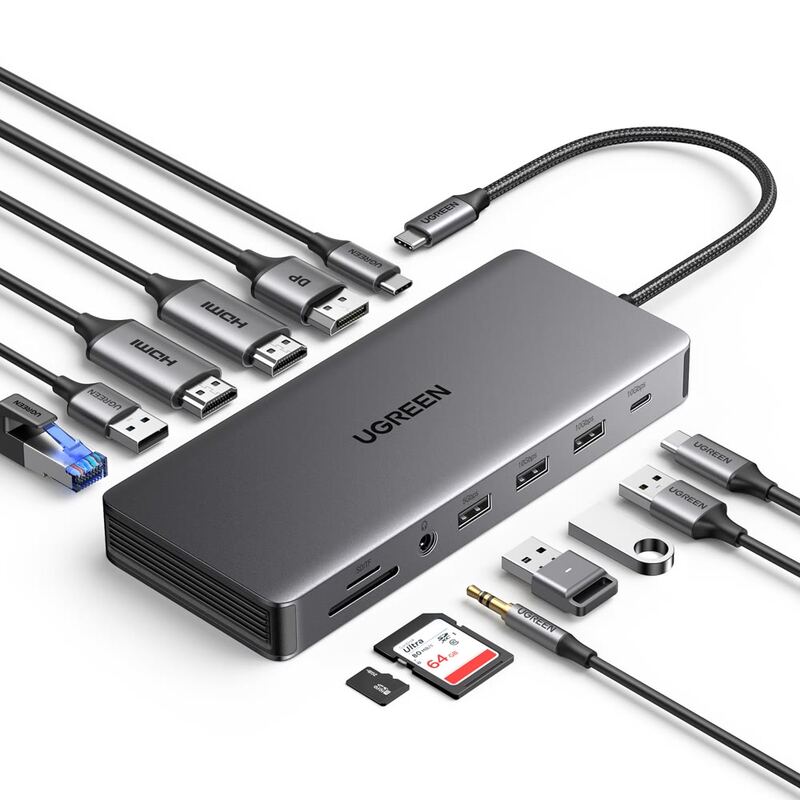
Twelve ports for the money is the HyperDrive 12-Port USB-C Dock's argument, dual HDMI 2.0 and DisplayPort 1.4 outputs included, plus 10Gbps USB ports and 100W power delivery passthrough. It runs driver-free and supports triple displays on Windows and ChromeOS. Reviewers also noted there is no power adapter in the box and macOS display support is limited. Its 10Gbps host connection creates bandwidth bottlenecks when several displays run at once, so this suits Windows and ChromeOS users more than Mac users who want three screens.
Full review
Built-in cable, but no power adapter in the box
The HyperDrive GEN2 12-Port USB-C Dock presents a compact, understated design that belies its robust functionality. Measuring approximately 4.2 x 3.5 x 1.7 inches and weighing just 480 grams, this device is remarkably portable for a dock with such extensive connectivity. The aluminum-look chassis provides a premium feel while maintaining a relatively lightweight profile that won't burden users during travel. According to docking-stations.info, the build quality is 'decent for the price,' with the dock staying cool under normal use conditions. However, the design does include a built-in USB-C cable that's necessary for connecting to host devices, which is a welcome feature for users who might otherwise need to purchase a separate cable. The dock's layout places all ports in a logical arrangement that makes it easy to identify and connect peripherals without confusion.
The dock's compact form factor makes it ideal for users who want to avoid the bulk of traditional docking stations. The metallic finish not only contributes to its aesthetic appeal but also aids in heat dissipation, which is crucial for a device that handles multiple high-bandwidth connections simultaneously. The inclusion of a built-in cable is a significant advantage, as it eliminates the need for users to purchase a separate USB-C cable, though the lack of an included power adapter remains a notable omission.
Display Output Capabilities
HyperDrive's video output capabilities are one of its strongest selling points, particularly for users who require multiple displays. The dock features two HDMI 2.0 ports and two DisplayPort 1.4 ports, offering flexibility to connect various types of monitors. It supports up to three extended displays on Windows and ChromeOS via MST (Multi-Stream Transport), with the third display limited to 1080p at higher refresh rates. For macOS users, the dock supports one extended display on base M-chip MacBooks or two if the MacBook has an M Pro or M Max chip. This limitation stems from macOS not supporting MST, which is a significant constraint for users who require triple display setups on Apple devices. The dock can handle 4K@60Hz output on any single HDMI or DisplayPort connection, which is impressive for a USB-C-based dock. However, the dock connects to the host over USB-C rather than Thunderbolt 4, so bandwidth is shared and users may see limitations when running multiple high-resolution displays or high-speed external drives at the same time.
According to the HyperDrive Gen2 12-Port Dock Review by docking-stations.info, the dock's display support is 'very good' for its price point. The review highlights that the dock supports up to three extended displays on Windows and ChromeOS via MST without requiring any drivers, which is a significant advantage over many competing docks. However, the same review also points out that Mac users who need more than two displays should consider a Thunderbolt 4 dock or use a DisplayLink adapter as a workaround. The dock's ability to support 4K@60Hz output on any single HDMI or DisplayPort connection is impressive, but users should be aware that running multiple displays simultaneously can lead to bandwidth bottlenecks, particularly when combined with high-speed data transfers. The review notes that 'the 10Gbps host connection creates bandwidth bottleneck when using multiple displays and data transfers simultaneously,' which is a critical consideration for users with demanding workflows.
Connectivity and Port Selection
The HyperDrive 12-Port USB-C Dock provides an impressive array of ports that cater to a wide range of user needs. It includes one USB-C data port at 10Gbps, one USB-A at 10Gbps, two USB-A 2.0 ports, Gigabit Ethernet, a 3.5mm audio combo jack, and a USB-C port for 100W power delivery passthrough to charge laptops at up to 85W. This configuration allows for fast external drive transfers and reliable wired networking, making it suitable for both productivity and creative workflows. The dock supports up to three extended displays using MST on Windows and ChromeOS, which is a significant advantage for users who require multiple screens. However, the inclusion of two USB-A 2.0 ports feels outdated and limits transfer speeds to 480Mbps, which can be a bottleneck for users who frequently transfer large files. The dock's 10Gbps host connection also creates a bandwidth bottleneck when using multiple displays and data transfers simultaneously, suggesting that users may need to prioritize either display use or data transfers during heavy workloads.
The dock's USB-C and USB-A ports are capable of handling fast external SSDs at full speed, which is a key feature for users who rely on high-speed data transfers. The Gigabit Ethernet port is reliable for wired connections, which is particularly important for users who require stable and fast internet connections for tasks like video conferencing or large file transfers. However, the two USB-A 2.0 ports are a notable limitation, as they are significantly slower than the USB-A 3.2 ports and may cause bottlenecks when transferring large files. The dock's ability to support 100W USB-C PD passthrough for laptop charging is also a strong point, but users should be aware that this is limited to 85W, which may not be sufficient for power-hungry 16-inch laptops. The inclusion of USB-A 2.0 ports remains a missed opportunity for users who require faster data transfer speeds.
Performance and Bandwidth Limitations
While the HyperDrive 12-Port USB-C Dock delivers impressive connectivity, its performance is constrained by its 10Gbps host connection, which creates bandwidth bottlenecks when running multiple displays and data transfers simultaneously. The dock's performance is further limited by its lack of Thunderbolt 4 support, which means users cannot take advantage of the higher bandwidth and PCIe speeds that Thunderbolt 4 offers. This throttling is particularly evident when running multiple high-resolution displays or transferring large files simultaneously, which can significantly impact performance.
The dock's 10Gbps host connection creates bandwidth bottlenecks when using multiple displays and data transfers simultaneously, as noted by docking-stations.info. The review emphasizes that 'the 10Gbps host connection creates bandwidth bottleneck when using multiple displays and data transfers simultaneously,' which is a critical limitation for users who require maximum bandwidth for demanding workflows. The dock's performance is also affected by its lack of Thunderbolt 4 support, which means users cannot take advantage of the higher bandwidth and PCIe speeds that Thunderbolt 4 offers. For maximum bandwidth, the review recommends using a Thunderbolt 4 dock with 40Gbps, which is a significant limitation for users who require the highest performance levels.
Power Delivery and Charging
The HyperDrive 12-Port USB-C Dock supports 100W USB-C PD passthrough for laptop charging, with a maximum output of 85W to the host device. This is sufficient for most 13 to 15-inch laptops but falls short for power-hungry 16-inch machines. The dock requires an external USB-C power adapter (not included) for charging passthrough, which is a notable omission since most competing docks at this price include one. Users should consider using any USB-C PD charger rated at 100W or higher, with a 96W or 100W Apple charger working well. The dock's ability to charge laptops at up to 85W is a strong point, but the lack of an included power adapter is a significant drawback.
The dock's 100W USB-C PD passthrough is a significant advantage for users who need to charge their laptops while using the dock. However, the maximum output of 85W may not be sufficient for power-hungry 16-inch laptops, which often require more power to operate efficiently. The dock's requirement for an external USB-C power adapter (not included) is a significant drawback, as most competing docks at this price point include one. The dock's charging capabilities are 'sufficient' for most users, but the lack of an included power adapter is a notable omission that users should be aware of before purchasing. The dock's ability to support up to 85W charging is a strong point, but the requirement for an external power adapter is a significant limitation for users who want a complete solution without additional purchases.
USB-A ports capped at 480 Mbps
Despite its impressive port selection and performance, the HyperDrive 12-Port USB-C Dock has several notable shortcomings that users should consider before purchasing. The most significant issue is the lack of an included power adapter, which is a common omission in the docking station market but still represents a significant inconvenience for users who expect a complete solution. The dock's reliance on a 10Gbps host connection creates bandwidth bottlenecks when running multiple displays and data transfers simultaneously, limiting its effectiveness for users with demanding workflows. Additionally, the two USB-A 2.0 ports feel outdated and limit transfer speeds to 480Mbps, which can be a bottleneck for users who frequently transfer large files. The dock's lack of Thunderbolt 4 support also means that users cannot take advantage of the higher bandwidth and PCIe speeds that Thunderbolt 4 offers, which is a significant limitation for users who require maximum performance levels.
The dock's limitations are particularly evident when compared to Thunderbolt 4 docks, which offer 40Gbps bandwidth and support for multiple high-resolution displays without bandwidth constraints. The dock's 10Gbps host connection creates bandwidth bottlenecks when using multiple displays and data transfers simultaneously, which is a critical limitation for users who require maximum bandwidth for demanding workflows. Additionally, the dock's support for triple display on macOS is limited due to lack of MST, which is a significant constraint for Mac users who require more than two displays. The dock's inability to support Thunderbolt 4 also means that it cannot take advantage of the improved PCIe speeds and smarter device daisy-chaining that Thunderbolt 4 offers, which is a significant limitation for users who require the highest performance levels.
Triple displays on Windows without installing drivers
The HyperDrive 12-Port USB-C Dock is best suited for users who need a compact, driver-free solution that supports triple display on Windows and ChromeOS without requiring any drivers. It's ideal for professionals who work primarily on Windows or ChromeOS devices and require multiple high-resolution displays for productivity tasks. The dock's 10Gbps USB-C and USB-A ports handle external SSDs at full speed, making it suitable for users who frequently transfer large files. The Gigabit Ethernet port provides reliable wired networking, which is important for users who require stable internet connections for tasks like video conferencing or large file transfers. The dock's ability to support up to 85W charging is also a strong point for users who need to charge their laptops while using the dock. However, users should be aware that the dock's 10Gbps host connection creates bandwidth bottlenecks when running multiple displays and data transfers simultaneously, which may limit its effectiveness for users with demanding workflows.
Shoppers who need triple display support on Windows and ChromeOS will find this a strong fit, particularly those who value a compact design and don't require Thunderbolt 4 capabilities. The dock's 10Gbps USB-C and USB-A ports handle external SSDs at full speed, making it ideal for users who frequently transfer large files. However, users who require more than two displays on macOS or need Thunderbolt 4 support should look elsewhere, as the dock's lack of MST support on macOS limits it to single or dual display setups. Additionally, users who frequently transfer large files may find the two USB-A 2.0 ports to be a bottleneck, as they are significantly slower than USB-A 3.2 ports. The dock's requirement for an external power adapter is also a significant drawback for users who want a complete solution without additional purchases.
Strengths
- +Supports triple extended display on Windows and ChromeOS via MST without requiring drivers, per docking-stations.info
- +10Gbps USB-C and USB-A ports enable fast external drive transfers
- +Compact and lightweight design at just 480 grams with aluminum-look chassis
- +100W USB-C PD passthrough supports laptop charging up to 85W
Watch-outs
- −Power adapter not included, required separately for PD charging, as docking-stations.info notes
- −Triple display not supported on macOS due to lack of MST support
- −Two USB-A 2.0 ports limit transfer speeds to 480Mbps, according to docking-stations.info
How it compares
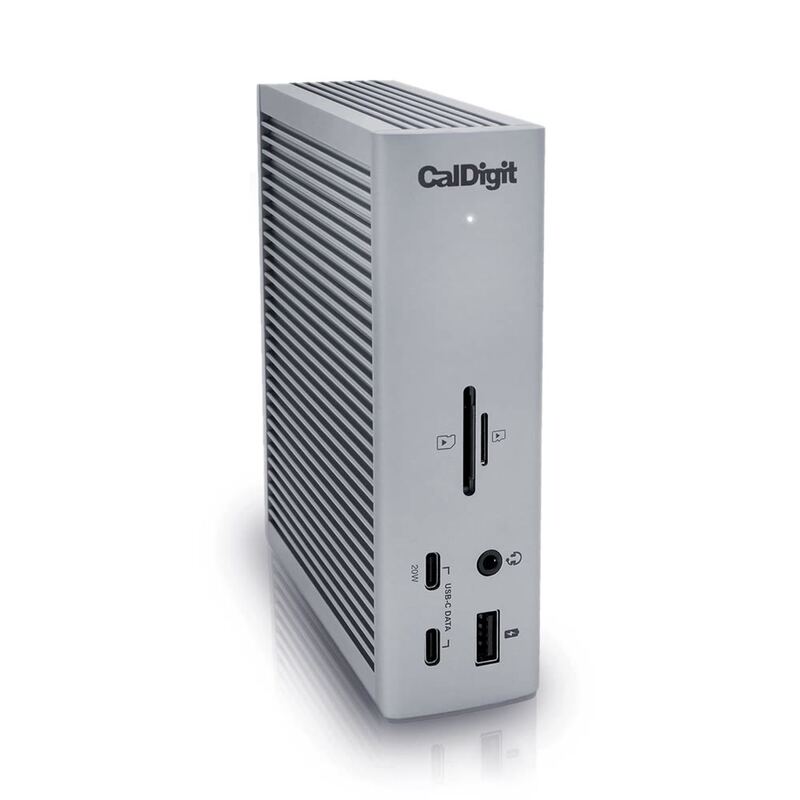
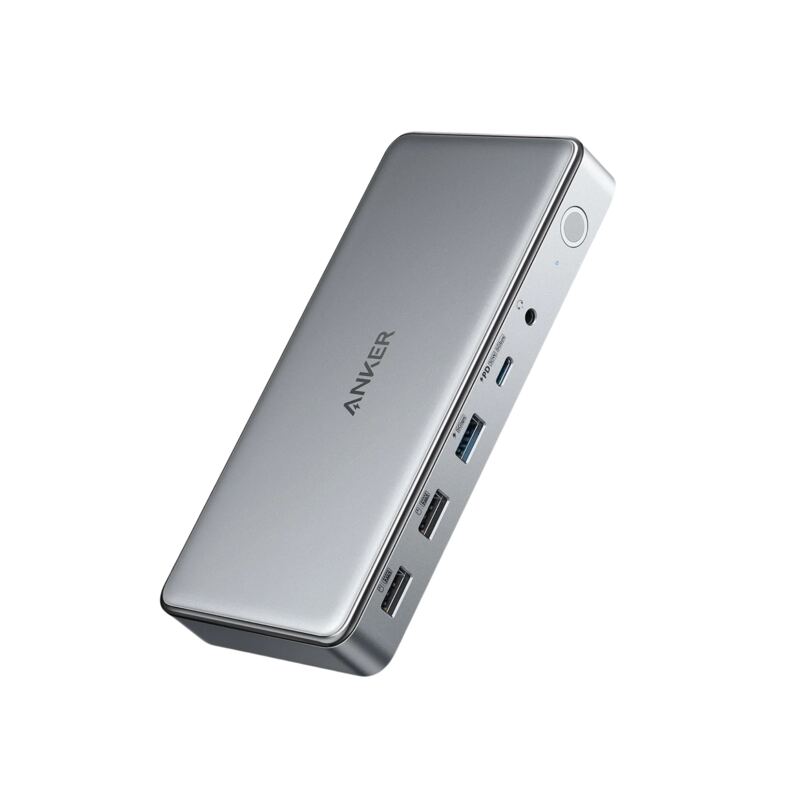
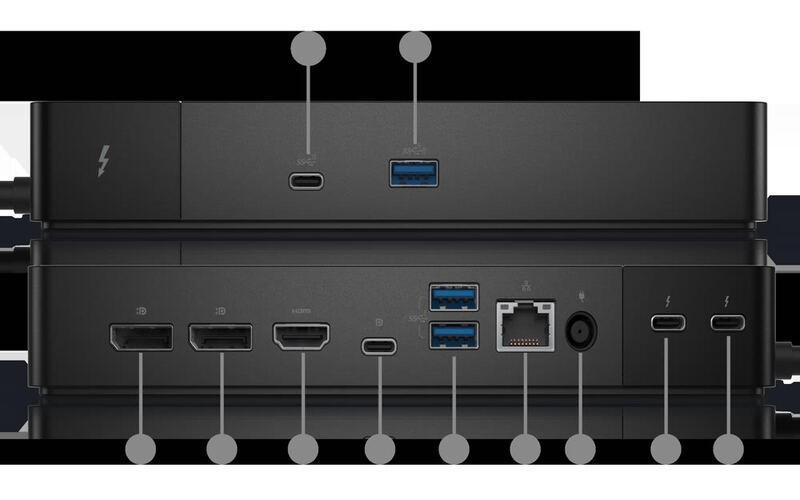
The HyperDrive 12 provides driver-free triple display support on Windows and ChromeOS, unlike the Dell D6000 which requires DisplayLink drivers. It's more compact than the CalDigit TS4 and offers 10Gbps USB speeds, but lacks Thunderbolt support and has limited macOS compatibility. Compared to the Anker 555, it's less expensive but doesn't support 4K60Hz HDMI output.
Rating sources
“the HyperDrive 12-Port USB-C Docking Station is now my favorite hub for multiple functions.”
Our 4.3 score is the average of these published ratings. Ratings marked * were derived from the reviewer’s written analysis or video transcript — the publisher didn’t print an explicit numeric score, so we inferred one from their own words. Click through to verify. More about methodology.