Verdict
Head-to-head · Best iPad Stylus Alternatives

Adonit Note+ 2 vs ZAGG Pro Stylus 2

Which is the better buy? Side-by-side on rating, price, strengths, and watch-outs — with the published ratings we averaged to get there.

The short answer

ZAGG Pro Stylus 2 comes out ahead by a narrow margin (4.3 vs 4.5). The gap is mostly about iPad users who want a versatile dual-tip stylus with magnetic Qi charging for note-taking, navigation and markup across older and newer iPads. — read the strengths below before deciding.

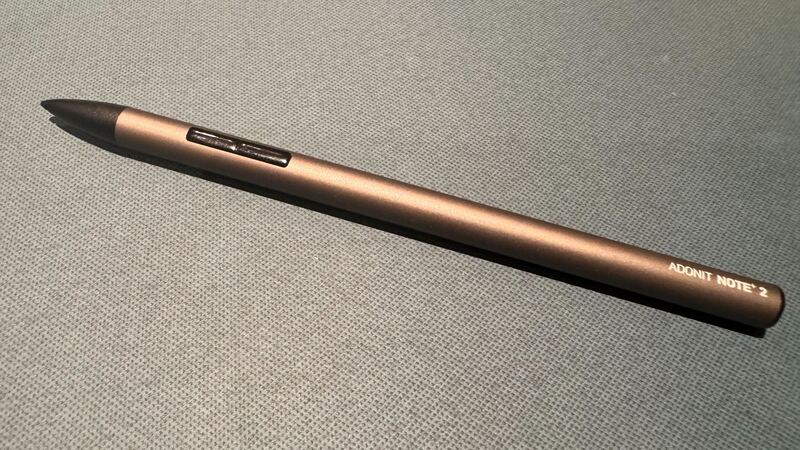
Adonit Note+ 2
Ranked #3 in Best iPad Stylus Alternatives
Adonit Note+ 2
$70as of Jun 8

The Adonit Note+ 2 is the alternative for aspiring iPad artists: it is the only stylus here with genuine 2,048-level pressure sensitivity, plus two programmable shortcut buttons and three interchangeable nibs. AppleInsider rated it 3.5/5 and Laptop Mag called it a stroke of excellence. The catch reviewers stress is that pressure and shortcuts only work in select apps, and setup can be fiddly, but no rival here offers pressure at this price.

Strengths
  • Genuine 2,048-level pressure sensitivity, rare among alternatives
  • Two programmable shortcut buttons for tools and colors
  • Three interchangeable nibs of varying hardness
Watch-outs
  • Pressure sensitivity only works in select compatible apps
  • Software compatibility is finicky to configure
  • Durability raises long-term doubts per reviewers
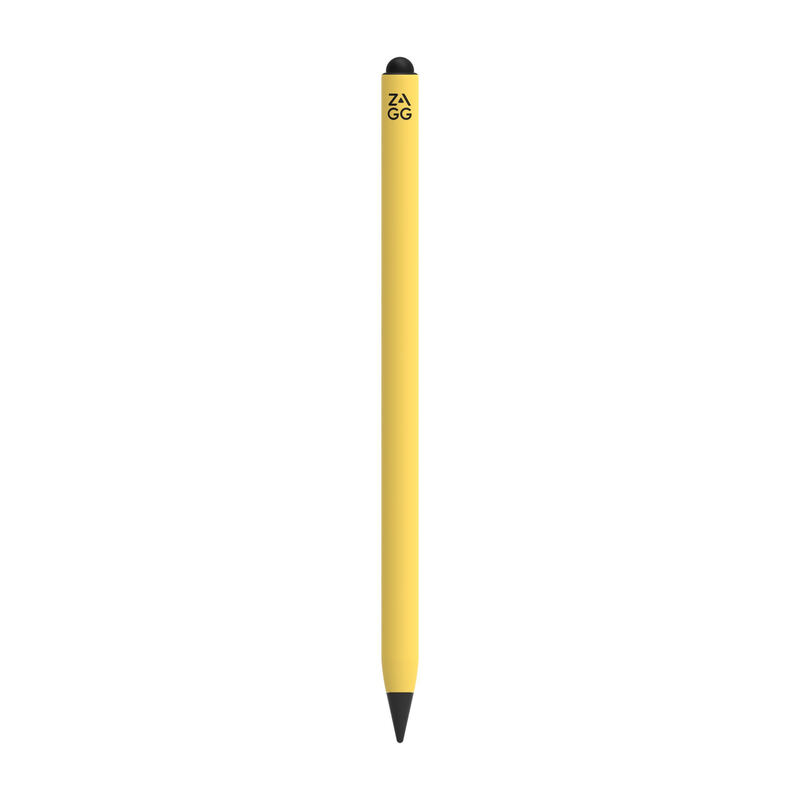
ZAGG Pro Stylus 2
Higher ratedRanked #2 in Best iPad Stylus Alternatives
ZAGG Pro Stylus 2
$54.85as of Jun 7

The ZAGG Pro Stylus 2 is the most versatile hardware here: a dual-tip stylus with an active precision front tip and a capacitive back end for scrolling and gestures, plus magnetic attachment and Qi wireless charging. iMore called it an excellent Apple Pencil alternative and How-To Geek scored it 8/10. It lacks pressure sensitivity, so artists should look elsewhere, but for note-taking and navigation it is a polished, convenient pick.

Strengths
  • Dual-tip design: active front tip plus capacitive back for gestures
  • Magnetic attachment with Qi wireless charging
  • Tilt recognition and reliable palm rejection
Watch-outs
  • No pressure sensitivity; fails in Adobe Photoshop
  • Battery life of about 6.5 hours trails the Crayon
  • Priciest stylus in this lineup at $80

How they stack up

Adonit Note+ 2

The Adonit Note+ 2 is the only pressure-sensitive stylus in this group, the key differentiator over the Logitech Crayon, ZAGG Pro Stylus 2, Metapen A8 and JAMJAKE, which all lack pressure. It adds programmable buttons and interchangeable nibs the others do not have, but its app-dependent features and durability concerns mean the Crayon remains the more reliable everyday writer.

ZAGG Pro Stylus 2

The ZAGG Pro Stylus 2 is the only stylus here with a dual-tip design and Qi wireless charging plus magnetic attachment, conveniences the Logitech Crayon, Adonit Note+ 2, Metapen A8 and JAMJAKE all lack. Like the Crayon and the budget pens it has no pressure sensitivity, so the Adonit Note+ 2 remains the pick for artists, but it beats every rival here on charging and gesture convenience.

Specs side-by-side

SpecAdonit Note+ 2ZAGG Pro Stylus 2
CompatibilityiPads 2018 and lateriPads from 2018 onward
Pressure Sensitivity2,048 levels (app-dependent)No
Tilt SupportYesYes
Buttons2 programmable shortcuts
Nibs3 interchangeable (soft/medium/hard)
Battery8 hrs (1-hr charge)Up to 6.5 hrs
ChargingUSB-CQi wireless + magnetic cradle
Weight14 g
TipsActive front + capacitive back
Palm RejectionYes
ConnectionBluetooth pairing
← See the full ranking of best ipad stylus alternatives