Verdict
The Best 5Reviewed by Mike Hunter·May 24, 2026

Best iPad Stylus Alternatives

Top 5 Apple Pencil alternatives for iPad, from premium to budget, reviewed and ranked on writing feel, features and value.

Quick answer

Logitech Crayon (USB-C) is our top pick for ipad stylus alternatives — an averaged 4.7/5 across 3 published reviews at about $43.99. Runner-up: ZAGG Pro Stylus 2 (~$54.85).

At a glance

Tap any product for the full review
(3 sources)
$43.99Best for: Students and note-takers who want the most reliable, lag-free everyday writing and markup on a USB-C iPad without paying for Apple Pencil.
$43.99 · Check Price on Amazon
(3 sources)
$54.85Best for: iPad users who want a versatile dual-tip stylus with magnetic Qi charging for note-taking, navigation and markup across older and newer iPads.
$54.85 · Check Price on Amazon
(3 sources)
$70Best for: Aspiring iPad artists who specifically want pressure sensitivity, shortcut buttons and interchangeable nibs without paying Apple Pencil prices.
$70 · Buy at adonit.net
(3 sources)
$26.99Best for: Budget-focused students and note-takers who want near-Apple-Pencil everyday writing and tilt for the lowest price.
$26.99 · Check Price on Amazon
(3 sources)
$15.99Best for: Bargain hunters, students and parents buying for kids who want a basic, capable iPad stylus at the lowest possible price.
$15.99 · Check Price on Amazon
Verdict is reader-supported. As an Amazon Associate we earn from qualifying purchases. Some links on this page are affiliate links — if you click through and buy, we may earn a small commission at no extra cost to you. Our ratings are sourced from independent publications, not sponsors.
Reviews aggregated from
Macworld.comCreativebloq.comXdadevelopers.comHowtogeek.comImore.comAppleinsider.comCultofmac.comLaptopmag.com

The full ranking

How we rank →
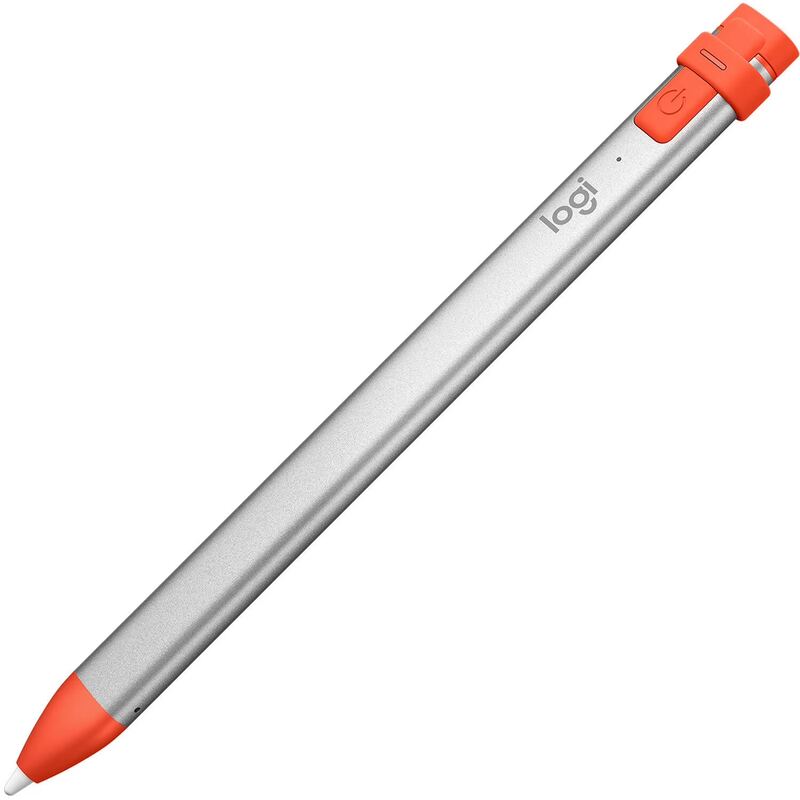
Logitech Crayon (USB-C)
#1 · Top Score
Best for: Students and note-takers who want the most reliable, lag-free everyday writing and markup on a USB-C iPad without paying for Apple Pencil.
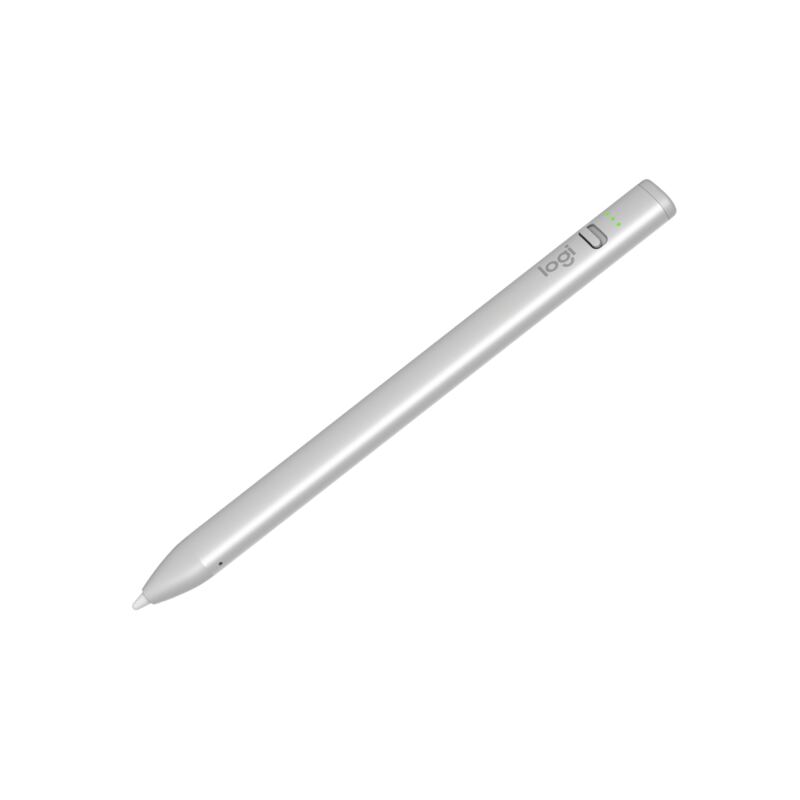
Logitech Crayon (USB-C)
from 3 sources$43.99as of Jun 7

The Logitech Crayon (USB-C) is the best Apple Pencil alternative for most people: an Apple-licensed stylus with genuine no-lag, pixel-precise input and true 1:1 tilt support, in a tough aluminum body rated for 4-foot drops. Creative Bloq scored it 9/10 and XDA made it an Editor's Choice over Apple's own USB-C Pencil. It skips pressure sensitivity and magnetic charging, but for notes and markup it is unbeatable.

Strengths
  • Apple Pencil technology delivers no-lag, pixel-precise input
  • True 1:1 tilt support matching Apple's own styluses
Watch-outs
  • No pressure sensitivity for pro-grade digital painting
  • No magnetic attachment or wireless charging
ZAGG Pro Stylus 2
#2
Best for: iPad users who want a versatile dual-tip stylus with magnetic Qi charging for note-taking, navigation and markup across older and newer iPads.
ZAGG Pro Stylus 2
from 3 sources$54.85as of Jun 7

The ZAGG Pro Stylus 2 is the most versatile hardware here: a dual-tip stylus with an active precision front tip and a capacitive back end for scrolling and gestures, plus magnetic attachment and Qi wireless charging. iMore called it an excellent Apple Pencil alternative and How-To Geek scored it 8/10. It lacks pressure sensitivity, so artists should look elsewhere, but for note-taking and navigation it is a polished, convenient pick.

Strengths
  • Dual-tip design: active front tip plus capacitive back for gestures
  • Magnetic attachment with Qi wireless charging
Watch-outs
  • No pressure sensitivity; fails in Adobe Photoshop
  • Battery life of about 6.5 hours trails the Crayon
Adonit Note+ 2
#3
Best for: Aspiring iPad artists who specifically want pressure sensitivity, shortcut buttons and interchangeable nibs without paying Apple Pencil prices.
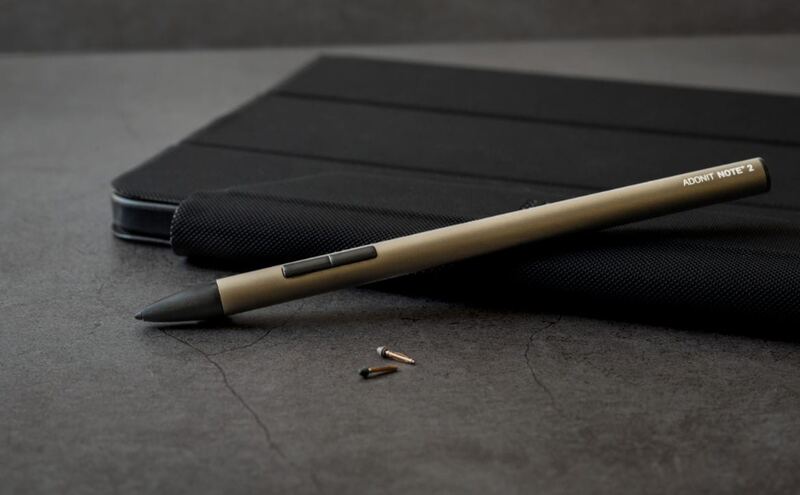
Adonit Note+ 2
from 3 sources$70as of Jun 8

The Adonit Note+ 2 is the alternative for aspiring iPad artists: it is the only stylus here with genuine 2,048-level pressure sensitivity, plus two programmable shortcut buttons and three interchangeable nibs. AppleInsider rated it 3.5/5 and Laptop Mag called it a stroke of excellence. The catch reviewers stress is that pressure and shortcuts only work in select apps, and setup can be fiddly, but no rival here offers pressure at this price.

Strengths
  • Genuine 2,048-level pressure sensitivity, rare among alternatives
  • Two programmable shortcut buttons for tools and colors
Watch-outs
  • Pressure sensitivity only works in select compatible apps
  • Software compatibility is finicky to configure
Metapen Pencil A8
#4
Best for: Budget-focused students and note-takers who want near-Apple-Pencil everyday writing and tilt for the lowest price.
Metapen Pencil A8
from 3 sources$26.99as of Jun 7

The Metapen Pencil A8 is the best budget Apple Pencil alternative: a tilt-sensitive, pixel-precise stylus that reviewers say writes virtually identically to an Apple Pencil for everyday notes and sketching, all for around $27. It charges fully in 30 minutes for up to 10 hours of use and carries a 4.5-star average across tens of thousands of reviews. It skips pressure sensitivity and magnetic charging, but the value is unmatched.

Strengths
  • Writes virtually identically to an Apple Pencil for everyday use
  • Tilt sensitivity for varied line weights and shading
Watch-outs
  • No pressure sensitivity for pro art apps
  • No magnetic wireless charging like the ZAGG
JAMJAKE Stylus Pen
#5
Best for: Bargain hunters, students and parents buying for kids who want a basic, capable iPad stylus at the lowest possible price.
JAMJAKE Stylus Pen
from 3 sources$15.99as of Jun 7

The JAMJAKE Stylus Pen is the rock-bottom budget pick: an active stylus with tilt sensitivity and palm rejection that, in GeekDad's blind testing, was indistinguishable from a far pricier stylus, all for around $25. With over 98,000 reviews at 4.4 stars, it is a proven everyday writer. The plastic build feels cheap and there is no pressure sensitivity, but for basic note-taking on a budget it covers the essentials.

Strengths
  • Indistinguishable from pricier styluses in blind testing
  • Tilt sensitivity and palm rejection at a rock-bottom price
Watch-outs
  • Light, cheap-feeling plastic build
  • No pressure sensitivity for professional art

Spec comparison

5 products
SpecLogitech Crayon (USB-C)ZAGG Pro Stylus 2Adonit Note+ 2Metapen Pencil A8JAMJAKE Stylus Pen
CompatibilityAll USB-C iPads (2018 and later)iPads from 2018 onwardiPads 2018 and lateriPads 2018 and lateriPads 2018 and later
Tilt SupportYes (1:1 with Apple Pencil)YesYesYesYes
Pressure SensitivityNoNo2,048 levels (app-dependent)NoNo
Palm RejectionYesYesYesYes
BatteryUp to 7.5 hrsUp to 6.5 hrs8 hrs (1-hr charge)Up to 10 hrsUp to 10-20 hrs
ChargingUSB-C (50-min full charge)Qi wireless + magnetic cradleUSB-CUSB-C (30-min full charge)USB-C fast charge
BuildAluminum, 4-ft drop ratingPlastic
Weight20 g14 g

Frequently asked questions

What is the best ipad stylus alternative?
Logitech Crayon (USB-C) is our top pick for ipad stylus alternatives, with an averaged rating of 4.7/5 from 3 published reviews. The Logitech Crayon (USB-C) is the best Apple Pencil alternative for most people: an Apple-licensed stylus with genuine no-lag, pixel-precise input and true 1:1 tilt support, in a tough aluminum body rated for 4-foot drops. Creative Bloq scored it 9/10 and XDA made it an Editor's Choice over Apple's own USB-C Pencil. It skips pressure sensitivity and magnetic charging, but for notes and markup it is unbeatable.
Is there a cheaper alternative worth considering?
JAMJAKE Stylus Pen (around $15.99) rates 4.2/5 in our analysis. The JAMJAKE Stylus Pen is the rock-bottom budget pick: an active stylus with tilt sensitivity and palm rejection that, in GeekDad's blind testing, was indistinguishable from a far pricier stylus, all for around $25. With over 98,000 reviews at 4.4 stars, it is a proven everyday writer. The plastic build feels cheap and there is no pressure sensitivity, but for basic note-taking on a budget it covers the essentials.
How does Verdict rank these products?
Every rating on Verdict is the numerical average of scores published by independent review sites, YouTube reviewers, and Reddit buyer reports. No editor adjusts the order — the ranking is whatever the source data produces. See our methodology page for the full process.
When was this guide last updated?
This guide was last re-checked in May 2026. We re-run our research pipeline for each category on a rolling basis so prices and rankings reflect current market reality.

Related guides

Browse all →