Verdict
Head-to-head · Best Docking Stations

Dell WD25TB4 Thunderbolt Dock vs Plugable USBC-9IN1E

Which is the better buy? Side-by-side on rating, price, strengths, and watch-outs — with the published ratings we averaged to get there.

Verdict is reader-supported. As an Amazon Associate we earn from qualifying purchases. Some links on this page are affiliate links — if you click through and buy, we may earn a small commission at no extra cost to you. Our ratings are sourced from independent publications, not sponsors.
The short answer

Dell WD25TB4 Thunderbolt Dock comes out ahead by a clear margin (4.5 vs 4.0). The gap is mostly about Dell laptop users seeking enhanced productivity — read the strengths below before deciding.

Dell WD25TB4 Thunderbolt Dock
Higher ratedRanked #3 in Best Docking Stations
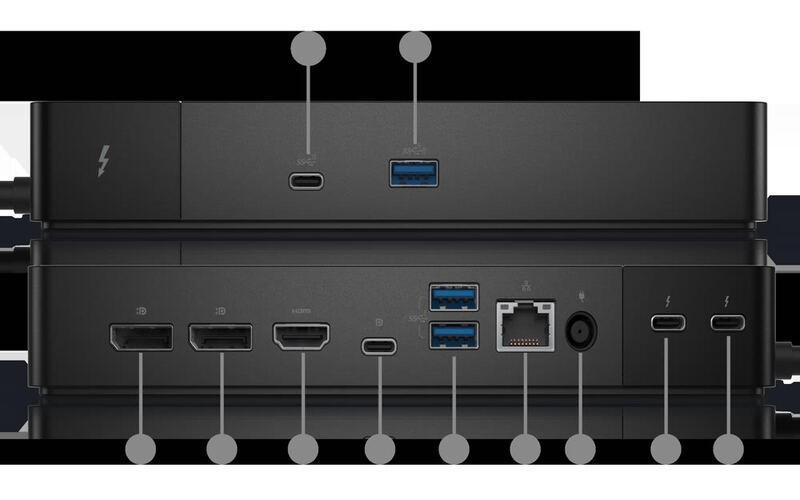
Dell WD25TB4 Thunderbolt Dock
2 sourcesall derived$265as of Oct 4

Dell laptop owners are the whole audience for the WD25TB4 Thunderbolt Dock, which supports dual 4K displays and fast USB-C charging. Compatibility is restricted to Dell devices, and some users reported occasional coil whine. Professionals who want more connectivity out of a Dell machine will benefit; anyone on another brand or needing lots of legacy ports should look elsewhere.

Strengths
  • — Supports dual 4K displays at 60Hz for enhanced multitasking and productivity, per DockSelector
  • — 130W power delivery for Dell laptops with reliable charging performance, according to docking-stations.info
Watch-outs
  • — Full 130W charging and Dell-specific features need a Dell laptop; other Thunderbolt 4 hosts are capped at 96W, as DockSelector notes
  • — Some users reported coil whine noise under specific conditions
Plugable USBC-9IN1E
Ranked #9 in Best Docking Stations
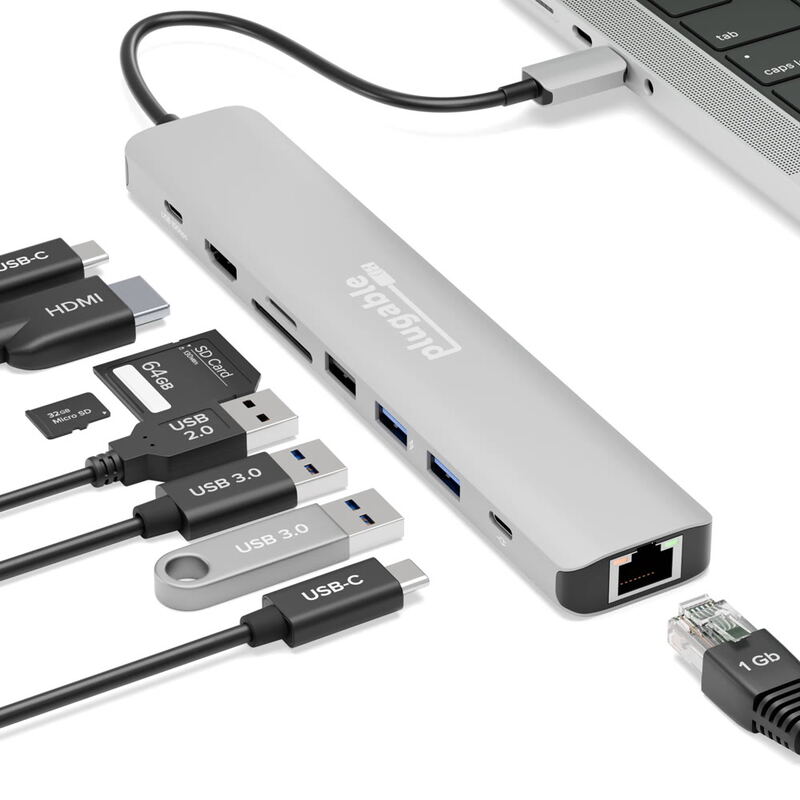
Plugable USBC-9IN1E
1 source$49.95as of Oct 4

The Plugable USBC-9IN1E is a compact nine-port hub that works the moment it is plugged in - no drivers, no vendor software, no configuration. How-To Geek scored it 8 out of 10 after running flash drives, an SD card and an audio interface off it at once without the hub losing track of any of them. It drives one 4K display at 60Hz over HDMI, passes power through to the laptop, and warms up noticeably when everything is in use. Portable workers who need one screen and a lot of ports are the fit; anyone running two monitors is not.

Strengths
  • — Plug-and-play - devices appear the moment it is connected, with no drivers or vendor software
  • — Single HDMI output drives a 4K display at 60Hz with HDR
  • — Accepts up to 140W of USB-C charger power (125W to the laptop) while every port stays live
Watch-outs
  • — Built-in USB-C cable is rather short
  • — Only one video output (HDMI) limits multi-monitor setups
  • — Hub gets warm with multiple connections

Derived means the reviewer published no score, so one was inferred from their written verdict. Everything else is a number the publisher printed. How we rank.

How they stack up

Dell WD25TB4 Thunderbolt Dock

The Dell WD25TB4 excels in dual 4K display support but is limited to Dell devices, unlike the CalDigit TS4 which supports any Thunderbolt laptop. The UGREEN Revodok Max surpasses it in Thunderbolt 4 performance and build quality, though the Dell dock offers better integration with Dell laptops and more reliable power delivery.

Plugable USBC-9IN1E

The Plugable USBC-9IN1E offers a plug-and-play design and 140W pass-through charging that outperforms the Anker 555. Unlike the CalDigit TS4, it's more compact and affordable but provides fewer ports. Compared to the UGREEN Revodok Max, it's more affordable and easier to use, though it lacks the Thunderbolt 4 performance and vertical stand capability of the UGREEN.

Specs side-by-side

SpecDell WD25TB4 Thunderbolt DockPlugable USBC-9IN1E
Power Delivery130W140W input / 125W to host (PD 3.1 EPR); 100W / 85W on PD 3.0
Display SupportDual 4K@60Hz4K@60Hz
Ethernet10GbE1 Gbps
USB SpeedUSB 3.2 Gen 2USB 3.2 Gen 2
Thunderbolt4No
Weight0.99 lb0.29 lb
Audio3.5mm Combo Jack3.5mm Combo
Dimensions12"L x 12"W x 3"H—
Wattage180 watts—
Ports—USB-C, USB-A, SD, microSD
← See the full ranking of best docking stations