Verdict
Head-to-head · Best iPad Stylus Alternatives

Logitech Crayon (USB-C) vs ZAGG Pro Stylus 2

Which is the better buy? Side-by-side on rating, price, strengths, and watch-outs — with the published ratings we averaged to get there.

The short answer

Logitech Crayon (USB-C) comes out ahead by a narrow margin (4.7 vs 4.5). The gap is mostly about Students and note-takers who want the most reliable, lag-free everyday writing and markup on a USB-C iPad without paying for Apple Pencil. — read the strengths below before deciding.

Logitech Crayon (USB-C)
Higher ratedRanked #1 in Best iPad Stylus Alternatives
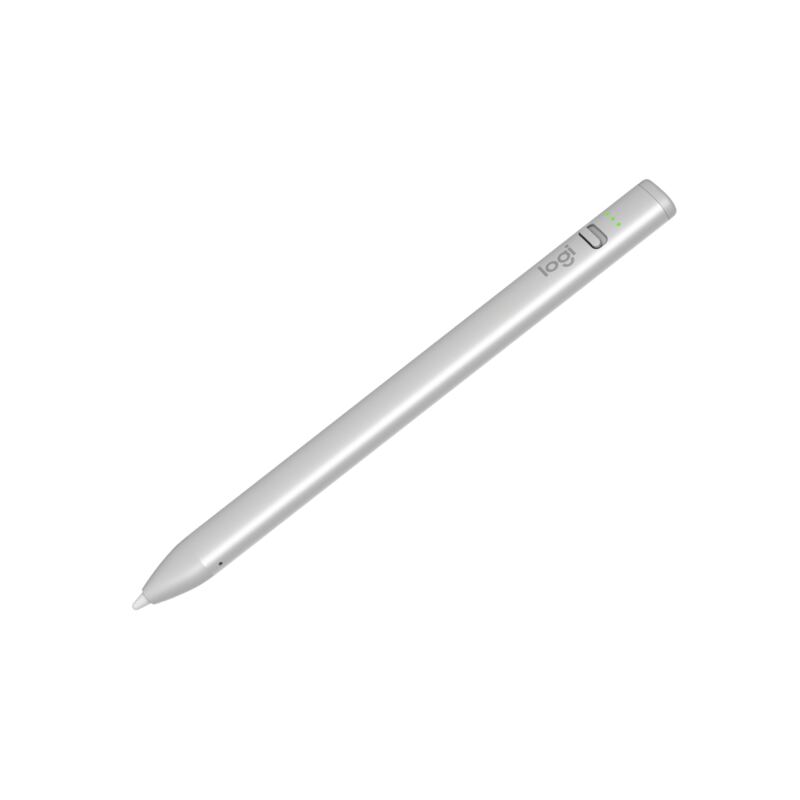
Logitech Crayon (USB-C)
$43.99as of Jun 7

The Logitech Crayon (USB-C) is the best Apple Pencil alternative for most people: an Apple-licensed stylus with genuine no-lag, pixel-precise input and true 1:1 tilt support, in a tough aluminum body rated for 4-foot drops. Creative Bloq scored it 9/10 and XDA made it an Editor's Choice over Apple's own USB-C Pencil. It skips pressure sensitivity and magnetic charging, but for notes and markup it is unbeatable.

Strengths
  • Apple Pencil technology delivers no-lag, pixel-precise input
  • True 1:1 tilt support matching Apple's own styluses
  • Tough aluminum body with a 4-foot drop rating and roll-proof shape
Watch-outs
  • No pressure sensitivity for pro-grade digital painting
  • No magnetic attachment or wireless charging
  • Single flat tilt-only nib, no interchangeable tips
ZAGG Pro Stylus 2
Ranked #2 in Best iPad Stylus Alternatives
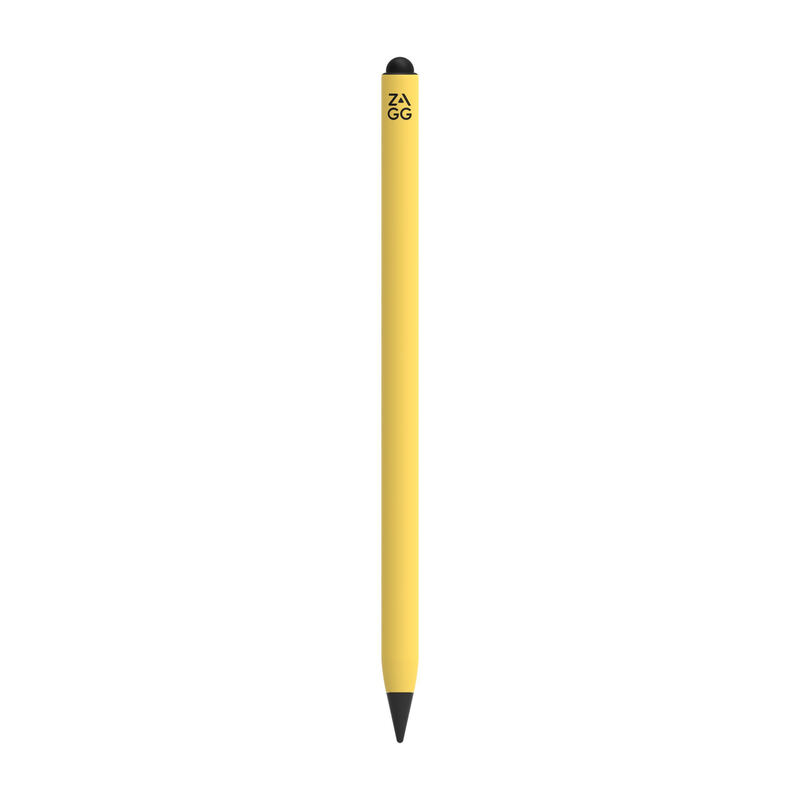
ZAGG Pro Stylus 2
$54.85as of Jun 7

The ZAGG Pro Stylus 2 is the most versatile hardware here: a dual-tip stylus with an active precision front tip and a capacitive back end for scrolling and gestures, plus magnetic attachment and Qi wireless charging. iMore called it an excellent Apple Pencil alternative and How-To Geek scored it 8/10. It lacks pressure sensitivity, so artists should look elsewhere, but for note-taking and navigation it is a polished, convenient pick.

Strengths
  • Dual-tip design: active front tip plus capacitive back for gestures
  • Magnetic attachment with Qi wireless charging
  • Tilt recognition and reliable palm rejection
Watch-outs
  • No pressure sensitivity; fails in Adobe Photoshop
  • Battery life of about 6.5 hours trails the Crayon
  • Priciest stylus in this lineup at $80

How they stack up

Logitech Crayon (USB-C)

The Logitech Crayon is the most polished writing tool here, with Apple-licensed no-lag input that the budget Metapen A8 and JAMJAKE styluses approximate but cannot officially match. Unlike the ZAGG Pro Stylus 2 and Adonit Note+ 2, it has no pressure sensitivity, magnetic charging or extra buttons, trading those for the most reliable, lag-free everyday writing feel and the toughest build in the group.

ZAGG Pro Stylus 2

The ZAGG Pro Stylus 2 is the only stylus here with a dual-tip design and Qi wireless charging plus magnetic attachment, conveniences the Logitech Crayon, Adonit Note+ 2, Metapen A8 and JAMJAKE all lack. Like the Crayon and the budget pens it has no pressure sensitivity, so the Adonit Note+ 2 remains the pick for artists, but it beats every rival here on charging and gesture convenience.

Specs side-by-side

SpecLogitech Crayon (USB-C)ZAGG Pro Stylus 2
CompatibilityAll USB-C iPads (2018 and later)iPads from 2018 onward
Tilt SupportYes (1:1 with Apple Pencil)Yes
Pressure SensitivityNoNo
Palm RejectionYesYes
BatteryUp to 7.5 hrsUp to 6.5 hrs
ChargingUSB-C (50-min full charge)Qi wireless + magnetic cradle
BuildAluminum, 4-ft drop rating
Weight20 g
TipsActive front + capacitive back
ConnectionBluetooth pairing
← See the full ranking of best ipad stylus alternatives