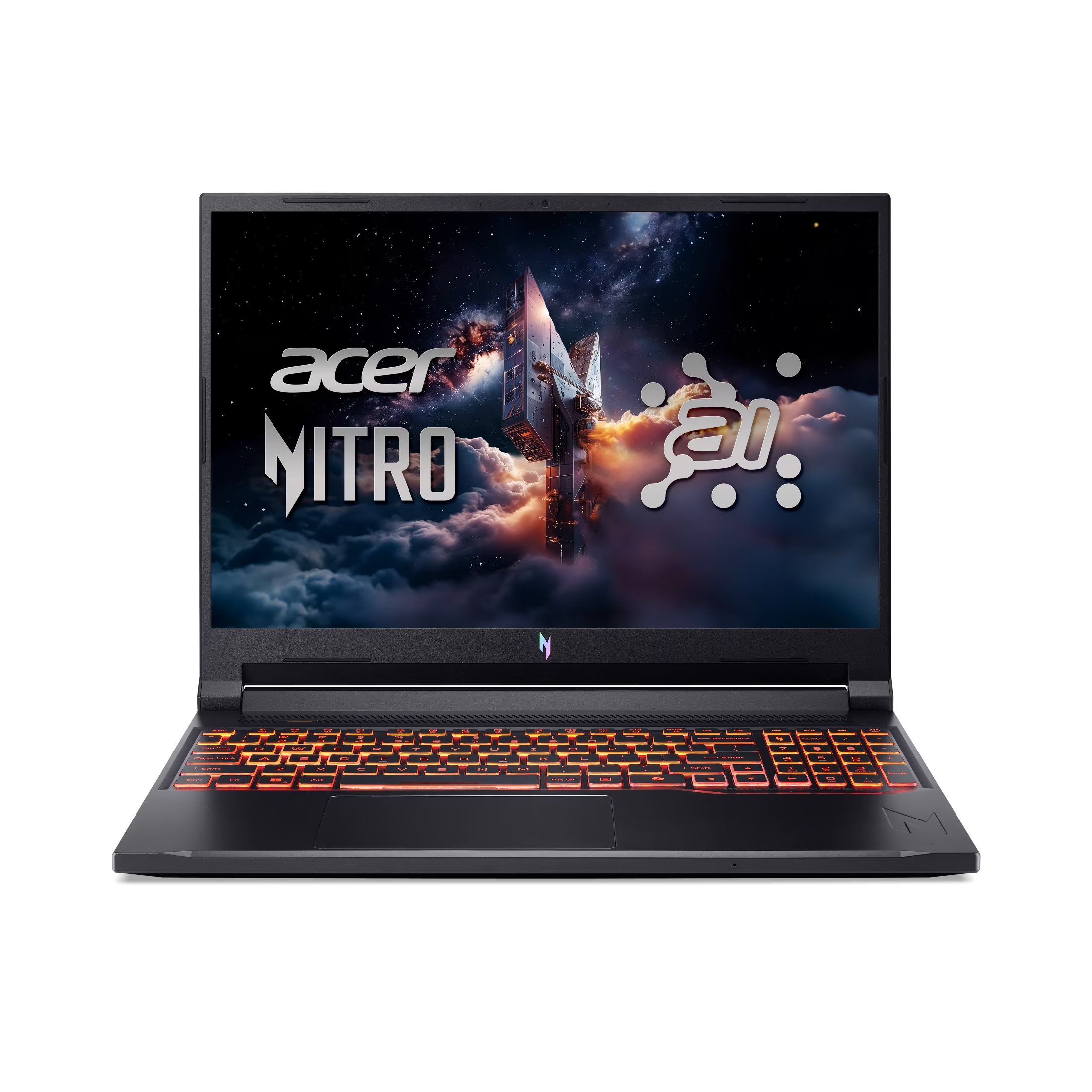
PCMag highlighted the Acer Nitro V 16’s rock-bottom pricing as an accessible gateway to RTX graphics, while PCWorld found its battery life surprisingly good for a budget gaming laptop. LaptopMedia reported that the cooling system keeps NVIDIA GPUs running with impressive stability and coolness during gaming sessions. However, me.ign described the display on tested Intel configurations as having dull colors and poor contrast ratios, limiting visual quality. Additionally, PCWorld noted sub-par CPU performance in base models limits its viability as a high-performance workhorse for demanding productivity tasks.
Full review
RTX 50-series entry pricing and configuration limits
PCMag highlighted the Acer Nitro V 16 AI as a machine defined by rock-bottom pricing, positioning it as one of the few accessible gateways to Nvidia RTX graphics for budget-conscious buyers. PCWorld confirmed this strategy, noting that shoppers looking for an RTX 50-series GPU for around $800 have very few options, with typical retail prices hovering near $799 compared to a higher MSRP. This aggressive pricing is achieved by pairing the capable GPU with entry-level components elsewhere in the system.
LaptopMedia reported that higher-end configurations are available, including models equipped with Intel Core i9 processors and RTX 5070 graphics cards pushing the price toward $2,000. However, the entry-level model remains the focal point for value seekers who prioritize graphical performance over raw processing power or storage capacity.
Thermal split between GPU stability and CPU throttling
LaptopMedia reported a highly divergent thermal profile in the Nitro V 16, describing its cooling system as a triumph for the NVIDIA GPU while simultaneously failing the Intel Core i9 processor. The review noted that the cooling architecture keeps the powerful graphics card running with impressive stability and coolness during gaming sessions. This dedicated heat management ensures that graphical performance remains consistent without thermal throttling.
Conversely, LaptopMedia found that the same cooling system allows the high-end Intel Core i9 CPU to run at dangerously high temperatures. The review described this as creating a machine with a split personality: it functions as a brilliant gaming rig but becomes a questionable high-performance workhorse for heavy computational tasks. This thermal imbalance suggests that buyers prioritizing sustained multi-core productivity may find the cooling solution inadequate for top-tier processor configurations.
Display quality variance across Intel and AMD models
me.ign described the display on their tested Intel configuration as one of the weakest parts of the device, citing dull, grey-ish colors and a near-total lack of contrast ratio. The reviewer noted that Acer seemingly utilized the cheapest LCD panel available to maintain low prices, resulting in pale visuals with no vibrance despite the 165Hz refresh rate being adequate for competitive gaming motion clarity.
In stark contrast, YouTube reviewers analyzing different configurations praised the display quality significantly more. One channel highlighted a WQXGA IPS display with full 100% sRGB coverage and an 180Hz refresh rate as a strong option for both gaming and content creation. This discrepancy indicates that Acer utilizes multiple panel suppliers across its Nitro V lineup, meaning screen quality is highly dependent on the specific SKU purchased rather than being a uniform trait of the chassis.
Battery life exceeding budget gaming expectations
PCWorld found that battery life is surprisingly good for a budget gaming laptop, distinguishing it from competitors in its price bracket. The reviewer noted that day-to-day usability and this extended endurance are what set the Nitro V 16 AI apart from other entry-level machines. This performance stands out because high-performance RTX graphics cards typically drain power rapidly, yet this model manages to offer respectable unplugged usage.
The laptop utilizes a 76-watt-hour battery pack to achieve this efficiency. While YouTube reviewers noted that battery life is generally modest for gaming laptops in general, with one channel reporting around 3.5 hours of use on a full charge during intensive tasks, the consensus remains that it outperforms many rivals when handling light productivity workloads away from an outlet.
CPU performance bottlenecks in base models
PCWorld noted that sub-par CPU performance in base models limits the laptop's viability as a high-performance workhorse. The AMD Ryzen 5 240 processor is among the least capable options in AMD's lineup, creating a significant bottleneck for users who attempt to run demanding applications alongside their games. This limitation forces buyers to manage expectations regarding multitasking and non-gaming productivity tasks.
YouTube reviewers analyzing higher-tier models offered a different perspective on processing power. This suggests that while the entry-level CPU is a weak point, upgrading to higher-tier processors resolves the performance limitations identified in the base configurations.
Build quality compromises and chassis design
me.ign described the build quality as leaning heavily into gamer aesthetics with garish sci-fi lines, noting that while the plastic chassis feels solid against flexing, it exhibits rattling and a poor hinge mechanism. The reviewer found the hinge flops open if tilted upside down, raising concerns about long-term durability. Additionally, the exhaust vents were criticized for blowing hot air directly onto the user's hands during gaming sessions.
PCWorld offered a more neutral view of the chassis design, describing it as simple and inoffensive with a subtle metallic luster. However, they also observed obvious display flex when opening the lid quickly. YouTube reviewers generally agreed that while the build is solid for a budget machine, it lacks the premium metal construction found in higher-end Legion or ROG machines, accepting plastic construction as a necessary trade-off for keeping prices low.
Connectivity options and port placement
PCWorld listed extensive physical connectivity options including HDMI 2.1, USB-C with DisplayPort and Power Delivery, multiple USB-A ports, a microSD card reader, and Gigabit Ethernet. This robust selection allows users to connect various peripherals without relying on dongles. The inclusion of a microSD reader is particularly notable for content creators who need quick access to camera storage.
me.ign criticized the port placement, noting that exhaust vents run along both sides of the laptop, potentially interfering with cable management and user comfort. They also expressed disappointment at the lack of an additional USB-C port or MicroSD card reader on their specific tested model, highlighting inconsistencies in feature availability across different regional SKUs or configurations.
Strengths
- +PCWorld found the battery life to be surprisingly good for a budget gaming laptop, distinguishing it from competitors.
- +LaptopMedia reported that the cooling system keeps NVIDIA GPUs running with impressive stability and coolness during gaming.
- +PCMag highlighted the laptop's rock-bottom pricing for entry-level RTX graphics configurations.
Watch-outs
- −PCWorld noted that sub-par CPU performance in base models limits its viability as a high-performance workhorse.
- −me.ign described the display on tested Intel configurations as having dull colors and poor contrast ratios.
How it compares
However, unlike the ASUS TUF Gaming A16, the Nitro V lacks all-day battery endurance and has a display with duller colors compared to the TUF's vibrant IPS panel.
Rating sources
Our 3.9 score is the average of the 6 scored reviews above; 2 more reviewed it without printing a score and are not in the average. More about methodology.