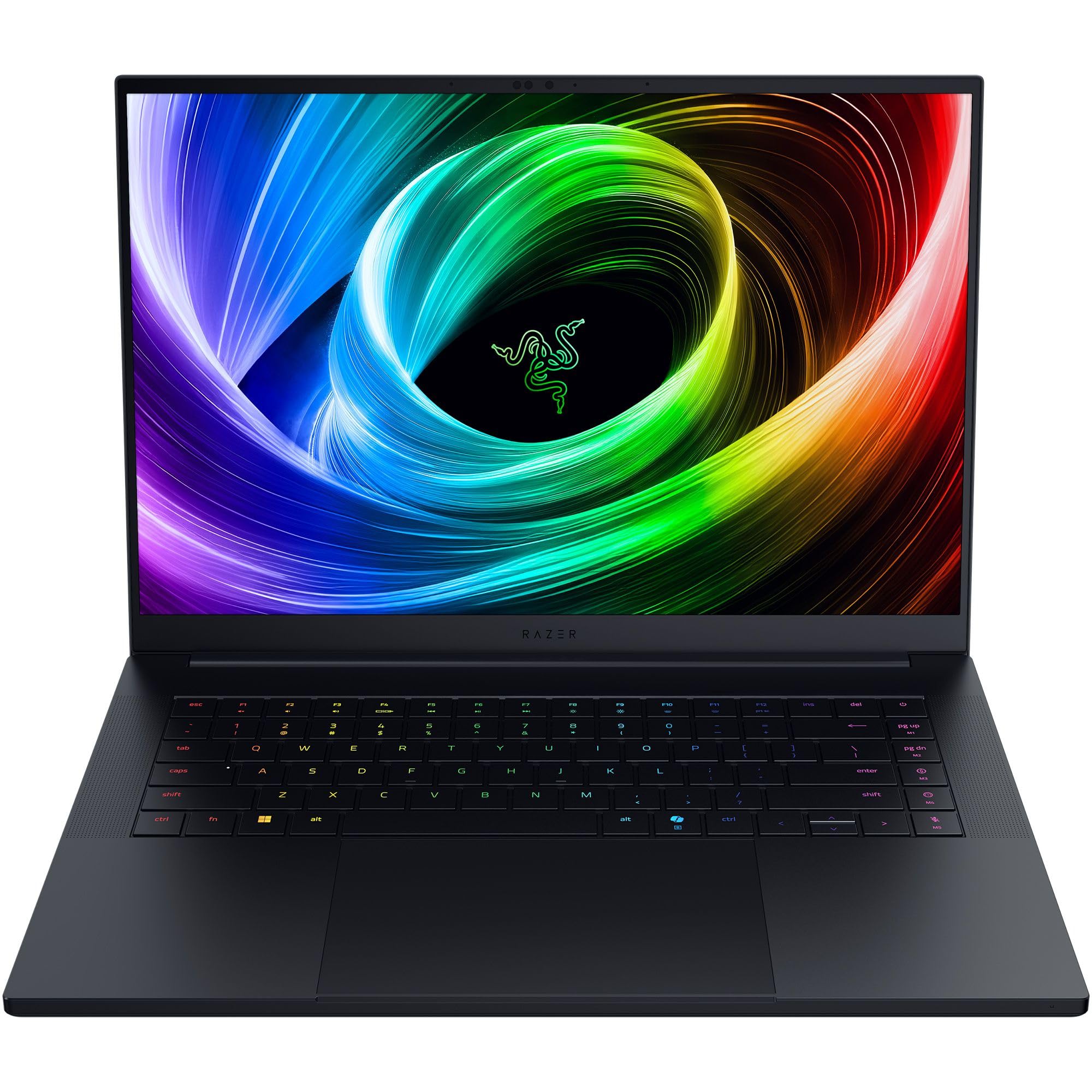
The Razer Blade 16 features a versatile dual-mode mini-LED display that switches between 4K at 120Hz and 1920x1200 at 240Hz, with Laptop Mag noting this as the world’s first laptop to offer such dynamic resolution changes. Powered by an Intel Core i9 processor and Nvidia GeForce RTX 4090 GPU within a premium CNC aluminum chassis, it delivers strong gaming performance but requires a system restart to toggle between display modes. Ultrabookreview found that file transfer speeds are sluggish for this tier of hardware, contradicting expectations set by the dual SSD configuration. This model fits users who prioritize high-end specs and screen flexibility over seamless workflow continuity, while those needing fast storage throughput or silent operation should look elsewhere.
Full review
Dual-mode mini-LED display mechanics
The Razer Blade 16 distinguishes itself with a dual-mode mini-LED panel that fundamentally alters how users interact with the screen. Laptop Mag identified this as the world’s first laptop to offer a dynamic switch between two distinct resolution and refresh rate configurations: a high-fidelity 3840 x 2400 mode running at 120Hz, and a performance-focused 1920 x 1200 mode capable of up to 240Hz. This hardware flexibility allows the laptop to serve dual masters, providing sharp detail for content creation while offering high frame rates for competitive gaming.
However, the implementation of this switching mechanism introduces a significant friction point in daily use. Laptop Mag recorded that transitioning between these two display modes is not instantaneous or seamless; it requires a full system restart to take effect. For users who frequently toggle between creative workflows and gaming sessions within the same workday, this mandatory reboot breaks workflow continuity and highlights a software-hardware integration gap.
CNC aluminum chassis rigidity analysis
The physical construction of the Blade 16 relies on a black, fingerprint-resistant CNC aluminum unibody that projects a minimalist aesthetic. Laptop Mag noted that despite the change in screen size from previous iterations, the exterior design retains the sleek profile associated with the brand. The chassis feels premium and solid to the touch, providing a professional appearance that stands out against more aggressive gaming laptop designs.
Long-term usage reveals nuances in this construction that warrant attention. Ultrabookreview found that while the keyboard deck remains sturdy, there is noticeable flex on the lid, particularly around the glowing Razer logo in the center of the exterior. This suggests a reduction in metal thickness to achieve weight savings compared to older Blade models. Users carrying the device in backpacks may need to use protective sleeves to prevent scratches or further deformation of this thinner aluminum structure.
Thermal management and acoustic profile
Managing heat within a thin chassis requires aggressive fan tuning, which directly impacts the acoustic environment. Ultrabookreview recorded noise levels reaching 42 dBA in silent mode during sustained loads, indicating that even low-power states generate audible cooling activity. This level of noise is consistent with high-performance ultrabooks but may be distracting for users seeking absolute silence.
The distribution of heat across the chassis also presents a mixed experience. While the palm rest and keyboard deck generally remain cool to the touch during casual use, Ultrabookreview noted that thermal hotspots can develop on the right side of the keyboard area during intensive gaming sessions. Despite these localized warm spots, the overall thermals are considered good for the form factor, allowing users to maintain comfortable hand positions without significant discomfort.
Storage performance and transfer speeds
The storage subsystem in the top-tier configuration includes dual 1TB PCIe 4.0 NVMe M.2 SSDs, offering substantial capacity for large game libraries and creative projects. Laptop Mag highlighted that despite this high-end hardware specification, file transfer speeds on the device are sluggish compared to expectations for a laptop at this price point.
This bottleneck in storage throughput is particularly frustrating given the premium positioning of the machine. Users moving large media files or backing up extensive datasets may find the read and write speeds underwhelming relative to the cost of the SSDs themselves, suggesting that Razer prioritized other components over optimizing the storage controller performance.
Keyboard ergonomics and lighting design
The input experience centers on a per-key RGB keyboard with 1.5mm of key travel, which Laptop Mag described as comfortable and colorful. The backlighting is bright and does not bleed around the keys, maintaining a clean aesthetic. A unique feature involves pressing the function or shift buttons to illuminate secondary symbols on the keys, aiding usability in low-light environments.
Ultrabookreview noted that while the typing experience is good, it falls slightly short of the absolute best in class compared to competitors like the Yoga Slim 7X. The key press requires a moderate amount of force, which some users may find less satisfying than lighter alternatives. Additionally, the massive glass touchpad provides smooth tracking but occasionally suffers from palm rejection issues, where accidental contact near the bottom corners can trigger unintended clicks.
Audio quality and speaker configuration
Sound output is handled by a six-speaker array, an increase from previous generations that includes two front-facing drivers. Laptop Mag praised the audio performance as great for a laptop of this size, noting improved clarity and bass response compared to older models.
Despite the hardware upgrade, Ultrabookreview categorized the overall audio quality as only decent in their long-term assessment. While the volume is sufficient and the stereo separation is adequate for media consumption, it does not fully compensate for the lack of physical subwoofers found in thicker gaming laptops. The sound profile remains a strong point relative to ultrabooks but cannot match dedicated external speakers.
Software stability and Synapse integration
The software ecosystem surrounding the hardware introduces significant reliability concerns. Ultrabookreview identified buggy behavior in Razer Synapse, the central management application for lighting, macros, and power profiles. These inconsistencies can lead to erratic performance settings or failed configuration saves, which is unacceptable at this premium price tier.
Laptop Mag noted that while the updated Synapse app is more user-friendly than previous iterations, software glitches remain a recurring theme in long-term ownership. Users may need to restart applications frequently or troubleshoot connectivity issues between the software and the hardware components, detracting from the otherwise polished experience.
Battery life limitations under load
Power efficiency is a challenge for high-performance devices in this chassis size. Laptop Mag recorded a battery runtime of 5 hours and 29 minutes during their testing, which provides moderate mobility but falls short of all-day productivity expectations.
Ultrabookreview described the battery life as poor under sustained gaming loads, requiring frequent access to power outlets. The combination of high-wattage components and thermal constraints limits how long the laptop can operate independently. While suitable for occasional mobile use, users planning to work away from a desk for extended periods will need to carry the bulky 330W power adapter.
Port layout and connectivity options
Connectivity is robust, featuring USB-A and USB-C ports on both sides of the chassis. Laptop Mag appreciated the inclusion of a UHS-II SD card reader on the right side, which benefits content creators who transfer photos directly from cameras.
The left side houses the power input, two USB 3.2 Gen 2 Type-A ports, a USB4 port, and an audio jack. The right side includes another USB-C port with display output support, a Kensington lock slot, and HDMI 2.1. This symmetrical layout reduces cable clutter on either side of the laptop, though users may find the placement of the power connector on the left less convenient for certain desk setups.
Strengths
- +Features a versatile dual-mode mini-LED display that switches between 4K resolution with a 120Hz refresh rate and 1920x1200 at 240Hz, as noted by Laptop Mag.
- +Delivers strong overall gaming performance powered by high-end hardware like the Intel Core i9 processor and Nvidia GeForce RTX 4090 GPU.
- +Constructed with a premium CNC aluminum chassis that feels solid and professional to the touch.
Watch-outs
- −Requires a system restart to switch between the display's dual resolution modes.
- −Exhibits sluggish file transfer speeds compared to expectations for this tier of hardware.
- −Priced significantly higher than many competitors in the gaming laptop market.
Rating sources
Our 4.0 score is the average of the 5 scored reviews above; 1 more reviewed it without printing a score and is not in the average. More about methodology.