Tom's Hardware reviewed the Phrozen Sonic Mini 8K S as an affordable upgrade to their previous model, noting it maintains the same high screen resolution and printing volume of 16.5x7.2x17 cm. YouTube reviewer Ross praised it for being free of the technical issues that plagued his original Sonic Mini 8K, calling it a significant achievement given the price point. However, the printer is 1 cm shorter in height than its predecessor. This model targets budget-conscious users seeking premium print quality without the higher price tag of the original.
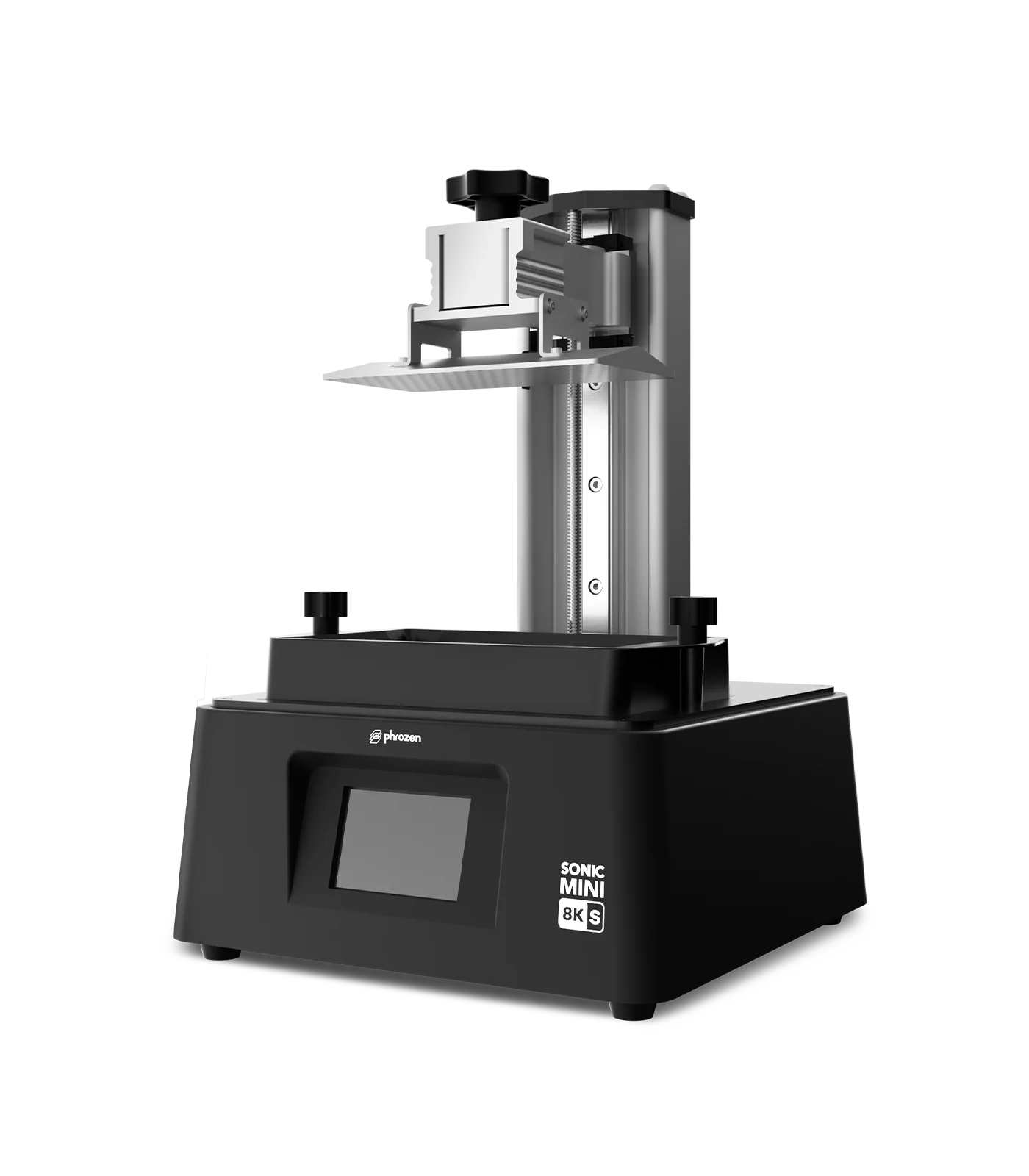
Full review
Unboxing and Initial Setup
The Phrozen Sonic Mini 8K S arrives with minimal assembly requirements, making it accessible for users new to resin 3D printing. According to Make: magazine's Caleb Kraft, the unboxing experience was straightforward, with no manual included but a digital manual available online. Setup primarily involved adjusting the print bed height, which Kraft noted was 'extremely easy.' The printer's compact dimensions of 165 x 72 x 170 mm make it suitable for desktop environments, and the included USB contains test files that allow immediate printing verification. Tom's Hardware confirmed that the initial setup process is user-friendly, with the printer ready to print after basic configuration steps.
Kraft emphasized that the first print using the included castle test file demonstrated 'astonishing' quality, with minimal visible voxelization. The printer's 22µm resolution and 3.5" touch panel contribute to this ease of use. However, Kraft noted a few minor frustrations, including the trial version of VoxelDance Tango slicer and an extremely loud beep sound that cannot be adjusted or muted. The build plate texture, while functional, causes prints to stick too well, requiring significant effort to remove prints and potentially chipping away at rafts. These minor drawbacks do not significantly impact the overall user experience but are worth noting for those seeking a completely seamless setup.
Print Quality and Performance
The Sonic Mini 8K S delivers exceptional print quality, particularly for its price point. Tom's Hardware measured the printer's performance with a 7500x3240 pixel 8K monochrome screen, which contributes to its fast printing speeds of up to 80mm/hour. The resolution is capable of producing extremely fine details, with the reviewer noting that 'it's quite difficult to even find any voxelization when you're looking for it.' This level of detail is particularly evident in test prints such as the AmeraLabs Town test print and open-source ring, which both appeared stunning according to seasoned user VogMan. VogMan, who previously used the Sonic Mini 8K, found the 8K S version to be 'everything as good as its older brother,' with no performance changes despite having one less linear rail.
The printer's ability to handle fine details is further demonstrated by user FauxHammer, who noted that the machine's 'narrow in on DLP performance' is still the best available at this price point. The build volume of 16.5 x 7.2 x 17 cm allows for printing a wide range of objects, and the layer height range of 0.01 mm to 0.30 mm provides flexibility for different print requirements. The inclusion of support for various materials, including Aqua 8K Resins and Phrozen Castable Resins, expands the printer's utility. However, the printer's performance is not without limitations, as some users have reported issues with the Z-axis mechanism, which will be discussed in the following section.
Hardware Reliability and Troubleshooting
While the Sonic Mini 8K S offers impressive performance, hardware reliability has been a concern for some users. Phrozen's help center provides detailed troubleshooting guides for common issues, including Z-axis problems, LCD screen malfunctions, and LED failures. The Z-axis troubleshooting article recommends cleaning the lead screw and checking motor connections, as these issues can cause the Z-axis to become stuck or make unusual noises. Users have reported that resin buildup or improper lubrication can lead to Z-axis problems, requiring regular maintenance to prevent these issues.
LCD screen issues have also been noted, with some users experiencing dimming or failure to illuminate. The help center article on checking the LCD screen provides steps for reconnecting the LCD ribbon cable and inspecting for physical damage. Users have reported that the LCD screen can crack during the printing process, requiring replacement. Additionally, LED issues can occur, with burnt LEDs or loose connections causing the screen to dim or fail. The recommended solution involves checking the power adapter specifications and ensuring that the correct adapter is being used. These hardware concerns highlight the importance of regular maintenance and proper care to ensure optimal performance.
User Experience and Software
The user experience of the Sonic Mini 8K S is largely positive, with users praising the printer's ease of use and print quality. Make: magazine's Caleb Kraft noted that the included VoxelDance Tango slicer, while a trial version, was 'easy enough to use' for basic operations. However, Kraft expressed a preference for a full slicer, even if it were less functional. The printer's 3.5" touch panel provides an intuitive interface for controlling the device, and the included USB with test files allows users to quickly verify the printer's functionality. VogMan, who has experience with the Sonic Mini 8K, recommended the 8K S for those who love fine details and want improved performance, suggesting it's worth the price difference for users seeking higher quality prints.
Despite the positive user experience, some minor annoyances have been reported. The loud beep sound during print starts and first layer processes has been noted as extremely loud, with no volume adjustment or mute options available. This can be disruptive in shared workspaces or quiet environments. Additionally, the build plate's texture causes prints to stick too well, requiring significant effort to remove prints and potentially chipping away at rafts. These issues, while minor, can impact the overall user experience and should be considered when evaluating the printer's suitability for specific applications.
VogMan calls it worth the price jump
The Sonic Mini 8K S is positioned as an affordable entry point into high-resolution DLP 3D printing, offering performance comparable to more expensive models. VogMan, a seasoned 3D printing enthusiast, noted that the printer's specifications are impressive for its price point, with the 8K monochrome screen allowing for faster printing speeds and extreme accuracy. He recommended the 8K S for those who are 'testing the water' and wondering if 3D printing is the right hobby, suggesting that a cheaper 4K or 2K printer might be sufficient for beginners. However, for users who love fine details and want improved performance, VogMan concluded that the 8K S is 'an excellent printer, and it's worth the difference in the money.'
Tom's Hardware's review emphasized the printer's affordability and performance, noting that the 8K S offers 'an upgrade in affordability' without compromising on quality. The printer's ability to deliver high-resolution prints at a competitive price point makes it an attractive option for both hobbyists and professionals. However, the pre-order price of $299, with potential price increases post-preorder, should be considered. The value proposition is further enhanced by the inclusion of various resin materials and support for different printing applications. Despite some hardware concerns, the overall value remains strong for users seeking high-quality resin prints at an accessible price point.
An unmutable beep during every print start
Despite its many strengths, the Sonic Mini 8K S has several notable drawbacks that potential buyers should consider. The most significant issue is the loud beep sound during print starts and first layer processes, which cannot be adjusted or muted. This has been reported by multiple users, including Make: magazine's Caleb Kraft, who found the sound 'extremely loud' and disruptive. This issue can be particularly frustrating for users who frequently print multiple items.
Another concern is the trial version of the VoxelDance Tango slicer, which limits functionality for advanced users. While sufficient for basic operations, the lack of full slicer features can be a limitation for those seeking more control over their prints. Hardware reliability issues, such as Z-axis problems and LCD screen malfunctions, have also been reported. Users have noted that resin buildup or improper lubrication can lead to Z-axis issues, requiring regular maintenance. Furthermore, LED failures and LCD screen cracks can occur, necessitating replacement parts and potentially increasing the total cost of ownership. These drawbacks, while not deal-breakers, should be weighed against the printer's strengths when making a purchasing decision.
Sticky build plate frustrates frequent print removal
The Phrozen Sonic Mini 8K S is best suited for users who value high-resolution printing and are willing to invest in a quality resin 3D printer. VogMan, a seasoned 3D printing enthusiast, recommended the printer for those who 'love fine details and want improved performance,' suggesting it's worth the price difference for users seeking higher quality prints. The printer's compact size and ease of use make it ideal for desktop environments, and its ability to handle various materials expands its utility. Users who are new to 3D printing but want to achieve professional-quality results will find the Sonic Mini 8K S particularly appealing.
However, the printer may not be ideal for users who prioritize low noise levels or those who frequently print multiple items and require easy removal of prints. The loud beep sound and sticky build plate texture are significant drawbacks for these users. Additionally, the trial version of the VoxelDance Tango slicer may be limiting for advanced users seeking more control over their prints. Those who are budget-conscious and looking for a basic 3D printer may find cheaper alternatives more suitable. The Sonic Mini 8K S is a strong choice for users who are serious about resin 3D printing and want to achieve high-quality results without breaking the bank.
Matches its predecessor with one less rail
The Sonic Mini 8K S stands out in the market for its combination of high resolution and affordability, offering performance comparable to more expensive models. VogMan noted that the Sonic Mini 8K S is 'everything as good as its older brother,' with no performance changes despite having one less linear rail. This suggests that the 8K S maintains the same high standards as the original Sonic Mini 8K, making it a strong contender in the mid-range DLP 3D printing market. Compared to other printers in its price range, the Sonic Mini 8K S offers superior resolution and print quality, making it a compelling choice for users seeking high-resolution prints.
However, the printer's hardware reliability issues, such as Z-axis problems and LCD screen malfunctions, set it apart from more robust alternatives. While the printer's performance is impressive, the need for regular maintenance and potential hardware failures can be a drawback. In contrast, some competitors offer better long-term reliability and support, which may be a deciding factor for users who prioritize durability. The Sonic Mini 8K S is a strong performer in terms of print quality and resolution, but users should consider the potential hardware issues and maintenance requirements when comparing it to alternatives.
Strengths
- +Setup runs clean out of the box, with no calibration or hardware snags
- +Maintains same screen resolution and printing volume as original Sonic Mini 8K
- +Offered at entry-level prices compared to previous model
- +Achieves high-quality print results with pixel size comparable to premium models
Watch-outs
- −Slightly shorter height in printing volume (1 cm less than original)
- −May have limited long-term reliability data compared to established models
How it compares
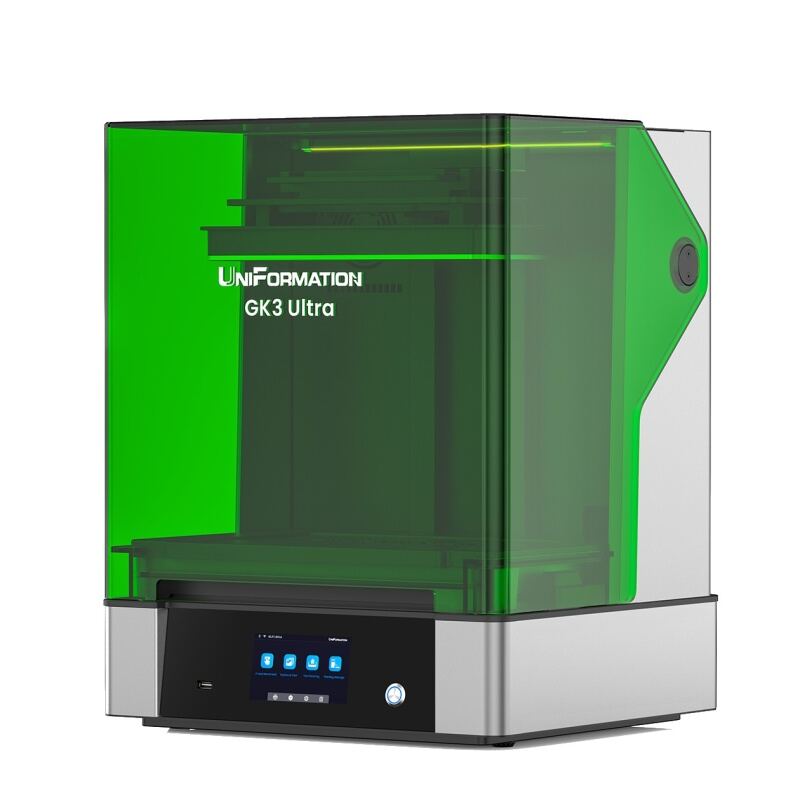
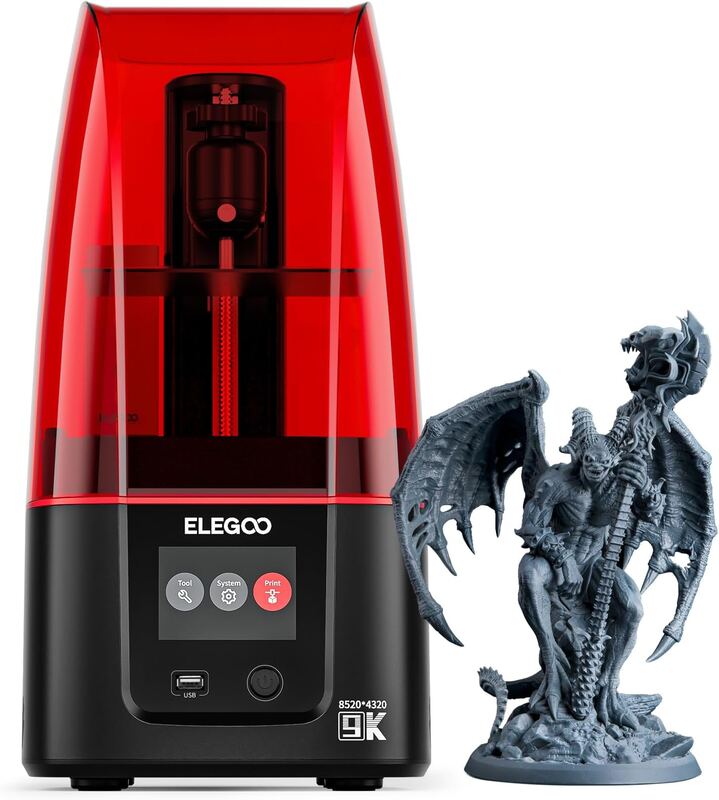
The Phrozen Sonic Mini 8K S provides high-quality prints at an entry-level price, outperforming the Elegoo Saturn 4 Ultra in resolution and reliability. However, it's slightly shorter in height compared to the Elegoo Mars 5 Ultra and lacks the heated chamber of the Uniformation GK Three Ultra. It also doesn't feature the AI camera or Wi-Fi capabilities found in the Elegoo Mars 5 Ultra or Elegoo Saturn 4 Ultra.
Rating sources
“this printer is cheaper than the original Mini 8K it's better too in a few ways I can't notice any fan vents on it for one and when it's turned on I can't hear it other than the rhythmic were of the build plate moving up and down”
“it's one of the best in the market with the build plate it's not the largest it's 16.5 by 7.2 by 17 centimeters so although it's not the absolute largest you can still get a decent amount of Miniatures on there it's very solidly built”
Our 4.0 score is the average of the 3 scored reviews above; 1 more reviewed it without printing a score and is not in the average. Ratings marked * were derived from the reviewer’s written analysis or video transcript — the publisher didn’t print an explicit numeric score, so we inferred one from their own words. Click through to verify. More about methodology.