Verdict
Head-to-head · Best iPad Stylus Alternatives

Adonit Note+ 2 vs Logitech Crayon (USB-C)

Which is the better buy? Side-by-side on rating, price, strengths, and watch-outs — with the published ratings we averaged to get there.

The short answer

Logitech Crayon (USB-C) comes out ahead by a clear margin (4.3 vs 4.7). The gap is mostly about Students and note-takers who want the most reliable, lag-free everyday writing and markup on a USB-C iPad without paying for Apple Pencil. — read the strengths below before deciding.

Adonit Note+ 2
Ranked #3 in Best iPad Stylus Alternatives
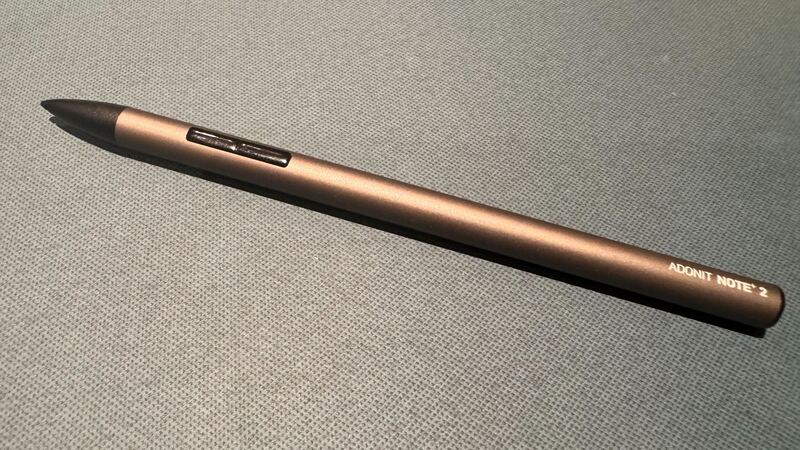
Adonit Note+ 2
$70as of Jun 8

The Adonit Note+ 2 is the alternative for aspiring iPad artists: it is the only stylus here with genuine 2,048-level pressure sensitivity, plus two programmable shortcut buttons and three interchangeable nibs. AppleInsider rated it 3.5/5 and Laptop Mag called it a stroke of excellence. The catch reviewers stress is that pressure and shortcuts only work in select apps, and setup can be fiddly, but no rival here offers pressure at this price.

Strengths
  • Genuine 2,048-level pressure sensitivity, rare among alternatives
  • Two programmable shortcut buttons for tools and colors
  • Three interchangeable nibs of varying hardness
Watch-outs
  • Pressure sensitivity only works in select compatible apps
  • Software compatibility is finicky to configure
  • Durability raises long-term doubts per reviewers
Logitech Crayon (USB-C)
Higher ratedRanked #1 in Best iPad Stylus Alternatives
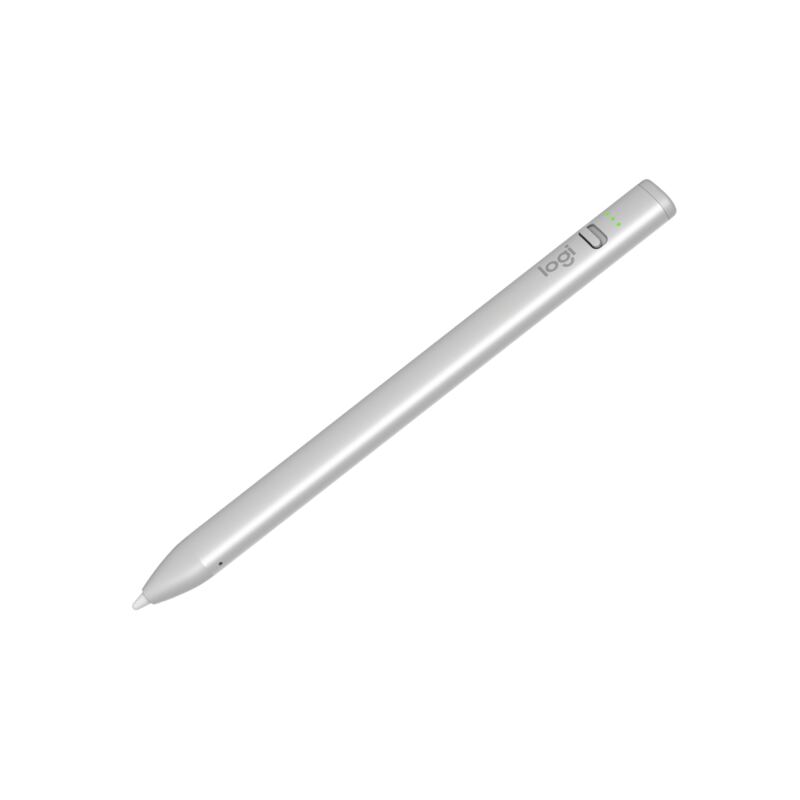
Logitech Crayon (USB-C)
$43.99as of Jun 7

The Logitech Crayon (USB-C) is the best Apple Pencil alternative for most people: an Apple-licensed stylus with genuine no-lag, pixel-precise input and true 1:1 tilt support, in a tough aluminum body rated for 4-foot drops. Creative Bloq scored it 9/10 and XDA made it an Editor's Choice over Apple's own USB-C Pencil. It skips pressure sensitivity and magnetic charging, but for notes and markup it is unbeatable.

Strengths
  • Apple Pencil technology delivers no-lag, pixel-precise input
  • True 1:1 tilt support matching Apple's own styluses
  • Tough aluminum body with a 4-foot drop rating and roll-proof shape
Watch-outs
  • No pressure sensitivity for pro-grade digital painting
  • No magnetic attachment or wireless charging
  • Single flat tilt-only nib, no interchangeable tips

How they stack up

Adonit Note+ 2

The Adonit Note+ 2 is the only pressure-sensitive stylus in this group, the key differentiator over the Logitech Crayon, ZAGG Pro Stylus 2, Metapen A8 and JAMJAKE, which all lack pressure. It adds programmable buttons and interchangeable nibs the others do not have, but its app-dependent features and durability concerns mean the Crayon remains the more reliable everyday writer.

Logitech Crayon (USB-C)

The Logitech Crayon is the most polished writing tool here, with Apple-licensed no-lag input that the budget Metapen A8 and JAMJAKE styluses approximate but cannot officially match. Unlike the ZAGG Pro Stylus 2 and Adonit Note+ 2, it has no pressure sensitivity, magnetic charging or extra buttons, trading those for the most reliable, lag-free everyday writing feel and the toughest build in the group.

Specs side-by-side

SpecAdonit Note+ 2Logitech Crayon (USB-C)
CompatibilityiPads 2018 and laterAll USB-C iPads (2018 and later)
Pressure Sensitivity2,048 levels (app-dependent)No
Tilt SupportYesYes (1:1 with Apple Pencil)
Buttons2 programmable shortcuts
Nibs3 interchangeable (soft/medium/hard)
Battery8 hrs (1-hr charge)Up to 7.5 hrs
ChargingUSB-CUSB-C (50-min full charge)
Weight14 g20 g
Palm RejectionYes
BuildAluminum, 4-ft drop rating
← See the full ranking of best ipad stylus alternatives