Verdict
Head-to-head · Best Chromebooks Under $500

ASUS Chromebook CX15 vs ASUS Chromebook Plus CX34

Which is the better buy? Side-by-side on rating, price, strengths, and watch-outs — with the published ratings we averaged to get there.

The short answer

ASUS Chromebook Plus CX34 comes out ahead by a clear margin (3.9 vs 4.5). The gap is mostly about Students and hybrid workers who prioritize all-day battery life and fast multitasking in a no-fuss clamshell. — read the strengths below before deciding.

ASUS Chromebook CX15
Ranked #5 in Best Chromebooks Under $500
ASUS Chromebook CX15
$269.99as of Jun 7

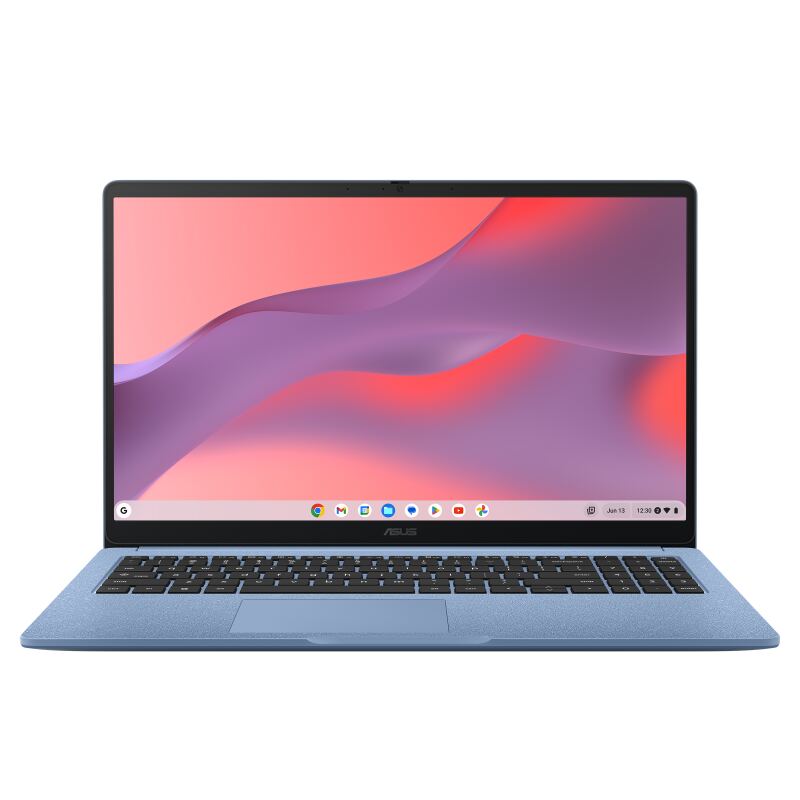
The ASUS Chromebook CX15 is the budget pick: a 15.6-inch ChromeOS laptop that often sells around $159-199, with a crisp matte 1080p display, a decent keyboard, and about 11 hours of battery. Reviewers are clear about the trade-offs, PCWorld (78%) and Tom's Guide (80%) both call it good value but slow, and the entry-level 4GB RAM bogs down under multitasking. As a minimum-viable, casual-use Chromebook it delivers a lot for the money, but it is the slowest option here.

Strengths
  • Outstanding value, often around $159-199
  • Large 15.6-inch 1080p matte display that resists glare
  • Decent keyboard with good travel for a budget machine
Watch-outs
  • Entry configs ship with only 4GB of RAM, which fills up fast
  • Celeron N4500 is slow once you open more than a few tabs
  • PCWorld calls it the slowest ChromeOS machine it has reviewed in years
ASUS Chromebook Plus CX34
Higher ratedRanked #2 in Best Chromebooks Under $500
ASUS Chromebook Plus CX34
$409as of Jun 7

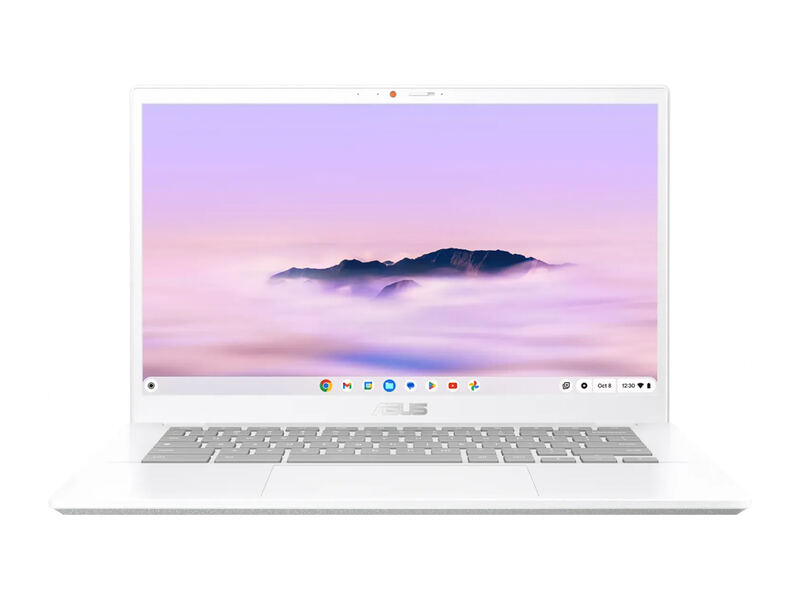
The ASUS Chromebook Plus CX34 is the endurance and performance champion under $500. PCWorld clocked over 13 hours of battery and praised its fast multi-core Intel CPU, generous ports, and comfortable keyboard, awarding it an Editors' Choice. PCMag rates it 80% and calls it an excellent pick around $400. Its 16:9 1080p display is solid rather than special and the chassis is plainer than the Lenovo, but for stamina and speed per dollar it is hard to beat.

Strengths
  • Exceptional battery life, over 13 hours in PCWorld's test at low brightness
  • Strong performance from Intel Core i5/i3 options with up to 10 cores
  • Generous port selection including USB-C, USB-A, and HDMI
Watch-outs
  • 16:9 1080p display is competent but no longer stands out
  • PCMag noted it lost some ground on battery versus the prior generation in heavier use
  • 128GB storage is modest for buyers who keep files locally

How they stack up

ASUS Chromebook CX15

The CX15 is by far the cheapest and largest-screened option here, but its low-power Celeron processor and entry-level 4GB RAM make it markedly slower than the Intel Core i3 and i5 machines: the Lenovo IdeaPad Flex 5i Chromebook Plus, ASUS Chromebook Plus CX34, Acer Chromebook Plus 514, and HP Chromebook Plus 14a. It is not a Chromebook Plus device, so it lacks their AI features, but its 15.6-inch matte panel and ~11-hour battery are genuine strengths.

ASUS Chromebook Plus CX34

The CX34's standout is battery life, beating the Lenovo IdeaPad Flex 5i Chromebook Plus (~9 hours) by a wide margin. Like the Acer Chromebook Plus 514 and HP Chromebook Plus 14a it is a 14-inch clamshell, but it offers stronger CPU options than the Acer's i3-N305 and the HP. Its widescreen 1080p panel is less spacious than the Flex 5i's taller, more square display.

Specs side-by-side

SpecASUS Chromebook CX15ASUS Chromebook Plus CX34
CPUIntel Celeron N4500 (2-core)Intel Core i5-1335U (i3 option available)
RAM4GB-8GB LPDDR5X (config dependent)8GB
Storage128GB eMMC128GB SSD
Display15.6" 1920x1080 matte IPS14" 1920x1080 touchscreen, 16:9
Weight3.51 lb3.17 lb
Battery42Wh, ~11 hoursUp to 13+ hours
OSChromeOSChromeOS (Chromebook Plus)
PortsUSB-C, USB-A, HDMIUSB-C, USB-A, HDMI
← See the full ranking of best chromebooks under $500