Verdict
Head-to-head · Best Chromebooks Under $500

ASUS Chromebook Plus CX34 vs Lenovo IdeaPad Flex 5i Chromebook Plus

Which is the better buy? Side-by-side on rating, price, strengths, and watch-outs — with the published ratings we averaged to get there.

The short answer

Lenovo IdeaPad Flex 5i Chromebook Plus comes out ahead by a narrow margin (4.5 vs 4.6). The gap is mostly about Buyers who want one versatile device for work, school, and entertainment, with a premium feel and tablet mode at a mid-range price. — read the strengths below before deciding.

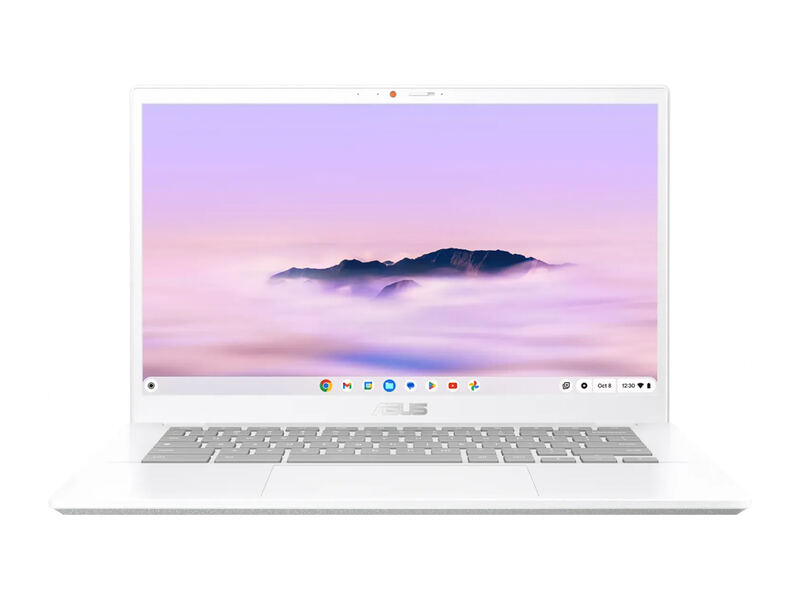
ASUS Chromebook Plus CX34
Ranked #2 in Best Chromebooks Under $500
ASUS Chromebook Plus CX34
$409as of Jun 7

The ASUS Chromebook Plus CX34 is the endurance and performance champion under $500. PCWorld clocked over 13 hours of battery and praised its fast multi-core Intel CPU, generous ports, and comfortable keyboard, awarding it an Editors' Choice. PCMag rates it 80% and calls it an excellent pick around $400. Its 16:9 1080p display is solid rather than special and the chassis is plainer than the Lenovo, but for stamina and speed per dollar it is hard to beat.

Strengths
  • Exceptional battery life, over 13 hours in PCWorld's test at low brightness
  • Strong performance from Intel Core i5/i3 options with up to 10 cores
  • Generous port selection including USB-C, USB-A, and HDMI
Watch-outs
  • 16:9 1080p display is competent but no longer stands out
  • PCMag noted it lost some ground on battery versus the prior generation in heavier use
  • 128GB storage is modest for buyers who keep files locally
Lenovo IdeaPad Flex 5i Chromebook Plus
Higher ratedRanked #1 in Best Chromebooks Under $500
Lenovo IdeaPad Flex 5i Chromebook Plus
$599.99as of Jun 7

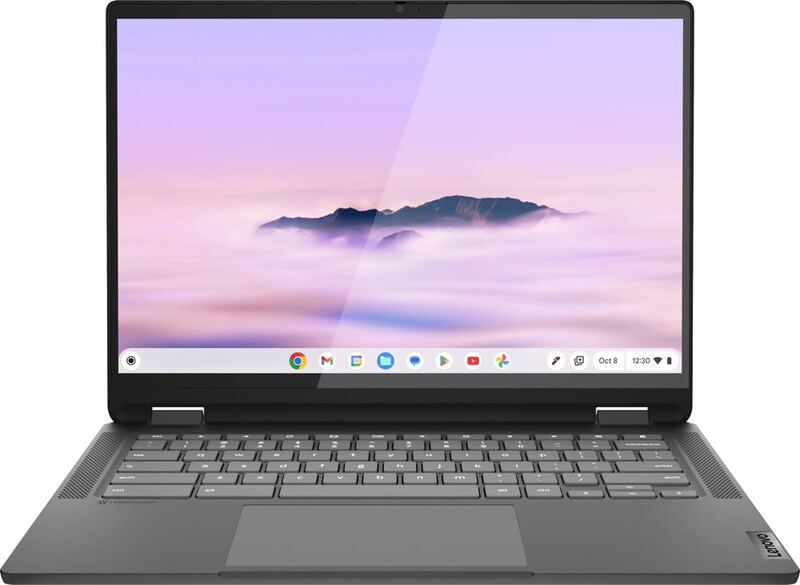
The Lenovo IdeaPad Flex 5i Chromebook Plus is the best all-around Chromebook under $500. It pairs a genuinely premium aluminum 2-in-1 chassis with a bright 1200p touchscreen, a quick Core i3 processor, and the Chromebook Plus feature tier. Reviewers across Tom's Guide, PCWorld, and Laptop Mag praised its build, display, and performance for the money, and PCWorld handed it an Editors' Choice award. Battery life is merely good rather than great, but as a do-everything pick it leads the field.

Strengths
  • Premium-feeling aluminum chassis with a sturdy 360-degree convertible hinge
  • Bright, crisp 14-inch 1920x1200 touchscreen with a roomy 16:10 aspect ratio
  • Snappy Intel Core i3-1315U handles heavy multitasking without lag
Watch-outs
  • Battery life is good but not class-leading at around nine hours
  • No included stylus despite the 2-in-1 tablet mode
  • 128GB of eMMC storage is modest (a microSD card is bundled to help)

How they stack up

ASUS Chromebook Plus CX34

The CX34's standout is battery life, beating the Lenovo IdeaPad Flex 5i Chromebook Plus (~9 hours) by a wide margin. Like the Acer Chromebook Plus 514 and HP Chromebook Plus 14a it is a 14-inch clamshell, but it offers stronger CPU options than the Acer's i3-N305 and the HP. Its widescreen 1080p panel is less spacious than the Flex 5i's taller, more square display.

Lenovo IdeaPad Flex 5i Chromebook Plus

The Flex 5i is the only true convertible 2-in-1 in this group, where the ASUS Chromebook Plus CX34, Acer Chromebook Plus 514, HP Chromebook Plus 14a, and ASUS Chromebook CX15 are all clamshells. Its taller 1200p 16:10 display beats the 1080p 16:9 panels on the others, though its ~9-hour battery trails the 13-hour ASUS CX34.

Specs side-by-side

SpecASUS Chromebook Plus CX34Lenovo IdeaPad Flex 5i Chromebook Plus
CPUIntel Core i5-1335U (i3 option available)Intel Core i3-1315U
RAM8GB8GB
Storage128GB SSD128GB eMMC
Display14" 1920x1080 touchscreen, 16:914" 1920x1200 IPS touch, 300 nits
Weight3.17 lb3.52 lb
BatteryUp to 13+ hours~9 hours
PortsUSB-C, USB-A, HDMI
OSChromeOS (Chromebook Plus)ChromeOS (Chromebook Plus)
Form Factor2-in-1 convertible (360-degree hinge)
← See the full ranking of best chromebooks under $500