Verdict
Head-to-head · Best Graphics Drawing Tablets

Wacom Cintiq Pro 27 vs XP-Pen Deco Pro MW

Which is the better buy? Side-by-side on rating, price, strengths, and watch-outs — with the published ratings we averaged to get there.

The short answer

Wacom Cintiq Pro 27 comes out ahead by a clear margin (4.7 vs 4.2). The gap is mostly about Professional illustrators, animators and colorists who need a reference-grade 4K pen display and will use it as both a drawing surface and a calibrated monitor. — read the strengths below before deciding.

Wacom Cintiq Pro 27
Higher ratedRanked #1 in Best Graphics Drawing Tablets
Wacom Cintiq Pro 27
$3,499.95as of Jun 7

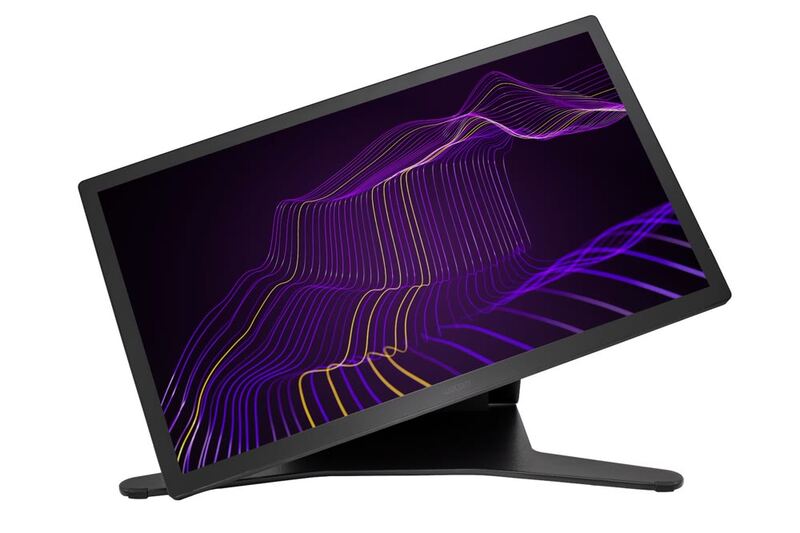
The Wacom Cintiq Pro 27 is the flagship pen display for professionals, pairing a 4K 120Hz screen with reference-grade color and the superb Pro Pen 3. TechRadar called it a real workflow accelerator for creatives and PetaPixel deemed it a worthwhile double-duty investment. The towering $3,499 price, fan noise and size are the trade-offs.

Strengths
  • Stunning 26.9-inch 4K UHD display with 120Hz refresh, a first for Wacom
  • Reference-grade color: 99% Adobe RGB, 98% DCI-P3, Pantone Validated
  • Customizable Pro Pen 3 with 8,192 pressure levels is the most accurate Wacom pen yet
Watch-outs
  • Extremely expensive at around $3,500
  • Audible fan noise when powered on
  • Multi-touch can be overly sensitive and interfere with pen strokes
XP-Pen Deco Pro MW
Ranked #5 in Best Graphics Drawing Tablets
XP-Pen Deco Pro MW
$99.99as of Jun 7

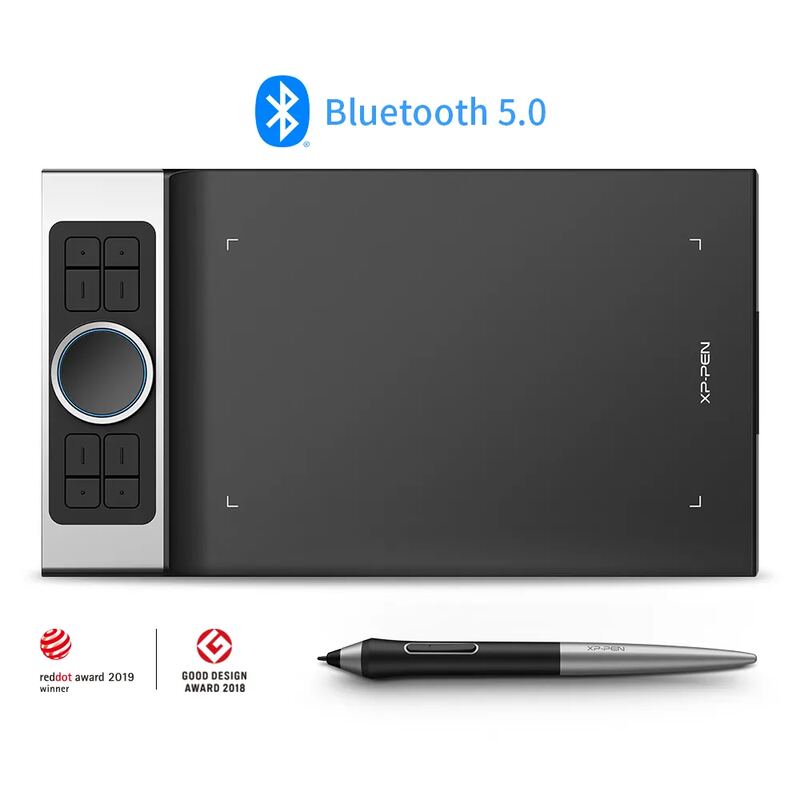
The XP-Pen Deco Pro MW is the budget screenless pick, offering a large active area, a high-pressure battery-free pen and a premium control layout for well under $200. Reviewers including Parka Blogs recommend it easily and Big Red Illustration rated it 4/5 as an accessible entry into digital art. The screenless learning curve and shaky phone support are the trade-offs.

Strengths
  • Affordable screenless tablet with a large 11x6-inch active area
  • Battery-free stylus with high pressure sensitivity and 60-degree tilt
  • Bluetooth 5.0 wireless with 10+ hours of battery and no perceptible latency
Watch-outs
  • Screenless, so it has a learning curve for those used to drawing on a display
  • Smartphone connectivity and use are unreliable
  • No built-in display means you draw while looking at your monitor

How they stack up

Wacom Cintiq Pro 27

The professional flagship: its 4K 120Hz reference display and Pro Pen 3 outclass the Huion Kamvas Pro 24 on color validation and the smaller Wacom One 13 Touch and Huion Kamvas 16 (Gen 3) on size, but it costs more than double the Kamvas Pro 24 and is far beyond the screenless XP-Pen Deco Pro MW.

XP-Pen Deco Pro MW

The only screenless and by far the cheapest option here: it forgoes the display of the Wacom Cintiq Pro 27, Huion Kamvas Pro 24, Wacom One 13 Touch and Huion Kamvas 16 (Gen 3), trading the on-screen drawing experience for a high-pressure pen and premium controls at a budget price.

Specs side-by-side

SpecWacom Cintiq Pro 27XP-Pen Deco Pro MW
Screen Size26.9-inch
Resolution4K UHD (3840x2160)
Refresh Rate120Hz
Color Gamut99% Adobe RGB, 98% DCI-P3
PenPro Pen 3, 8,192 levelsBattery-free, high pressure sensitivity
TouchMulti-touch
ConnectivityUSB-C, HDMI, DisplayPort
ValidationPantone Validated
TypeScreenless pen tablet
Active Area11 x 6 inches
Tilt60 degrees
Controls8 ExpressKeys + dual dial wheel
WirelessBluetooth 5.0
Battery10+ hours
CompatibilityWindows, macOS, Android, Chrome OS, Linux
← See the full ranking of best graphics drawing tablets