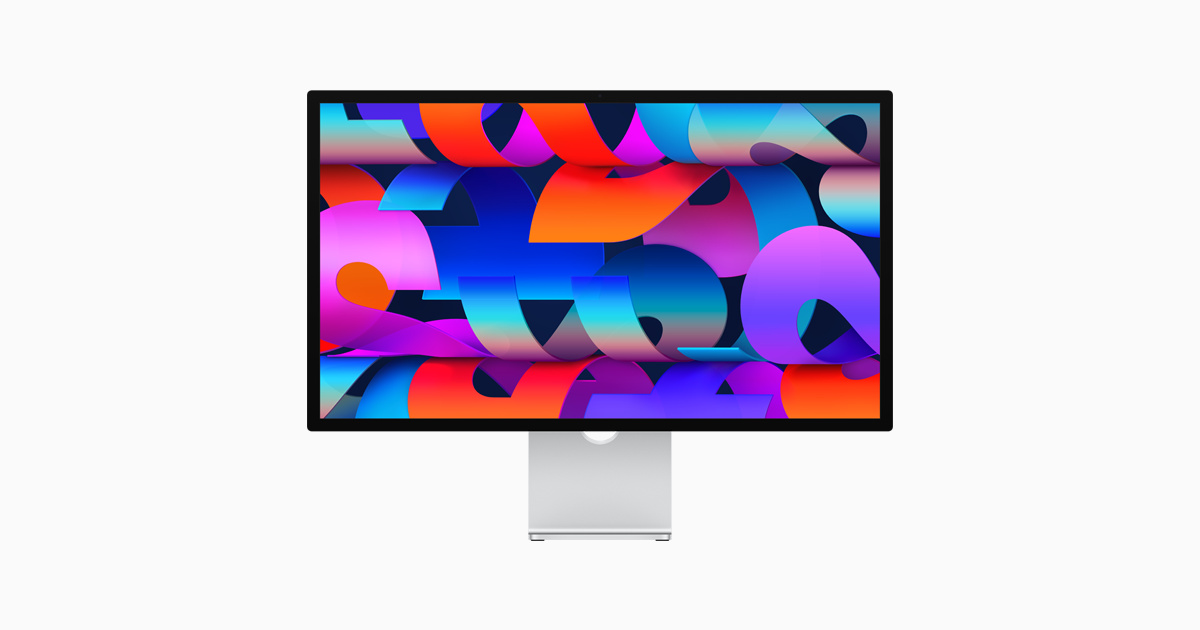
The Apple Studio Display delivers exceptional color accuracy and build quality in a 27-inch 5K IPS LCD panel with full DCI-P3 gamut coverage. While its $1,600 price tag is high, reviewers noted it offers seamless Mac integration and excellent color uniformity. The display lacks true 10-bit panel support and miniLED backlighting that some creatives might expect, though it does include built-in webcam and speakers. It serves as a premium option for Mac users seeking a high-end display but may not justify its cost for those outside the Apple ecosystem.
Full review
Resolution and visual fidelity
The Apple Studio Display features a 27-inch 5K IPS LCD panel with a native resolution of 5120 x 2880 pixels, delivering 218 pixels per inch. This resolution is notably higher than 4K displays and provides pixel-perfect rendering that eliminates the need for scaling. Rene Ritchie noted that the display's sharpness is particularly evident at normal viewing distances where individual pixels become indistinguishable. The panel covers the DCI-P3 color gamut with a D65 white point, ensuring accurate color reproduction for creative workflows. The display's ability to render fine details without scaling artifacts makes it particularly suitable for graphic design and photo editing tasks where precision is paramount.
Color accuracy and calibration
Color accuracy stands out as a key strength of the Studio Display, with factory-calibrated color profiles that align with Apple's other P3 displays. The panel delivers excellent color uniformity across its surface, a feature that professional reviewers highlighted as particularly valuable for creative work. While the display operates with an 8-bit physical panel using spatial and temporal dithering to represent 10-bit color depth, this approach maintains consistent color accuracy across the entire gamut. The display's color management is seamlessly integrated into Apple's imaging pipeline, ensuring consistency between devices from iPhone to MacBook to Studio Display. This calibration process eliminates the need for additional color correction hardware for most creative professionals.
Brightness and viewing performance
This enhanced brightness level allows for better visibility in well-lit environments and provides more dynamic range in content. However, the display remains an SDR (standard dynamic range) device without true HDR capability, relying instead on extended dynamic range techniques. The panel's brightness performance is particularly effective for daytime use and in office environments where ambient light levels are high. Reviewers noted that while the display is bright enough for most applications, it doesn't approach the sustained brightness levels of OLED or mini-LED displays found in premium tablets and laptops.
Audio performance and speaker quality
The Studio Display incorporates dual 10-watt speakers with a distinctive design featuring cutouts on both the top and bottom of the display. The Sweet Setup praised the audio quality as deep and full, noting it surpassed expectations for an external display speaker system. The speakers deliver excellent bass response and overall sound reproduction that makes the display suitable for multimedia consumption and video conferencing. The audio performance is particularly effective for watching TV shows or streaming live events where the speaker system provides immersive sound. Some reviewers noted an initial buzzing sound that dissipated after the display warmed up, though this was considered a minor issue compared to the overall audio quality.
Design and build quality
The Studio Display features a sleek aluminum enclosure with a minimalist design that integrates seamlessly into professional workspaces. The back panel is constructed from machined aluminum with anodized finish, creating a premium feel that aligns with Apple's aesthetic standards. The stand design offers height adjustment capabilities similar to the Pro Display XDR, though without rotation functionality. The display's build quality is robust, with attention to detail evident in the precision engineering of the stand and overall construction. Reviewers noted the display's weight and size as significant factors, with Creative Bloq's reviewer describing it as too heavy to carry up stairs without assistance. The cable management system, while functional, has been criticized for its placement on the stand, which can make cable routing less than ideal.
Connectivity and compatibility
The Thunderbolt 4 connection provides fast data transfer speeds and supports external display configurations. The display is optimized for Apple devices, particularly with macOS integration that includes automatic color temperature and brightness adjustment based on ambient light conditions. However, the display's compatibility is limited to Apple devices, with no support for Windows computers, gaming consoles, or Raspberry Pi systems. This restriction means users must be committed to Apple's ecosystem to fully utilize the display's capabilities, which may limit its appeal for users with mixed device setups.
Performance limitations and constraints
The Studio Display operates at a fixed 60Hz refresh rate, which represents a limitation compared to modern displays that support 120Hz or higher refresh rates, per Rene Ritchie. This constraint is attributed to the technical challenges of maintaining 5K resolution at higher refresh rates within current display protocols. The display lacks adaptive refresh rate technology, which may impact smooth scrolling and user interface responsiveness in demanding applications. Additionally, the display's price point of $1,600 represents a significant investment that may not be justified for users who don't require the specific features or Apple ecosystem integration. The display's inability to support Windows or gaming systems limits its versatility for users with mixed computing needs.
Strengths
- +Excellent color accuracy and uniformity
- +5K IPS LCD panel with full DCI-P3 gamut coverage
- +Nano-texture glass option for reduced reflections
- +Built-in webcam and speakers for integrated setup
- +Seamless integration with Mac ecosystem
Watch-outs
- −Price tag of $1,600 is steep for a 5K IPS panel
- −Incompatible with Windows operating systems
How it compares
The Apple Studio Display provides unmatched color accuracy and seamless Mac integration, surpassing the ASUS ProArt Display PA279CRV and BenQ PD3225U in this regard.
Rating sources
“The Studio Display is also not just P3 wide gamut, but individually color calibrated at the factory to match all of Apple's other P3 displays, and meticulously color managed through Apple's entire imaging pipeline.”
“The Apple Studio Display is the quintessential Apple add-on accessory. One that I want to use in every office and everywhere I work.”
“The Apple displays (as well as their other products) are simply mostly premium, largely well designed objects that come with a hefty price tag.”
Our 4.3 score is the average of the 4 scored reviews above; 2 more reviewed it without printing a score and are not in the average. Ratings marked * were derived from the reviewer’s written analysis or video transcript — the publisher didn’t print an explicit numeric score, so we inferred one from their own words. Click through to verify. More about methodology.