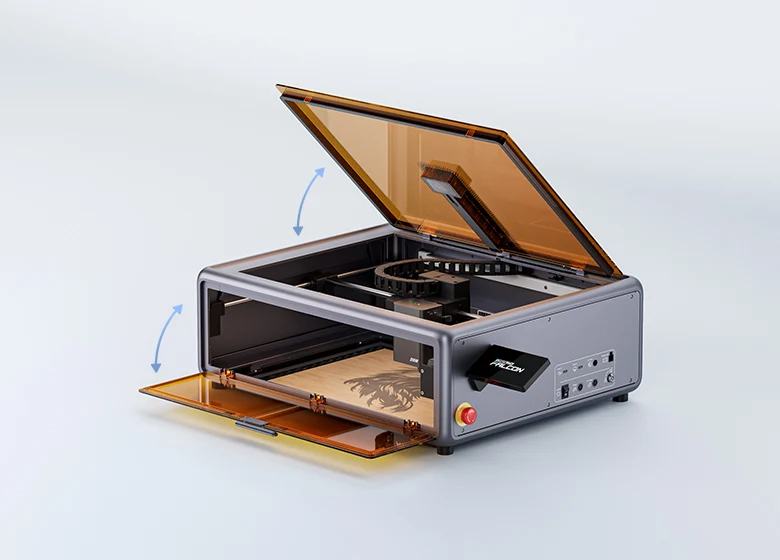
The Creality Falcon A1 Pro utilizes a CoreXY motion system to achieve engraving speeds up to 600 mm/s, which Laserbuying found is approximately three times faster than traditional belt-driven competitors. Its AI-powered visual autofocus automatically adjusts the Z-height in about three seconds with less than 0.3mm accuracy, though CNX Software notes this may require manual fine-tuning for thick material cuts. The enclosed chassis provides robust safety features but lacks sufficient internal power to clear smoke from heavy cutting, necessitating a separate high-capacity extraction system as Grouchyfarmer warned. While the hot-swappable laser head adds versatility, the fixed side-mounted touchscreen obstructs workspace access and limited height clearance restricts thicker objects, making this machine best for flat-sheet crafting rather than bulky item engraving.
Full review
CoreXY motion system delivers 600 mm/s engraving speeds
The Creality Falcon A1 Pro utilizes a CoreXY kinematic architecture, which allows the laser head to move at velocities up to 600 mm/s. This represents a significant departure from traditional belt-driven gantry designs that dominated the desktop laser market previously.
This high-speed capability translates directly into practical time savings for small business owners and serious hobbyists. The Gadgeteer observed that intricate engravings which would take a considerable amount of time on older models are completed rapidly, allowing creators to move between design iterations much faster. While the speed is impressive for general engraving and cutting tasks, it requires precise calibration to maintain edge quality at those velocities.
The CoreXY system also contributes to reduced mechanical wear compared to standard X-Y gantries because the motors remain stationary while only the lightweight head moves. This stability helps maintain consistent focus and cut depth across large projects without the vibration or wobble that can degrade results on cheaper open-frame units.
AI autofocus reduces material thickness calibration to three seconds
One of the most distinct features of this machine is its AI-powered visual autofocus system, which eliminates the need for manual focus blocks or probe adjustments. Laserbuying reports that the camera captures a red rangefinder beam hitting the material surface and uses an algorithm to calculate thickness, adjusting the Z-height automatically in about three seconds with less than 0.3mm accuracy. This process happens entirely within the software interface before any laser work begins.
CNX Software highlights how this automation simplifies the workflow for beginners who might otherwise struggle with finding the correct focal point for different material densities. By removing the manual intervention step, users can switch between materials of varying thicknesses without opening the enclosure or physically adjusting the lens distance, streamlining the transition from design to production.
However, some reviewers have noted that this automated focus setting tends to position the laser slightly higher than optimal when cutting thick materials over 4mm. While perfect for detailed engraving where precise focal depth is critical, users cutting dense basswood or acrylic may need to manually fine-tune the height to ensure clean cuts through the full thickness.
20W blue diode laser handles 10mm wood and black acrylic
The standard 20-watt, 455-nanometer blue diode laser provides substantial power for a desktop unit. Laserbuying found that the machine cuts through 10mm basswood and 8mm black acrylic in a single pass, a feat that would typically require two or three passes on older 10W models. The edges produced on acrylic cuts are described as polished and rarely need post-processing, making it suitable for professional-looking signage or decorative items.
TechRadar verified the cutting capacity by successfully slicing through 6mm plywood without issue, noting that this power level provides ample flexibility for small business projects.
The laser's power also allows for deep texturing on softer woods. YouTube reviewers demonstrated that pine wood can be engraved to create a strong three-dimensional texture effect without burning through the material. The high output ensures that even detailed line work remains legible and sharp, provided the software parameters are correctly matched to the material density.
Enclosed chassis requires external fume extraction for thick cuts
While the machine includes a built-in exhaust fan and an air assist pump, reviewers consistently warn that these are insufficient for heavy-duty cutting operations. Grouchyfarmer explicitly states that the included hose is only about four feet long when fully extended and the internal fan lacks the power to push smoke and fumes out effectively when burning through materials like 7mm wood or thicker.
The Gadgeteer noted that while a small soldering fume extractor might work for light engraving, users cutting thick materials will likely need a beefier extraction system. The consensus is that a high-speed turbine fan with four-inch ducts running outside is necessary to prevent smoke accumulation inside the enclosure and protect both the user's health and the machine's internal optics from residue buildup.
TechRadar mentions that Creality offers an optional extractor unit, which addresses this limitation for users who do not want to build a custom ventilation setup. Without adequate external extraction, the built-in fan merely circulates smoke within the chamber until it eventually escapes through gaps or the exhaust port, potentially setting off house smoke detectors.
Fixed touchscreen obstructs workspace access on the right side
The 4.3-inch color touch screen is mounted permanently to the right-hand side of the enclosure and does not fold down or swivel. TechRadar points out that this fixed placement creates a physical obstruction when users need to place large materials next to the machine while it is powered off. Several reviewers reported accidentally bumping into the screen because they forgot about its protrusion, highlighting a design oversight regarding workspace ergonomics.
The Gadgeteer observed that while the screen provides useful offline functionality for starting jobs or checking status without a computer, its position can be inconvenient in tight workshop environments. Users with limited bench space may find it difficult to align long sheets of plywood or acrylic against the rear stop because the screen blocks easy access to the side.
Hot-swappable IR module enables metal engraving
The Falcon A1 Pro features a quick-swap head mechanism that allows users to replace the standard 20W blue diode laser with an optional 2W infrared (IR) fiber module. This IR laser operates at a wavelength of 1064 nanometers and has a spot size of 0.03 by 0.03 mm, making it capable of engraving bare metals, glass, ceramics, and shiny surfaces that the blue diode cannot mark cleanly.
Laserbuying notes that swapping between the two modules takes under a minute using sliding levers on the head assembly. However, this versatility comes at an additional cost, as the 2W IR module is sold separately and adds approximately $335 to the total price of the system. Users whose primary goal is metal marking must factor this expense into their budget.
YouTube reviewers emphasize that while the blue diode handles wood, acrylic, leather, and fabric exceptionally well, the IR module expands the machine's utility significantly for industrial applications like serializing metal parts or engraving jewelry. The dual-laser capability makes the A1 Pro a more versatile tool than single-module competitors in its class.
Camera positioning simplifies layout but requires software updates
An HD smart camera mounted on the underside of the lid provides real-time visual positioning, allowing users to drag and drop designs directly onto their material within the Falcon Design Space software. YouTube reviewers describe this as one of the most efficient workflow features available, eliminating the need for manual alignment and ensuring precise placement of complex multi-layer projects.
However, compatibility with third-party software like LightBurn presents a current limitation. One reviewer notes that while the camera works flawlessly within Creality's proprietary ecosystem, LightBurn's stable release does not support network cameras natively. Users wishing to use the camera in LightBurn must currently install a beta release candidate (version 2.1) or wait for the official update to be fully released.
Despite this software hurdle, the camera system remains a standout feature for accuracy. The Gadgeteer found that using the visual positioning tool made layout extremely fast and simple compared to traditional methods, significantly reducing setup time before beginning any job.
Limited height clearance restricts thick object engraving
The enclosed design offers excellent safety but imposes strict limits on the height of materials that can be processed. TechRadar reports that the machine is optimized for flat materials such as plywood, acrylic sheets, and metal plates up to about 4 cm in depth. Users attempting to engrave thicker objects will find the standard honeycomb bed insufficient.
To accommodate deeper items, users must remove the base plate entirely, which reduces the structural support for the material and may affect cut quality on very thick pieces. This limitation means the machine is best suited for flat-sheet crafting rather than engraving cylindrical or bulky objects without additional rotary attachments.
Strengths
- +CoreXY motion system enables engraving speeds up to 600 mm/s, significantly faster than traditional belt-driven gantry designs.
- +AI-powered visual autofocus automatically measures material thickness and adjusts Z-height in approximately 3 seconds with less than 0.3mm accuracy.
- +Class 1 FDA-rated fully enclosed chassis provides an eight-layer safety suite including flame detection, emergency stop, and lid auto-stop without requiring protective goggles.
- +Hot-swappable laser head allows users to quickly replace the standard 20W blue diode module with an optional 2W IR fiber module for metal engraving.
Watch-outs
- −The built-in exhaust fan lacks sufficient power to clear smoke and fumes from thick material cutting, necessitating a separate high-capacity extraction system.
- −Fixed side-mounted touchscreen can obstruct workspace access when placing materials next to the machine.
- −Height clearance is limited for flat materials unless the base plate is removed.
How it compares
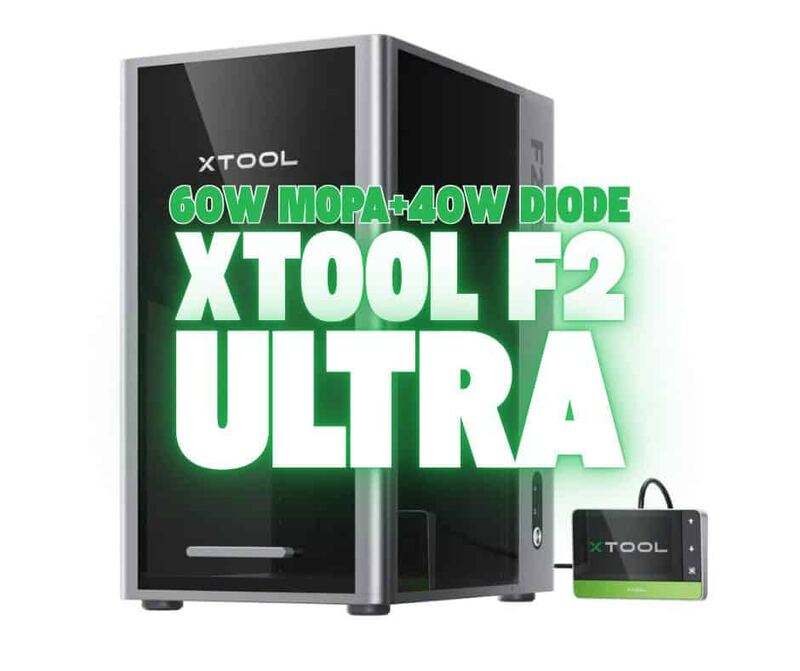
The Creality Falcon A1 Pro achieves engraving speeds up to 600 mm/s, which is significantly slower than the xTool F1 Ultra's galvo-driven 4,000 mm/s and vastly outpaced by the xTool F2 Ultra UV at 15,000 mm/sec. However, its CoreXY motion system allows for a larger physical working area compared to the Wainlux K10’s tiny 80mm x 80mm carving space, making it more suitable for flat-sheet crafting than handheld engraving.
Rating sources
“The Creality Falcon A1 Pro 20W is one of the best examples of this evolution.”
Our 4.4 score is the average of the 4 scored reviews above; 3 more reviewed it without printing a score and are not in the average. Ratings marked * were derived from the reviewer’s written analysis or video transcript — the publisher didn’t print an explicit numeric score, so we inferred one from their own words. Click through to verify. More about methodology.