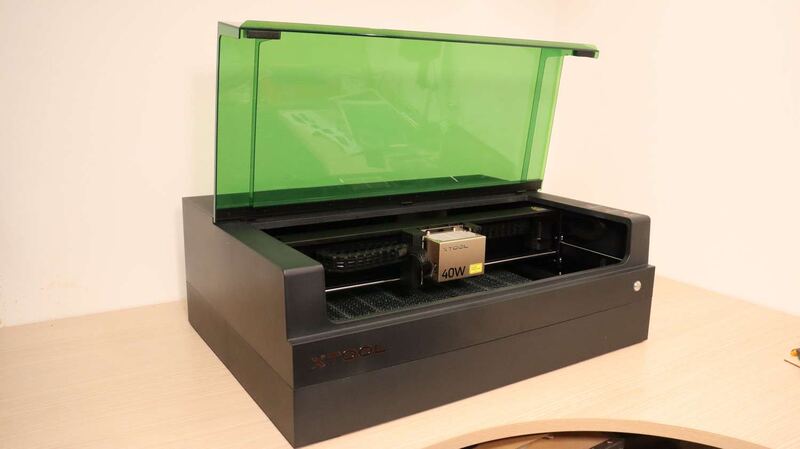
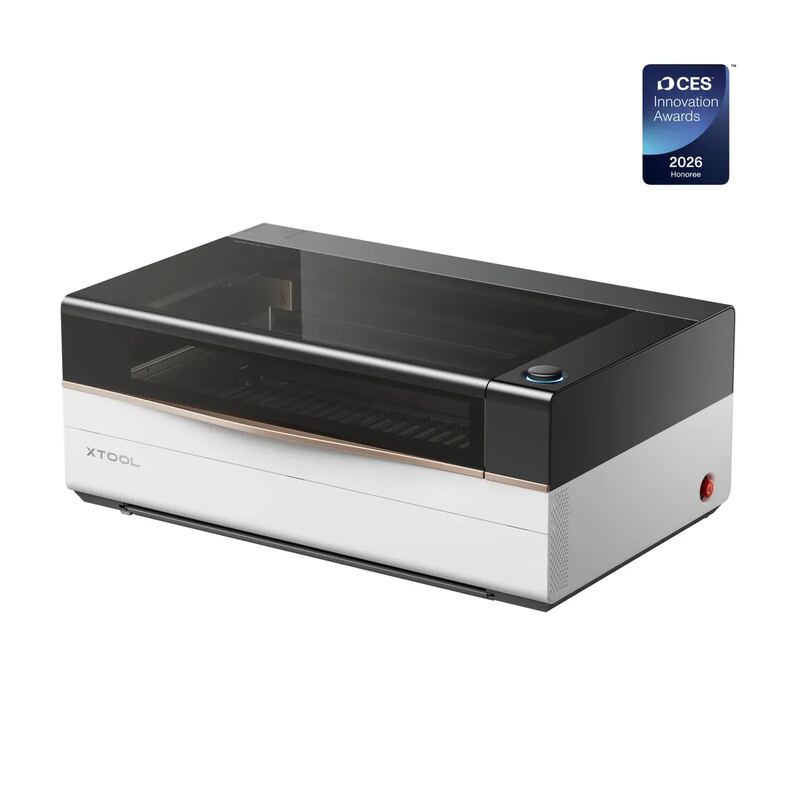
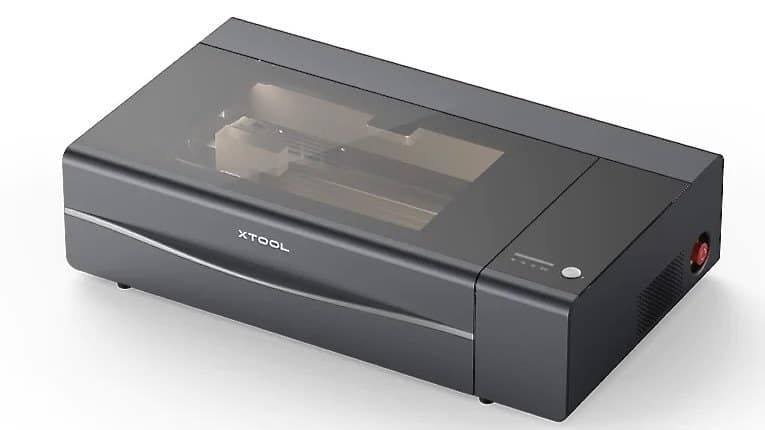
The xTool P2 delivers high-power 55W CO2 laser cutting capable of slicing through 20mm wood and acrylic in a single pass, as uniquecreationsbyanita found it handles thick substrates cleanly. Its fully enclosed design with a pneumatic lid and 145CFM exhaust fan effectively manages fumes, while dual cameras aid precise positioning. However, the machine is heavy at 45kg, requiring a permanent dedicated workspace that cannot be easily moved or stored away. Additionally, advanced features like curved surface mapping are exclusive to the native xTool Creative Space software, limiting users who prefer third-party tools like LightBurn. This model fits serious makers needing industrial-grade power and safety for fixed workshops, but it is unsuitable for those with limited space or a preference for portable setups.
Full review
55W CO2 power handles thick materials in a single pass
The xTool P2 distinguishes itself from diode-based desktop lasers through its 55-watt CO2 glass laser tube, which provides enough energy to slice through dense substrates that smaller machines simply cannot touch. uniquecreationsbyanita recorded the machine cutting through 20mm thick basswood and acrylic in a single pass without needing multiple slow layers. This raw power transforms the workflow for makers who frequently work with hardwoods or thicker sign-making materials, as it eliminates the time-consuming process of rastering cuts that often result in charred edges on diode systems.
littlehouseonthecorner confirmed this capability by successfully cutting 18mm thick black walnut and 20mm acrylic cleanly. The CO2 wavelength interacts with organic materials and plastics differently than blue-violet diodes, allowing for smoother cut edges on wood and crystal-clear results on transparent or colored acrylics that are notoriously difficult for entry-level lasers to process without excessive smoke or incomplete cuts.
Dual 16MP cameras enable precise material positioning
Positioning artwork accurately inside the working area is handled by a dual-camera system that provides both a wide-angle overview and a close-range view of the laser head. runtoradiance highlighted these two high-resolution lenses as critical for achieving 0.3mm positioning accuracy, allowing users to visually align designs with physical objects rather than relying on manual measurements or guesswork. This visual feedback loop is particularly valuable when working with irregular scraps or nesting multiple small parts on a single sheet of material.
popularwoodworking noted that the dual cameras make lining up cuts significantly easier by providing a real-time view of the workspace inside the enclosure. The close-range camera allows for zooming in on specific areas to ensure intricate details are placed exactly where intended, while the panoramic camera helps users maximize their working space by stretching designs across larger sheets without wasting material.
Curved surface mapping requires native software exclusively
The machine features an automated autofocus system that adjusts the Z-axis height to maintain focus on uneven or curved objects, a feature enabled by the built-in camera scanning the material profile. uniquecreationsbyanita found this capability essential for engraving items like wine barrel staves and slate coasters, as it automatically compensates for surface irregularities that would otherwise result in blurry or out-of-focus engravings.
However, accessing these advanced mapping features comes with a strict software limitation. uniquecreationsbyanita reported that while the machine is compatible with third-party tools like LightBurn, exclusive functions such as uneven surface engraving and auto height detection are locked to the native xTool Creative Space (XCS) software. Users who prefer or require LightBurn for specific workflow integrations must sacrifice these automated convenience features.
Heavy 45kg frame demands a permanent dedicated workspace
The substantial build quality of the xTool P2 comes with a significant logistical burden due to its weight and dimensions. makerhacks documented that the machine weighs 45 kilograms (approximately 99 pounds) and arrives in large packaging that requires careful handling. This mass ensures stability during high-speed operations but makes it impractical for users who need to move the laser between different workbenches or store it away after use.
runtoradiance emphasized that this is a serious piece of equipment requiring a proper table or bench designed to support its weight permanently. Once placed, the machine feels solid and stable with no concerns about body flexing, but users must plan their workshop layout carefully before installation. The large footprint means it will occupy significant floor space, making it unsuitable for tight or multi-purpose crafting areas.
Water cooling setup requires distilled water and antifreeze
Unlike diode lasers that rely on air cooling, the CO2 tube in the P2 requires a liquid cooling system to prevent overheating during extended use. makerhacks noted that users must manually fill the 1.4-liter capacity tank with distilled water and the included antifreeze before the first operation. This initial setup step can be cumbersome for those without easy access to distilled water, as tap water can cause mineral buildup inside the tube over time.
The requirement for antifreeze is particularly important in colder environments where the operating temperature might drop below freezing. Users must follow the exact ratios provided in the manual to ensure the cooling mixture protects the glass tube during storage or operation in unheated spaces. This maintenance step adds a layer of responsibility compared to fan-cooled alternatives, but it ensures consistent laser performance and longevity.
Built-in air assist and 145CFM exhaust manage fumes effectively
Air quality management is handled by a powerful integrated exhaust fan rated at 145 cubic feet per minute, which actively pulls smoke and particulates out of the enclosure. makerhacks highlighted that this high-volume extraction works in tandem with the built-in air assist nozzle to keep the lens clean and prevent charring on cut edges. The combination ensures that materials like wood and acrylic are processed cleanly without excessive soot accumulation inside the chamber.
The fully enclosed design further enhances safety by containing fumes and preventing laser exposure during operation. littlehouseonthecorner praised the pneumatic lid that floats open and closed, noting that it locks securely while the machine is running to ensure zero leaks of smoke or light. This sealed environment allows users to operate the laser indoors with greater confidence, provided the exhaust hose is properly vented outside.
Automatic batch processing simplifies high-volume production
For makers producing multiple identical items, the P2 offers automated AI batch engraving that uses its camera to recognize and map patterns across multiple workpieces simultaneously. uniquecreationsbyanita utilized this feature to engrave silver tags efficiently, though she noted that the camera occasionally struggled to distinguish between highly reflective surfaces like silver discs against a silver honeycomb bed.
To resolve these visibility issues with shiny materials, users can apply simple masking techniques such as painters tape to improve contrast. Once configured, the batch processing function allows for hands-free production runs where the laser intelligently fits designs to each object in sequence. This capability is particularly valuable for small business owners looking to scale up personalized product manufacturing without manual repositioning.
Conveyor feeder enables continuous long-material processing
makerhacks described this accessory as a game-changer for large-scale projects, allowing users to feed continuous rolls or extra-long sheets through the machine without manual intervention.
This pass-through feature pulls material through in software for precise alignment and hands-free convenience, making it ideal for sign-making or processing materials up to 3 meters long. The conveyor works seamlessly with the autofocus system to maintain consistent engraving depth across extended lengths, removing the need to stop and reposition heavy stock manually.
Strengths
- +55W CO2 glass laser tube delivers high power capable of cutting up to 20mm thick wood and acrylic in a single pass, per Unique Creations by Anita.
- +Fully enclosed safety design with a locked pneumatic lid prevents fume leaks and laser exposure during operation.
- +Comes standard with built-in air assist and a powerful 145CFM exhaust fan to manage smoke and improve cut quality, per MakerHacks.
Watch-outs
- −Heavy at 45kg (99 lbs) and large in footprint, requiring a permanent dedicated workspace or heavy-duty table.
- −Requires manual filling of the water-cooling system with distilled water and antifreeze before initial use, MakerHacks notes.
- −Exclusive advanced features like curved surface mapping are only available when using the native xTool Creative Space software, per Unique Creations by Anita.
How it compares
The xTool P2 delivers high-power 55W CO2 cutting capable of slicing through 20mm wood, significantly outperforming the lower-wattage diode lasers in the Xtool S1 40W or Glowforge Aura. However, its heavy 45kg weight and large footprint require a dedicated permanent workspace, making it unsuitable for those seeking the portability of the Wainlux K10.
Rating sources
Our 4.9 score is the average of the 1 scored review above; 5 more reviewed it without printing a score and are not in the average. More about methodology.