The Keychron V1 (and V1 Max) offers a stellar typing experience and robust customization features like hot-swap support and QMK/VIA software at a budget-friendly price. While the wireless connectivity and gasket mount design are praised, the build quality suffers from a cheap-feeling plastic shell and weak RGB lighting. It serves as an excellent entry point for enthusiasts willing to accept minor compromises in materials and stabilization.

Full review
Build Quality and Design
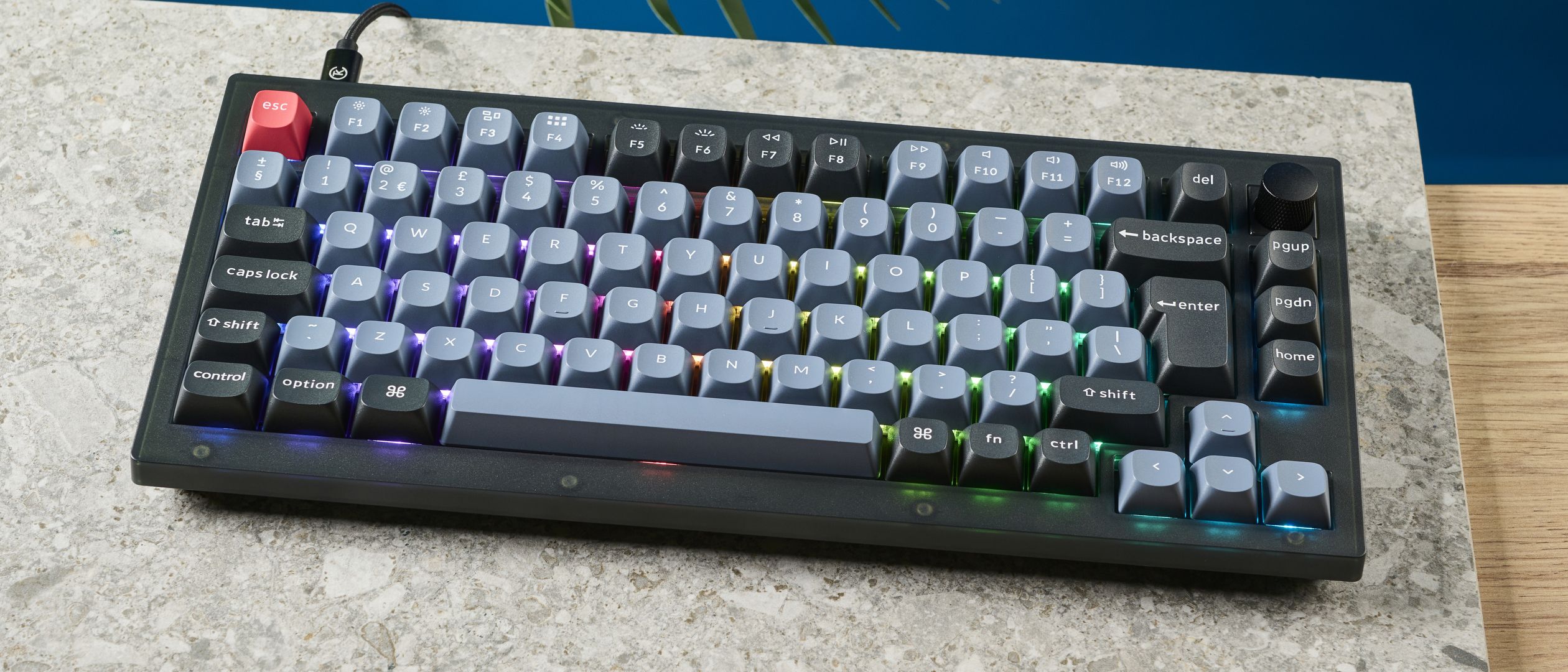
The Keychron V1 series occupies a distinct mid-range tier in the mechanical keyboard market, sitting below the premium Q series but above the entry-level K series. Reviewers consistently note that the chassis is constructed from ABS plastic, which XDA Developers describes as feeling somewhat cheap compared to the aluminum frames found on higher-end models. However, this material choice contributes to a lighter weight profile for the standard V1, though Melon Sour points out that the fully assembled variant with the volume knob can still feel noticeably heavy, weighing in around 770 grams according to XDA’s specifications. The design features a 75% layout, which retains the function row and arrow keys while omitting the numpad, offering a balance between compactness and functionality. Trusted Reviews highlights the aesthetic appeal, noting the matte Carbon Black finish resists fingerprints well, though dust accumulation remains a concern for long-term users. The keyboard includes a rotary knob for volume control, a feature that Mini PC Reviewer praises for its intuitive tactile feedback and seamless integration into the streamlined design.
Typing Experience and Acoustics
Despite the plastic construction, the typing experience on the Keychron V1 is widely praised as exceptional for its price point. XDA Developers awarded the V1 Max a 7.5/10, specifically highlighting the Gateron Jupiter switches as excellent for both typing and gaming. The keyboard utilizes a gasket-mounted design with internal sound-dampening foam and a silicone pad, which Melon Sour notes produces a median pitch that is neither overly thocky nor clacky. This acoustic profile is considered great out of the box, requiring minimal modification for most users. However, the spacebar stabilization is a frequent point of contention. Both XDA Developers and Melon Sour report significant rattle in the spacebar, with Melon Sour noting that fixing this issue requires full disassembly of the keyboard to access the screw-in stabilizers. Trusted Reviews echoes this concern, warning that buyers might encounter wonky spacebars, which can detract from the otherwise stellar typing feel. Users seeking a perfectly smooth experience may need to invest time in lubing and modding the stabilizers themselves.
Connectivity and Wireless Performance
The Keychron V1 Max variant introduces robust wireless capabilities, supporting both Bluetooth 5.1 and 2.4 GHz connectivity via included USB-A and USB-C receivers. XDA Developers emphasizes the reliability of this dual-mode setup, noting that the 1,000 Hz polling rate in 2.4 GHz mode is excellent for fast typers and gamers. The internal 4,000 mAh battery is a standout feature, with XDA reporting up to 225 hours of usage depending on RGB settings and connection type. However, not all reviewers are entirely satisfied with the wireless performance. Mini PC Reviewer raises concerns about reported Bluetooth connectivity issues, suggesting that while the 2.4 GHz mode is stable, Bluetooth users might experience intermittent dropouts or pairing difficulties. This discrepancy highlights a potential inconsistency in quality control or firmware optimization, where the wired and 2.4 GHz modes perform flawlessly, but the Bluetooth implementation may require troubleshooting for some users.
Customization and Software Support
One of the strongest selling points of the Keychron V1 is its extensive customization support. The keyboard features hot-swappable 3-pin switches, allowing users to easily change switches without soldering. XDA Developers and Trusted Reviews both highlight this feature, noting that it makes the V1 an ideal entry point for hobbyists looking to experiment with different switch types. The keyboard also supports QMK and VIA software, enabling deep customization of key mappings, macros, and RGB lighting. However, Trusted Reviews points out a significant barrier to entry: the customization process often requires coding knowledge or a steep learning curve for those unfamiliar with QMK/VIA. While the software is powerful, it is not as user-friendly as proprietary gaming keyboard suites, which may frustrate casual users who simply want to change a key function without diving into complex configuration menus. This trade-off between flexibility and ease of use is a defining characteristic of the V1 series.
RGB Lighting and Aesthetics
The RGB lighting on the Keychron V1 receives mixed reviews. While Mini PC Reviewer praises the vibrant and personalized touch the lighting adds to the typing experience, other reviewers are less impressed. XDA Developers describes the RGB lighting as somewhat weak, and Trusted Reviews agrees, noting that the RGB flair is spotty and leaves a lot to be desired. The lighting is functional and customizable through VIA, but it lacks the brightness and uniformity found in more expensive gaming keyboards. For users who prioritize aesthetics and flashy lighting effects, the V1 may fall short. However, for those who view the keyboard primarily as a typing tool and prefer a more subdued look, the RGB lighting is sufficient and can be turned off to extend battery life. The contrast between the grey keycaps, black edge keys, and vibrant orange ESC and Return keys, as noted by Trusted Reviews, provides a professional and sleek appearance that appeals to office and productivity users.
Input Lag and Gaming Suitability
Gaming performance is a nuanced topic for the Keychron V1. While XDA Developers highlights the 1,000 Hz polling rate as excellent for gaming, Melon Sour provides a more critical perspective, noting that the keyboard has a noticeable input lag of around 20ms, as measured by RTINGS. This latency is acceptable for programming, single-player games, and general productivity, but it may be a dealbreaker for competitive gamers who require ultra-low latency. Melon Sour mentions attempting to tweak the QMK firmware to reduce input lag, but the improvement was described as placebo-like. This suggests that while the V1 is capable of handling casual gaming, it is not optimized for high-level competitive play. Users who prioritize gaming performance over typing comfort and customization should consider alternatives with lower input lag, such as dedicated gaming keyboards from brands like Razer or Corsair.
Value and Price Positioning
The Keychron V1 is positioned as a high-value option in the mid-range mechanical keyboard market. XDA Developers notes that the fully assembled V1 Max costs around $94, while the barebones version starts at $74. This pricing is competitive, especially considering the inclusion of hot-swap support, wireless connectivity, and a 4,000 mAh battery. Trusted Reviews reinforces this, stating that the V1 Max is a great deal for under £100, offering features typically found in more expensive keyboards. However, the value proposition depends on the user’s willingness to engage with customization. For those who want a plug-and-play experience, the V1 offers excellent value. For hobbyists who plan to mod the keyboard extensively, the initial investment may be higher due to the cost of aftermarket switches, keycaps, and lubricants. Overall, the V1 strikes a balance between affordability and feature richness, making it an attractive option for both beginners and experienced enthusiasts.
Who It Is Best For
The Keychron V1 is best suited for users who prioritize typing comfort, customization, and wireless flexibility without breaking the bank. It is an ideal choice for programmers, writers, and office workers who spend long hours typing and appreciate the tactile feedback of mechanical switches. The hot-swap feature and QMK/VIA support make it a strong contender for hobbyists who enjoy tinkering with their keyboards. However, it is not recommended for competitive gamers who require ultra-low input lag, as the 20ms latency may hinder performance in fast-paced titles. Additionally, users who prefer a premium build quality with aluminum chassis may find the plastic construction of the V1 lacking. Those who are intimidated by the learning curve of QMK/VIA software might also struggle with the customization process. Ultimately, the V1 is a versatile keyboard that excels in productivity and casual use, but it may not meet the needs of users with specific high-performance or aesthetic requirements.
Strengths
- +Excellent typing experience with Gateron Jupiter switches
- +Hot-swap support for 3-pin switches allows easy customization
- +Reliable wireless connectivity via Bluetooth 5.1 and 2.4 GHz
- +Full QMK and VIA support for deep key remapping on multiple OS
Watch-outs
- −RGB lighting is described as somewhat weak
- −ABS plastic outer shell feels cheap compared to premium alternatives
- −Spacebar stabilization requires improvement
How it compares
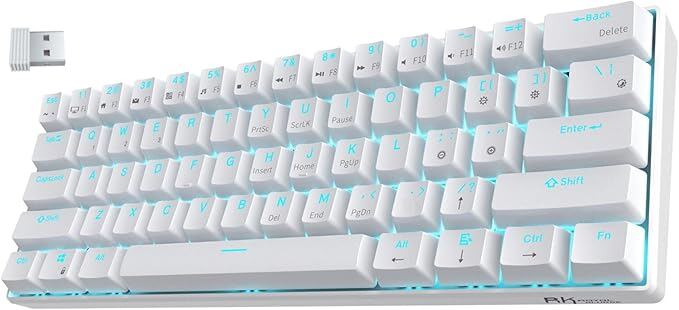
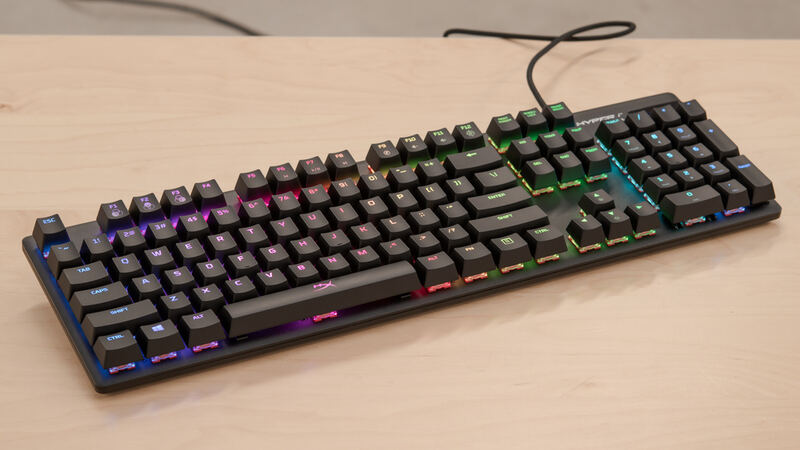
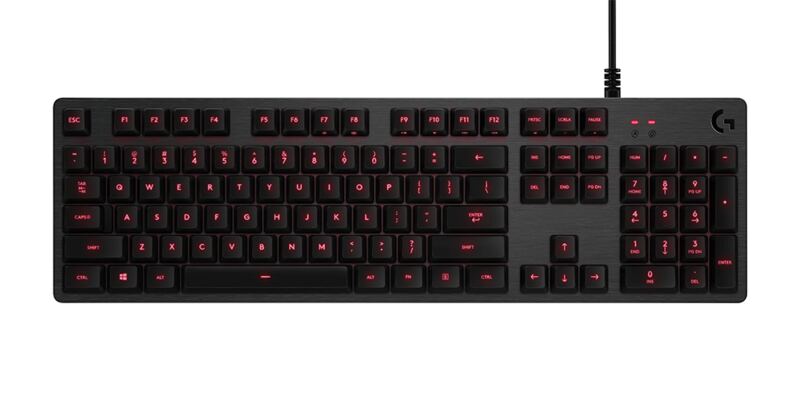
The Keychron V1 stands out by offering deep QMK/VIA customization and hot-swap support, features completely absent in the Royal Kludge RK61 and Logitech G413. While it shares the aluminum build quality of the HyperX Alloy Origins Core, the V1 sacrifices structural premiumness for a gasket-mounted typing feel and wireless versatility that the HyperX lacks.
Who this is for
At a glance: Enthusiasts seeking deep customization and wireless flexibility on a budget.
Why you’d buy the Keychron V1
- Excellent typing experience with Gateron Jupiter switches.
- Hot-swap support for 3-pin switches allows easy customization.
- Reliable wireless connectivity via Bluetooth 5.1 and 2.4 GHz.
Why you’d skip it
- RGB lighting is described as somewhat weak.
- ABS plastic outer shell feels cheap compared to premium alternatives.
- Spacebar stabilization requires improvement.
Rating sources
Our 4.3 score is the average of these published ratings. More about methodology.