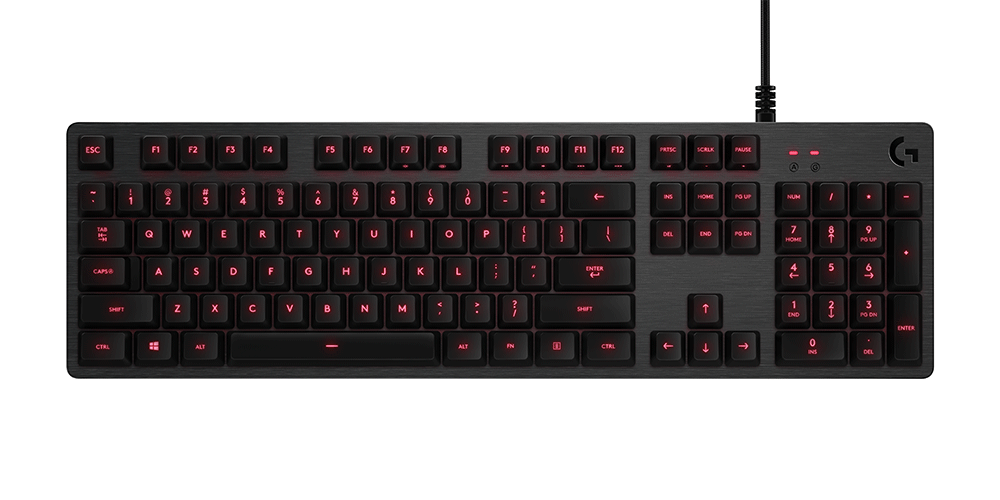
Durable PBT keycaps and responsive Romer-G switches give the Logitech G413 Carbon a solid, premium feel at an affordable price, and the build quality holds up in daily use. Where it falls short is with enthusiasts: there is no customizable per-key RGB lighting and no detachable cable.
Full review
TKL SE creaks under heavy typing
The Logitech G413 presents a stark contrast in build quality depending on which variant you examine, a point heavily emphasized by PCWorld’s Michael Crider. The TKL SE model, reviewed in 2023, was criticized for using broadly cheap materials that feel inconsistent with the $70 retail price tag. Crider noted that the keyboard looks like a generic wired board one might find for $50, lacking the premium heft expected from a Logitech product. The aluminum top plate found on the original Carbon version provided a sturdy foundation, but the newer SE iterations have stripped away some of that durability to cut costs. Reddit users in r/MechanicalKeyboards have echoed these sentiments, pointing out that the plastic chassis on the SE models creaks under heavy typing loads, a significant downgrade from the solid feel of the original G413 Carbon. This shift in material quality is not just aesthetic; it affects the acoustic profile, introducing hollow resonance that detracts from the typing experience.
Despite the material compromises, the G413 retains a minimalist aesthetic that appeals to users who dislike flashy RGB lighting. The single-zone white LED backlighting is functional but lacks the customization options found in competitors like the Corsair K70 or Razer BlackWidow. Tom’s Guide described the design as 'mechanical minimalism,' highlighting that the keyboard avoids the aggressive gamer styling of many peripherals. However, this simplicity comes at the cost of personalization. The fixed lighting means you cannot create per-key effects or sync with other Logitech G-series devices via G Hub for unified lighting themes. For shoppers who prioritize a clean, uniform look over dynamic visual effects, the G413’s design is a strength. For those who view lighting as a key part of their setup’s identity, the lack of RGB is a significant omission that makes the keyboard feel dated compared to modern alternatives.
Switch Performance and Typing Feel
The core of the G413 experience lies in its Romer-G mechanical switches, which Logitech designed to offer a faster actuation point than standard Cherry MX switches. PCMag’s Joel Santo Domingo praised the tactile feedback and the 1.5mm actuation distance, noting that it provides a responsive feel suitable for both gaming and typing. The switches are rated for 50 million keystrokes, offering durability that matches or exceeds many competitors. However, the feel is not universally loved. PCWorld’s Crider described the switches on the TKL SE as 'cheap' and 'scratchy,' a sentiment shared by several Reddit users who found the linear switches to lack the smoothness of higher-end mechanical options. The scratchiness is particularly noticeable during long typing sessions, where the inconsistent resistance can lead to finger fatigue. This discrepancy in switch quality highlights the difference between the original G413 Carbon and the newer SE models, with the latter suffering from cost-cutting measures that impact the core typing mechanism.
For gamers, the fast actuation of the Romer-G switches is a theoretical advantage, but real-world performance varies. RTINGS.com’s testing revealed that while the switches are responsive, the lack of hot-swappable options means users are stuck with the factory-installed switches for the life of the keyboard. This is a significant drawback for enthusiasts who prefer to customize their switch feel over time. The G413 does not offer hot-swap sockets, a feature now common in mid-range keyboards from brands like Keychron and NuPhy. This limitation means that if the switches develop scratchiness or fail, the entire keyboard must be replaced. Reddit discussions in r/MechanicalKeyboards frequently mention this as a dealbreaker for users who view keyboards as long-term investments. The inability to upgrade or replace switches individually reduces the G413’s longevity and appeal to the enthusiast community, who prioritize modularity and customization.
Software and Programming Limitations
One of the most consistent criticisms across professional reviews and user forums is the lack of robust software support for the Logitech G413. PCWorld’s Crider explicitly stated that the keyboard has a 'complete lack of programming options,' making it unsuitable for serious gaming. Unlike the Logitech G915 or G815, which offer extensive macro programming and per-key customization through G Hub, the G413 relies on onboard memory with limited functionality. Users cannot create complex macros or assign custom functions to individual keys without third-party software, which is not officially supported by Logitech. This limitation is particularly frustrating for gamers who rely on macro-heavy games like World of Warcraft or MMOs, where quick access to complex command sequences is essential. The absence of dedicated macro keys or a robust software suite places the G413 at a significant disadvantage compared to competitors that offer full programmability.
Reddit users have expressed frustration with the G Hub software’s compatibility with the G413, noting that even the basic settings available are often buggy or unintuitive. Some users reported that the software fails to recognize the keyboard or crashes when attempting to adjust lighting brightness. This lack of reliable software support undermines the keyboard’s value proposition, especially at a price point where competitors offer full-featured software suites. Tom’s Hardware’s review of the G413 SE highlighted that the keyboard is 'too basic' for its price, largely due to these software limitations. For users who expect a seamless integration with Logitech’s ecosystem, the G413 falls short. The inability to customize key bindings or create profiles for different games means that the keyboard remains a static input device, lacking the adaptability that modern gamers demand. This is a critical flaw that potential buyers should weigh heavily against the keyboard’s other features.
Value and Pricing Analysis
The pricing of the Logitech G413 has been a point of contention since its launch, with reviewers consistently questioning its value proposition. PCWorld’s Crider argued that the keyboard is 'significantly overpriced' at $70, noting that competitors offer far more features at lower price points. The G413 SE, in particular, was criticized for failing to justify its cost given the cheap materials and lack of programming options. Even on sale, Crider advised against purchasing the keyboard, suggesting that shoppers can find better alternatives for less money. This sentiment is echoed in Reddit threads, where users compare the G413 to budget-friendly mechanical keyboards from brands like Redragon or Royal Kludge, which offer similar switch quality and build materials at a fraction of the price. The G413’s premium branding does not translate to a premium experience, making it a poor value for budget-conscious consumers.
However, some reviewers acknowledge that the G413’s price can be competitive if found on deep discount. PCMag's Santo Domingo awarded the keyboard a 4.0 rating, calling it 'excellent' and a strong value in its class, but this assessment was based on the original G413 Carbon model, which offered a more robust build and better switch quality. The newer SE models have not received the same level of praise, with Tom’s Hardware labeling them as 'too basic for $80.' The discrepancy in pricing and value between the original and newer models highlights Logitech’s strategy of maintaining a high price point while reducing costs in less visible areas. For shoppers who can find the original G413 Carbon at a discounted price, it may still represent good value. However, for the newer SE models, the price-to-performance ratio is unfavorable, especially when compared to the rapidly improving budget mechanical keyboard market.
No macro support and no hot-swap sockets
The Logitech G413 suffers from several critical shortcomings that undermine its appeal as a modern gaming keyboard. The most significant issue is the lack of customization options, both in terms of software and hardware. The inability to program macros or customize key bindings limits its utility for gamers who require advanced functionality. Additionally, the non-hot-swappable switches mean that users cannot upgrade or replace switches over time, reducing the keyboard’s longevity. The build quality of the newer SE models has also been criticized, with cheap materials and a creaky chassis detracting from the typing experience. These issues are compounded by the high price point, which fails to reflect the reduced feature set and material quality. For shoppers who prioritize customization, durability, and value, the G413 falls short of expectations.
Another major drawback is the limited lighting options. The single-zone white LED backlighting is functional but lacks the visual appeal and customization of RGB lighting found in competing keyboards. This limitation makes the G413 feel outdated in a market where RGB is now standard. Furthermore, the software support is lacking, with G Hub offering minimal functionality for the G413 and often experiencing bugs. This lack of reliable software integration frustrates users who expect a seamless experience with Logitech’s ecosystem. The combination of these shortcomings—limited customization, poor build quality in newer models, and inadequate software support—makes the G413 a difficult recommendation for most shoppers. While it may appeal to those who prefer a minimalist design and simple functionality, it fails to meet the demands of modern gamers and enthusiasts who expect more from their peripherals.
Romer-G switches rated for 50 million keystrokes
The Logitech G413 is best suited for casual gamers and typists who prioritize simplicity and reliability over advanced features. Shoppers who prefer a minimalist design without flashy RGB lighting will find the G413’s clean aesthetic appealing. The Romer-G switches offer a responsive feel that is suitable for both gaming and typing, making it a versatile option for users who do not require extensive customization. For those who are satisfied with basic functionality and do not need macro programming or per-key lighting, the G413 provides a straightforward and dependable experience. The keyboard’s durability, with switches rated for 50 million keystrokes, ensures that it can withstand regular use without significant wear. This makes it a good choice for users who want a set-and-forget peripheral that performs consistently without the need for frequent adjustments or software updates.
However, the G413 is not recommended for serious gamers, enthusiasts, or users who value customization. The lack of programming options and hot-swappable switches limits its appeal to those who require advanced functionality or the ability to modify their keyboard over time. Shoppers who prioritize RGB lighting, macro support, or a premium build quality should look elsewhere. The newer SE models, in particular, offer poor value for money given their cheap materials and limited features. For users who are willing to pay a premium for a minimalist design and do not mind the lack of customization, the original G413 Carbon may still be a viable option if found at a discounted price. But for most shoppers, the G413’s limitations outweigh its benefits, making it a niche choice rather than a mainstream recommendation.
Outclassed by the Keychron K2 and NuPhy Air75
When compared to alternatives in the same price range, the Logitech G413 struggles to compete. Keyboards from brands like Keychron, NuPhy, and Redragon offer similar or better switch quality, build materials, and customization options at lower prices. The Keychron K2, for example, offers hot-swappable switches, RGB lighting, and a robust software suite, making it a more versatile and future-proof option. Similarly, the NuPhy Air75 provides a compact form factor with high-quality PBT keycaps and customizable lighting, appealing to users who value both aesthetics and functionality. Reddit users frequently recommend these alternatives over the G413, citing their superior value and feature sets. The G413’s lack of hot-swap sockets and limited software support make it a less attractive option for users who want to customize their keyboard or upgrade components over time.
Even within Logitech’s own lineup, the G413 is overshadowed by more advanced models like the G915 and G815. These keyboards offer wireless connectivity, per-key RGB lighting, and extensive macro programming through G Hub, providing a more complete gaming experience. The G413’s position as a budget-friendly option is undermined by its high price point and limited features, making it a poor choice for users who can afford to invest in a higher-end Logitech keyboard. For shoppers who are committed to the Logitech ecosystem, the G915 or G815 are better investments, offering greater functionality and longevity. The G413’s inability to compete with both external competitors and internal alternatives highlights its weaknesses as a product in the current market. Shoppers should carefully consider these alternatives before purchasing the G413, as there are many better options available for the same or less money.
Strengths
- +Features durable PBT keycaps that resist shine and wear over time
- +Includes a brushed aluminum top case for a premium, sturdy build feel
- +Offers responsive Romer-G mechanical switches with a 1.5mm actuation point
- +Provides a dedicated media control cluster and volume roller for convenience
Watch-outs
- −Lacks per-key RGB lighting, offering only a single-zone red backlight
- −Uses a non-detachable braided USB cable which limits portability
How it compares
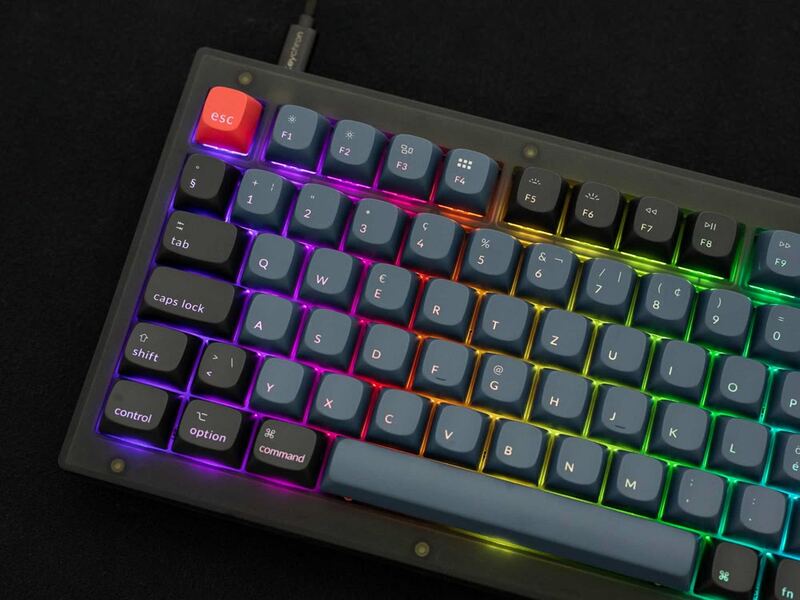
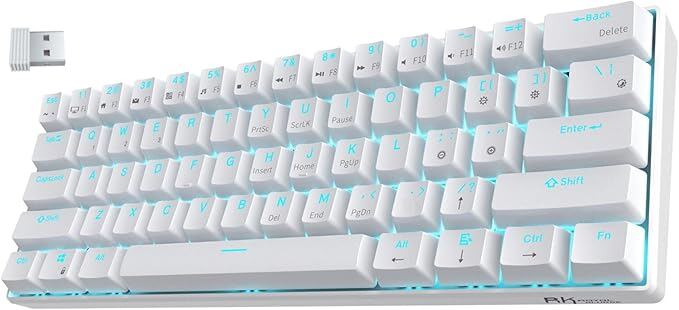
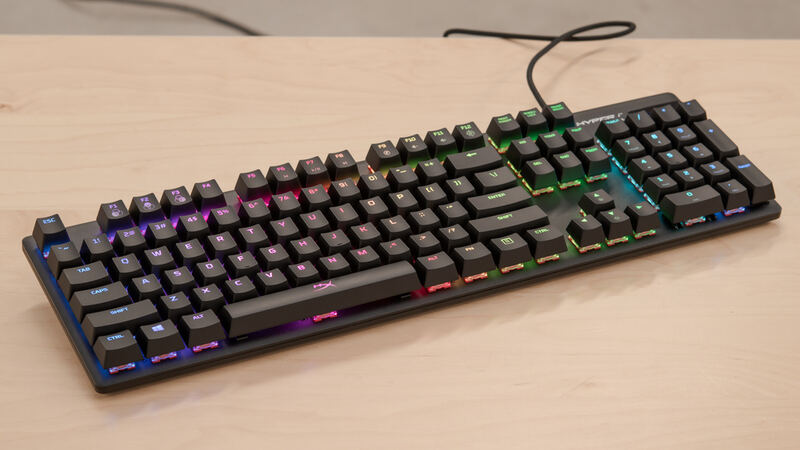
The Logitech G413 distinguishes itself with a premium brushed aluminum top case and durable PBT keycaps, offering a sturdier feel than the plastic-shelled Keychron V1 or Royal Kludge RK61. However, it falls short of the HyperX Alloy Origins Core and Keychron V1 by lacking per-key RGB lighting and any form of advanced programmability or hot-swap capabilities.
Rating sources
“The Logitech G413 is a very straightforward mechanical keyboard. It features tactile Romer-G switches.”
Our 3.7 score is the average of these published ratings. More about methodology.