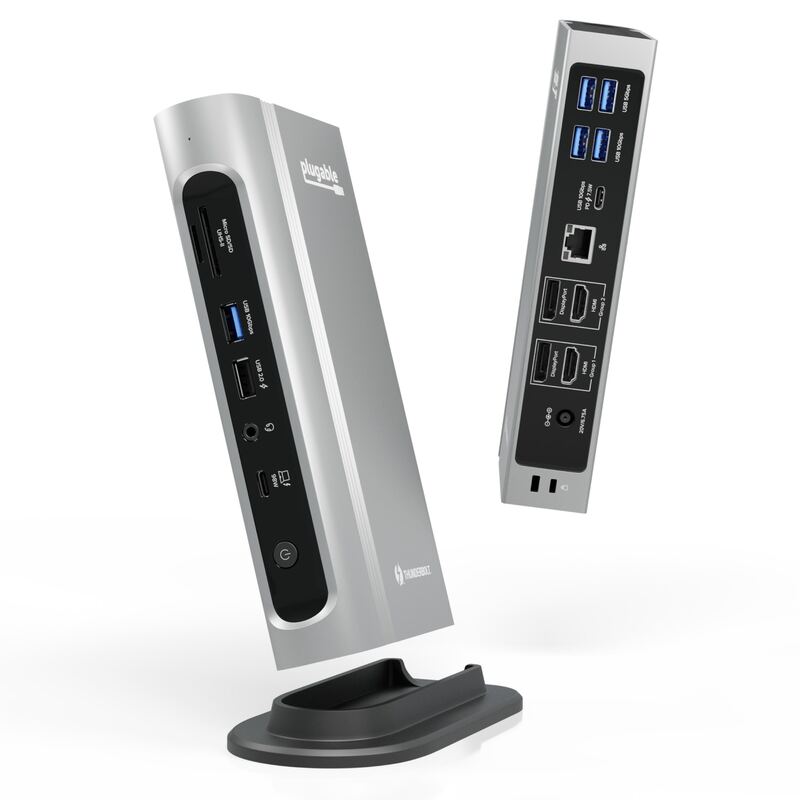
The TBT4-UD5 is the value pick that won Wirecutter's Best Thunderbolt Dock award: dual HDMI, 100W charging and certified 40Gb/s speed for around $200. XDA scored it 9/10, calling the price 'kind of amazing,' and Tom's Guide named it the best bang for your buck. It has fewer ports than the flagship docks, but for most desks it covers nearly everything for half the money.

Full review
Real-World Performance
The TBT4-UD5's pitch is delivering flagship-grade docking for a mid-range price, and reviewers confirm it lands. Independent testing showed it delivering consistent 40Gb/s transfer speeds to external NVMe drives and instant wake-from-sleep for dual 4K monitors via HDMI — the reliability fundamentals that separate a good dock from a frustrating one. XDA was direct about the value: "the fact that you can get it for $200 is kind of amazing."
Tom's Guide reached the same conclusion, calling it "a ton of I/O in a slim design at an impressively affordable price" and "arguably the best bang for your buck right now." For the typical work-from-home or hybrid user, it does everything they need with no caveats beyond a slightly leaner port count than the flagships.
Ports and Connectivity
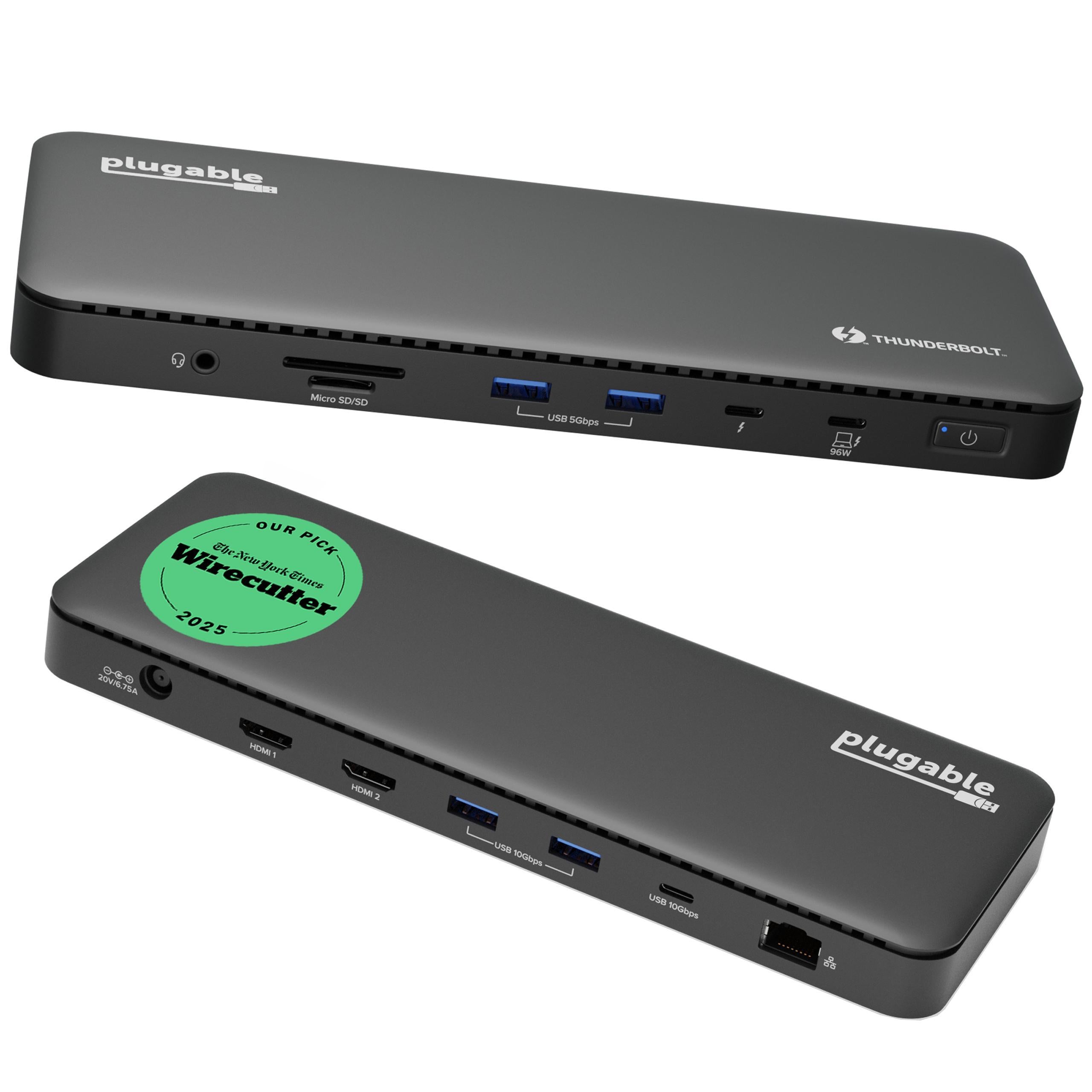
The UD5 carries 13 ports, and crucially it includes dual HDMI outputs — something the pricier CalDigit TS4 omits entirely. That lets you drive two 4K 60Hz displays (or a single 8K) straight out of the box with no DisplayPort adapters, which is exactly what most dual-monitor desks want. Rounding it out are four USB ports and Gigabit Ethernet.
XDA noted that "this is a great setup of ports that you'd probably find in docks starting at $300," which is the crux of the value argument. The omission is downstream Thunderbolt ports for daisy-chaining drives — if you need those, the TS4 or OWC are better — but for monitors, networking and USB peripherals the UD5 is comprehensive.
Build Quality and Design
The UD5 is slim and compact, designed to tuck neatly onto a desk or behind a monitor rather than dominate the space. It is more plastic-heavy than the all-metal TS4, so it feels a step less premium, but it is well-made and the smaller footprint is a genuine advantage in tight setups.
Charging is strong for the price: up to 100W of host Power Delivery (96W certified), enough to keep most laptops charged while docked. Combined with Thunderbolt 4 and Intel Evo certification, the build delivers the reliability that earned it Wirecutter's top recommendation.
Setup and Compatibility
Like other certified Thunderbolt 4 docks, the UD5 is essentially plug-and-play across Windows and Mac, with no drivers required for core functionality. Its Thunderbolt 4 and Intel Evo certifications are the assurance that it behaves correctly with the broadest range of host laptops.
The standard caveats apply: full functionality needs a Thunderbolt 4 host, and Apple's single-display cap on base M-series MacBook Air and Pro models limits those machines regardless of dock. For a Thunderbolt 4 Windows laptop or a higher-end Mac, the UD5 is a frictionless upgrade.
Where It Falls Short
The UD5's compromises are the predictable ones for its price. It has fewer total ports than the CalDigit TS4 or Plugable TBT4-UDZ, and it offers no extra downstream Thunderbolt ports, so power users who daisy-chain multiple Thunderbolt drives will feel constrained. There is a single host Thunderbolt input only.
The plastic-heavy build is also a notch below the metal TS4 and OWC docks in perceived quality. None of this matters to the mainstream buyer the UD5 targets, but it is why it sits second to the more capable, more expensive TS4 rather than first.
How It Compares to Alternatives
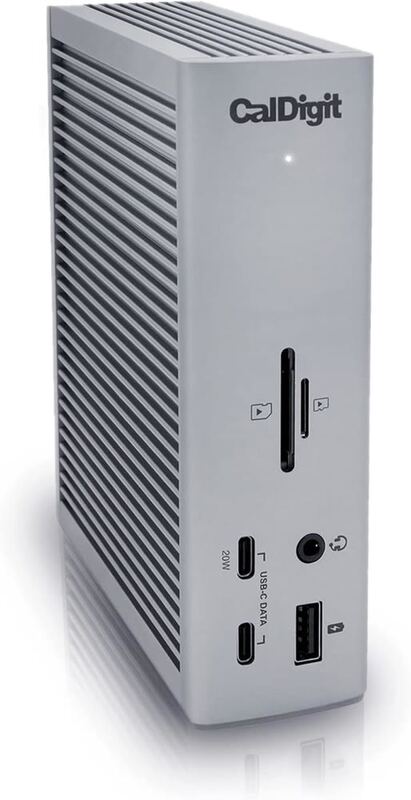
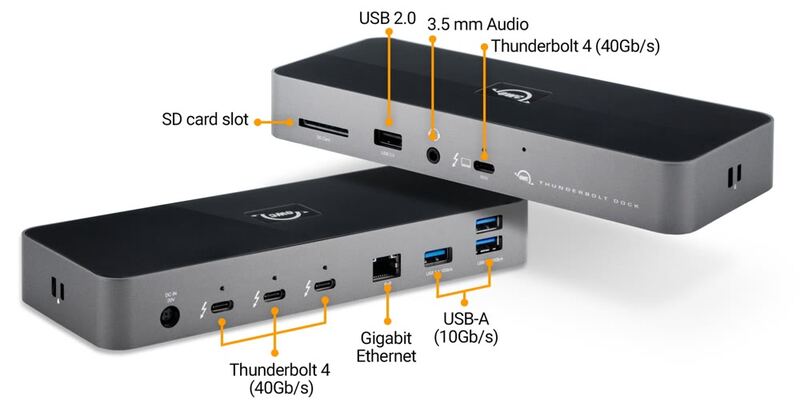
The UD5 is the value answer to the CalDigit TS4: it sacrifices some ports and the TS4's downstream Thunderbolt connections but adds dual HDMI and costs roughly half as much. Against the OWC Thunderbolt 4 Dock it undercuts on price while OWC adds daisy-chain Thunderbolt ports. The Plugable TBT4-UDZ and Kensington SD5780T offer more ports and displays for more money. For the buyer who wants the most dock for the least money with HDMI built in, the UD5 is the standout.
Value at This Price
Value is the entire reason the UD5 exists, and reviewers are unanimous that it delivers. XDA's 9/10 rested on the observation that "this is a great setup of ports that you'd probably find in docks starting at $300, and the fact that you can get it for $200 is kind of amazing." Tom's Guide called it "arguably the best bang for your buck right now." NGXP Tech framed it as "a versatile, budget-friendly powerhouse" with "excellent value for Windows 11 users."
That value is what earned it Wirecutter's Best Thunderbolt Dock award. You give up the flagship docks' downstream Thunderbolt ports and a few connections, but for the dual-monitor, networking and USB needs of the vast majority of desks, the UD5 covers it at a price the premium docks cannot approach. It is the default recommendation for most buyers for exactly that reason.
Who It's Best For
Choose the TBT4-UD5 if you want a reliable, certified Thunderbolt 4 dock with built-in HDMI for a dual-monitor desk and you do not need a wall of extra Thunderbolt and USB ports. It is the best-value pick for most hybrid and work-from-home users. Step up to the CalDigit TS4 or OWC Thunderbolt 4 Dock only if you specifically need downstream Thunderbolt ports for daisy-chaining drives or a larger total port count.
Strengths
- +Outstanding value, delivering most of a flagship dock's function for around $200
- +Dual HDMI ports built in for single 8K or dual 4K displays
- +Thunderbolt certified with reliable 40Gb/s transfer and instant wake
- +100W host charging (96W certified) through one cable
- +Slim, compact design that tidies up a desk
Watch-outs
- −Fewer total ports than the CalDigit TS4 or Plugable TBT4-UDZ
- −No extra downstream Thunderbolt ports for daisy-chaining drives
- −Plastic-heavy build feels less premium than metal rivals
- −Single host Thunderbolt input only
How it compares
The value alternative to the CalDigit TS4: it gives up some of the TS4's 18-port count and downstream Thunderbolt ports but adds dual HDMI the TS4 lacks, for roughly half the price. It is simpler than the Plugable TBT4-UDZ and Kensington SD5780T but covers the essentials most users need, undercutting the OWC Thunderbolt 4 Dock on price too.
Who this is for
At a glance: Mainstream users who want a reliable, HDMI-equipped Thunderbolt 4 dock that covers most needs at the best price in the category.
Why you’d buy the Plugable TBT4-UD5
- Outstanding value, delivering most of a flagship dock's function for around $200.
- Dual HDMI ports built in for single 8K or dual 4K displays.
- Thunderbolt certified with reliable 40Gb/s transfer and instant wake.
Why you’d skip it
- Fewer total ports than the CalDigit TS4 or Plugable TBT4-UDZ.
- No extra downstream Thunderbolt ports for daisy-chaining drives.
- Plastic-heavy build feels less premium than metal rivals.
Rating sources
“This is a great setup of ports that you'd probably find in docks starting at $300, and the fact that you can get it for $200 is kind of amazing.”
“The TBT4-UD5 offers a ton of I/O in a slim design at an impressively affordable price; for those looking for an affordable upgrade to their desk setup, this is arguably the best bang for your buck right now.”
“The Plugable Thunderbolt 4 and USB4 Docking Station (TBT4-UD5) is a versatile, budget-friendly powerhouse for 2025, excellent value for Windows 11 users.”
Our 4.6 score is the average of these published ratings. Ratings marked * were derived from the reviewer’s written analysis or video transcript — the publisher didn’t print an explicit numeric score, so we inferred one from their own words. Click through to verify. More about methodology.