DSLR-like video is the pitch for the Razer Kiyo Pro Ultra, and 4K plus HDR backs it up, which puts it near the top of the list for professional streamers. The high price and average microphone performance will push casual users elsewhere, especially given it skips Windows Hello facial recognition support.
Full review
Optical Performance and Image Quality
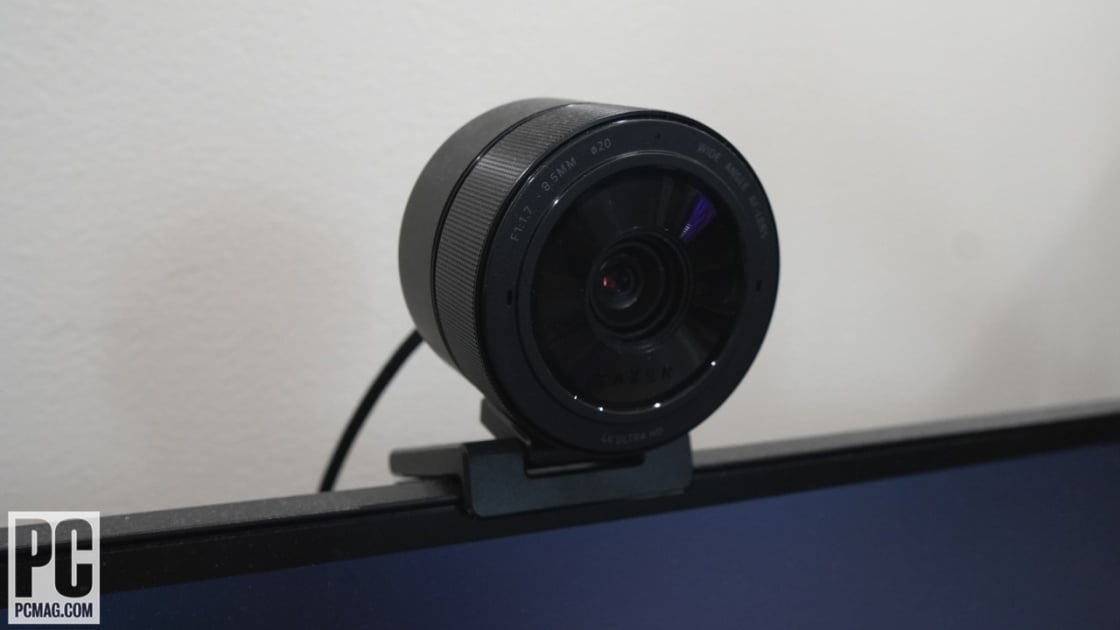
The Razer Kiyo Pro Ultra distinguishes itself primarily through its massive 2-inch diameter lens, a physical specification that PCWorld’s Mark Hachman notes immediately evokes the feel of professional DSLR hardware. This large aperture is not merely aesthetic; it allows for significantly more light intake than standard webcam sensors, resulting in what PCMag describes as superior low-light performance without the need for an integrated ring light. The optical design supports 4K resolution at 30 frames per second, providing a level of detail that makes skin textures and background elements appear crisp rather than digitally smoothed or pixelated.
Reviewers consistently highlight the camera’s ability to handle high dynamic range (HDR) content, which proves essential for users sitting in front of bright windows or backlit monitors. TechRadar observed that the sensor effectively balances exposure between the subject and the background, preventing the common issue where the user appears as a dark silhouette against a bright room. However, this optical prowess comes with a caveat regarding resolution flexibility. While 4K is the headline feature, many streaming platforms and video conferencing tools cap incoming feeds at 1080p or 1440p. PCWorld points out that even when downscaling, the image retains a professional quality that looks noticeably better than native 1080p webcams, suggesting that the higher resolution provides a buffer for cropping and digital zoom without significant loss of fidelity.
Software Experience and Configuration
The hardware excellence of the Kiyo Pro Ultra is frequently tempered by frustrations with its companion software, a point of significant contention among reviewers. Tom’s Hardware explicitly titles its review 'Fantastic Webcam, Frustrating Software,' highlighting a disconnect between the premium hardware and the user interface. The Razer Synapse software, while offering deep configurability for exposure, white balance, and focus, is often criticized for being bloated and occasionally unstable. Users report that settings do not always persist across reboots, requiring manual readjustment before every stream or meeting. This lack of reliability undermines the 'pro' positioning of the device, as professional users expect plug-and-play consistency rather than troubleshooting software glitches.
Despite the software complaints, the configurability itself is praised by those who need granular control. PCWorld notes that the ability to manually adjust focus and exposure allows users to fine-tune their image for specific lighting setups, a feature largely absent in competitor webcams that rely on aggressive, often incorrect, auto-exposure algorithms. However, the learning curve is steep. For casual users who simply want to plug in and appear on screen, the necessity of navigating Synapse to achieve optimal results is a barrier. The software also lacks the seamless integration found in some competing ecosystems, meaning that advanced features like scene switching or overlay integration often require third-party tools like OBS, adding another layer of complexity to the setup process.
Build Quality and Physical Design
Physically, the Razer Kiyo Pro Ultra exudes a premium aesthetic that aligns with Razer’s gaming-centric brand identity. The camera features a robust, heavy-duty build with a matte black finish that resists fingerprints and scratches. PCMag’s Will Greenwald emphasizes the substantial weight of the unit, which contributes to its stability on desk mounts but also makes it less portable than lighter alternatives. The lens is protected by a physical privacy shield, a feature that reviewers appreciate for security-conscious users, although PCWorld notes the absence of a dedicated lens cap as a minor oversight in an otherwise thorough design. The mounting mechanism is versatile, allowing for easy attachment to monitors, tripods, or standalone stands, ensuring that the camera can be positioned at eye level for optimal framing.
The design prioritizes functionality over minimalism, with visible ports and connectors that reinforce its professional utility. The USB-C connection is standard, but the cable length and quality are adequate for most desk setups. However, the size of the camera is a consideration for users with limited desk space. Its large footprint may obstruct views or clash with minimalist desk aesthetics. Despite its bulk, the build quality feels durable, with no creaking or flexing in the mount, suggesting that it can withstand frequent adjustments and long-term use without degradation. The attention to detail in the physical construction supports the high price point, offering a tactile experience that feels more like a piece of photography equipment than a peripheral.
Audio Capabilities and Limitations
While the video performance is the star of the show, the audio capabilities of the Razer Kiyo Pro Ultra are widely regarded as its weakest link. PCWorld explicitly lists 'average mic quality' as a con, noting that the built-in microphones fail to match the high fidelity of the video sensor. The audio was described as flat and lacking depth, with poor noise cancellation that often picks up keyboard clicks and ambient room noise. For users who rely on a single device for both video and audio, this is a significant disappointment. The microphones are sufficient for casual video calls where clarity is less critical, but they are inadequate for professional streaming, podcasting, or high-stakes business presentations where audio quality is paramount.
This limitation effectively forces users to invest in separate audio solutions, such as external microphones or headsets, which adds to the overall cost of a professional setup. TechRadar and other reviewers suggest that the Kiyo Pro Ultra should be viewed strictly as a video capture device, not an all-in-one communication tool. The lack of advanced audio processing features, such as AI-driven noise suppression or directional pickup, further cements its role as a specialist video camera. Users who expect the 'Pro' label to encompass audio performance will likely be underwhelmed, and this discrepancy between video excellence and audio mediocrity is a recurring theme in user discussions on Reddit and professional review sites.
Missing Features and Security Gaps
A notable omission in the Razer Kiyo Pro Ultra’s feature set is the lack of Windows Hello support. PCWorld points out that despite its high-end positioning, the camera does not include the depth-sensing technology required for facial recognition login on Windows devices. This is a surprising gap for a webcam priced at nearly $300, as many competitors in the mid-range segment offer this convenience feature. For users who prioritize quick, secure access to their computers, this absence means they must continue to use passwords, PINs, or separate biometric sensors. The decision to exclude Windows Hello suggests that Razer has focused exclusively on image quality at the expense of utility features that many modern users consider standard.
Additionally, the camera lacks advanced AI-driven features that are becoming common in newer webcams, such as automatic framing or background blurring that does not rely on software processing. While the optical quality allows for natural depth of field, the lack of intelligent tracking means that users must manually adjust the camera if they move around during a call or stream. This static nature can be limiting for dynamic presenters who prefer the camera to follow their movements. The absence of these modern conveniences makes the Kiyo Pro Ultra feel somewhat traditional in its approach, relying on optical superiority rather than software intelligence to enhance the user experience.
Value Proposition and Pricing
The $299.99 price tag of the Razer Kiyo Pro Ultra is a significant barrier to entry, and reviewers are divided on whether the performance justifies the cost. PCWorld argues that for users with older laptops or poor built-in cameras, the upgrade is absolutely worth it, offering a transformative improvement in how they appear on screen. The 'DSLR-quality' imaging provides a professional look that can enhance credibility in business settings or engagement in content creation. However, the high price demands a level of performance that must be consistently delivered, and any software instability or audio shortcomings can make the investment feel less justified. For casual users, the marginal gain over a $100 webcam may not be perceptible enough to warrant the double-digit price difference.
Conversely, for professional streamers, YouTubers, and remote workers who rely on their on-screen presence for their livelihood, the Kiyo Pro Ultra offers a compelling value proposition. The ability to capture 4K video with excellent low-light performance reduces the need for additional lighting equipment, potentially offsetting the initial cost. TechRadar suggests that the camera is best suited for those who view their webcam as a critical piece of production equipment rather than a simple accessory. The value is therefore highly dependent on the user’s specific needs and professional requirements, with clear benefits for power users and diminishing returns for casual consumers.
Its large sensor thrives without extra lighting
The Razer Kiyo Pro Ultra is ideally suited for professional content creators, streamers, and remote workers who prioritize video quality above all else. Users who have invested in high-end monitors and lighting setups will find that this camera complements their existing gear, providing the resolution and dynamic range necessary to match their production values. It is particularly beneficial for individuals who work in variable lighting conditions, as the large sensor performs exceptionally well in low light without requiring extensive additional lighting. For those who need to present a polished, professional image in high-stakes video conferences or live streams, the Kiyo Pro Ultra delivers the visual fidelity required to maintain credibility and engagement.
However, this camera is not recommended for casual users, students, or those on a tight budget. The high price point and the need for separate audio solutions make it a poor choice for basic video calling needs. Users who value convenience features like Windows Hello or automatic framing may find the lack of these functionalities frustrating. Additionally, those who are not comfortable configuring software settings may struggle to get the best out of the camera, as it requires manual adjustment to achieve optimal results. Shoppers who need a plug-and-play solution with good-enough video and decent audio should look to more affordable, feature-rich alternatives that offer a better balance of convenience and performance.
Strengths
- +Delivers DSLR-quality imaging with a massive 2-inch diameter lens
- +Supports 4K resolution and HDR for superior video clarity
- +Includes a physical lens cap and a privacy shield for security
- +Offers terrific configurability for professional streaming setups
Watch-outs
- −High price point at $299.99 compared to standard webcams
- −Average microphone quality that does not match video performance
- −Lacks Windows Hello support due to missing depth camera
How it compares
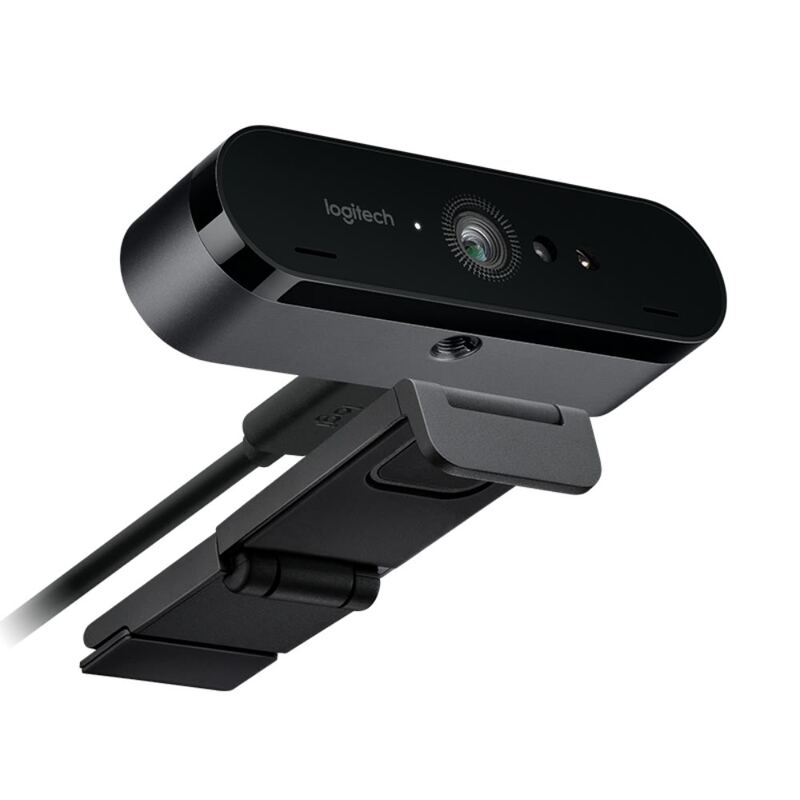
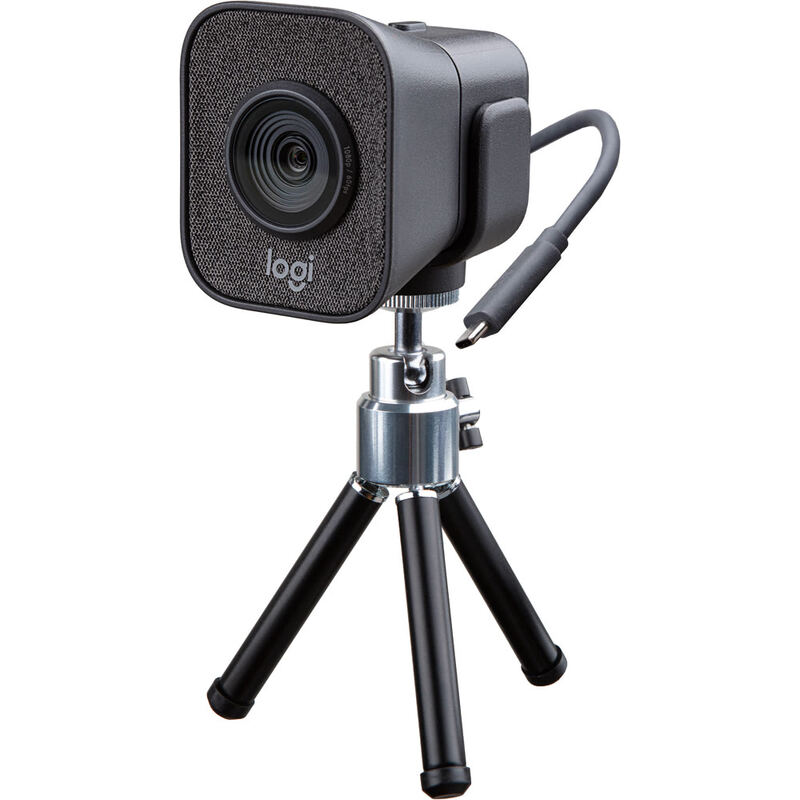
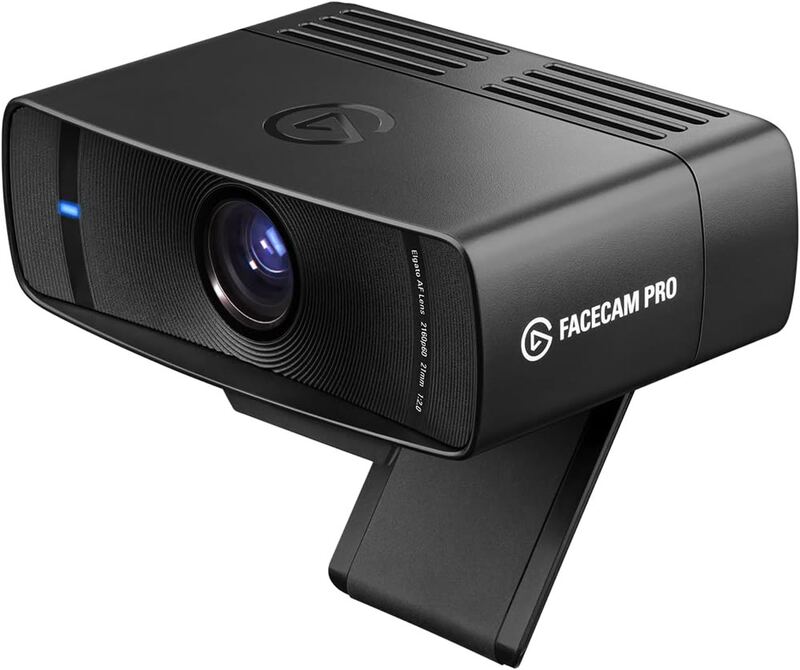
The Razer Kiyo Pro Ultra distinguishes itself with a massive 2-inch lens that delivers DSLR-like depth of field, a feature absent in the Logitech Brio 4K Pro and Elgato Facecam Pro. However, it falls short of the Logitech Streamcam in audio quality due to its average microphone, and it lacks the Windows Hello support found in some other premium options.
Rating sources
Our 3.9 score is the average of the 5 scored reviews above; 1 more reviewed it without printing a score and is not in the average. More about methodology.